
Highlight AI
CLAIMED VerifiedThe AI That Works Everywhere You Do
Verified by the maker Details confirmed by Highlight AI
Overview
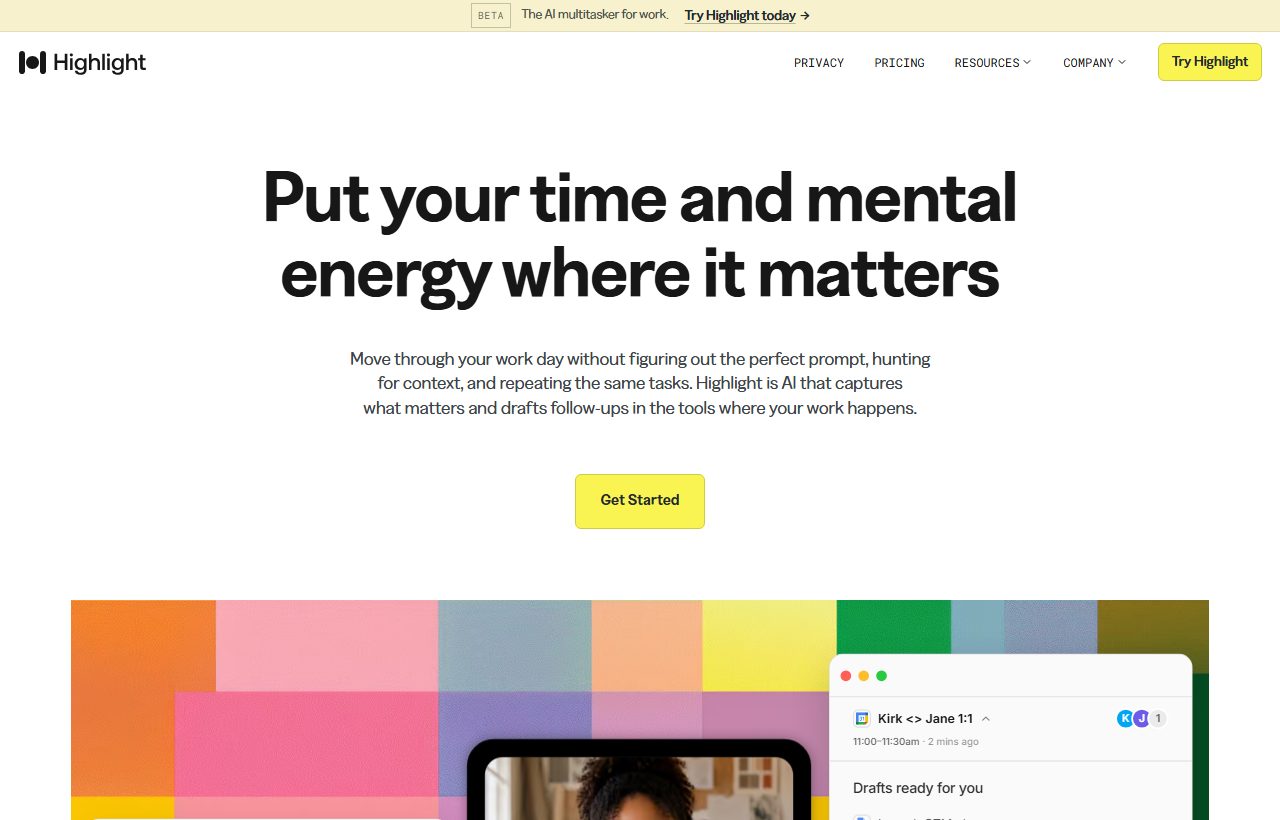
Highlight is a shared brain for a team: it learns the work across the tools a team already uses and gives each person the context they need without them having to go and find it. The framing is about attention rather than automation. Most of the time lost.
About Highlight AI
Highlight is a shared brain for a team: it learns the work across the tools a team already uses and gives each person the context they need without them having to go and find it.
The framing is about attention rather than automation. Most of the time lost in a working day goes to managing work rather than doing it, and Highlight is aimed at that: starting informed, staying focused and finishing with momentum. It works across a team's existing tools, adapts to whatever role you have, and you control exactly what it can see and do, which is the right default for something this broad.
🎥 Highlight AI demo video
No demo video yet
Highlight AI has not published one we can show here. The owner can add it to this listing at any time.
📷 Screenshots
✨ Key Features
Meeting capture
Records meetings and produces summaries, decisions and action items.
Pre-meeting briefs
Prepares context, suggested questions and open commitments before each call.
Daily briefs and recaps
Sends a morning brief and an end-of-day or weekly recap.
Drafted follow-ups
Writes emails, doc edits, tickets and Slack messages for approval.
Ask Highlight
Answers questions drawn from meetings, messages and documents.
Custom skills
Lets top-tier users build their own repeatable workflows.
🎯 Target Audience
Recruiters
Turn candidate calls into notes and follow-ups in hiring tools.
Marketing teams
Capture decisions from campaign meetings and draft next steps.
Operations teams
Track action items, owners and due dates across meetings.
Managers with heavy calendars
Get briefs before meetings and recaps at the end of the day.
Engineering teams
Turn discussions into tickets in Linear or GitHub.
⚖️ Pros & Cons
Pros
Cons
Pricing Prices from the maker · check highlightai.com for current plans
Lite
$35 /mo
- 20 hours of meeting transcription
- Pre-meeting briefs
- Meeting summaries
- Daily briefs
Pro
$60 /mo
- 50 hours of meeting transcription
- Daily recaps
- Built-in skills
- 3,000 credits for chat & skills
Max
$200 /mo
- 80 hours of meeting transcription
- Custom skills
- 8,000 credits for chat & skills
- Beta features
❓ Frequently Asked Questions
Is Highlight AI free?
No. Highlight has three paid monthly plans starting at $35 per month, and the Lite and Pro plans include a 14-day free trial.
What does Highlight AI do?
It captures meetings and work context, then produces briefs, recaps, action items and drafted follow-ups such as emails, tickets and Slack messages.
Does Highlight act on my behalf automatically?
No. The company says Highlight drafts work for review and nothing is sent without the user's approval.
Which apps does Highlight connect to?
Listed connections include Gmail, Google Docs, Slack, GitHub, Notion, Linear and Ashby, and users can request others.
Who makes Highlight AI?
Highlight is made by Highlight AI, a San Francisco company that spun out of the team behind the game-recording app Medal in 2024.
Is my data used for training?
The company says user data is encrypted, never sold and not used for model training, and that sensitive content like passwords is not captured.
What is Highlight AI?
The collective brain for high-velocity teams. Join waitlist: highlightai.com.
What are the key features of Highlight AI?
Highlight AI offers 6 main features. Meeting capture: Records meetings and produces summaries, decisions and action items. Pre-meeting briefs: Prepares context, suggested questions and open commitments before each call. Daily briefs and recaps: Sends a morning brief and an end-of-day or weekly recap. Drafted follow-ups: Writes emails, doc edits, tickets and Slack messages for approval. Ask Highlight: Answers questions drawn from meetings, messages and documents. Custom skills: Lets top-tier users build their own repeatable workflows.
How much does Highlight AI cost?
Highlight AI uses a Freemium pricing model. Available plans include Lite at $35/mo, Pro at $60/mo, Max at $200/mo.
What are the pros and cons of Highlight AI?
Key advantages include: Drafts work but requires user approval before anything is sent; 14-day free trial on Lite and Pro plans; Company states SOC 2 Type 2 certification and no training on user data; Lets users exclude specific apps, websites and windows from capture. Potential drawbacks: No free plan; paid tiers start at $35 per month; Transcription hours and credits are capped on every plan; Site does not clearly state which operating systems are supported.
What type of tool is Highlight AI?
Highlight AI is listed under Productivity on Ai Product Index.
Where can I try Highlight AI?
You can visit the official Highlight AI website at highlightai.com to sign up, explore features, or start a free trial.
SIDE BY SIDE
Highlight AI vs Kuse vs Taskade
See at a glance which tool leads on each point. ★ = best in row
| CRITERIA | H Highlight AI THIS TOOL | K  Kuse UNCLAIMED | T  Taskade UNCLAIMED |
|---|---|---|---|
| Best for | The AI That Works Everywhere You Do | AI workspace that gets things off your plate | AI Apps, Agents, Workflows - Build, Train, Automate |
| Starting price | $35 / month | $19.90 / month | $10 / month ★ Lowest |
| Free plan | Yes | Yes | Yes |
| Verified listing | Yes ★ Only one | No | No |
| Pricing model | Freemium | Freemium | Freemium |
| Founded | 2024 | 2024 | 2017 ★ Longest running |
| Links | Visit Highlight AI ↗ | View listing | View listing |
REVIEWS
What people say about Highlight AI
No reviews yet
If you have used Highlight AI, yours would be the first. Create a free account to leave a review, or sign in if you already have one.
MORE LIKE THIS