Kling AI Video
UNCLAIMEDIndependent AI video creation from text and images
Overview
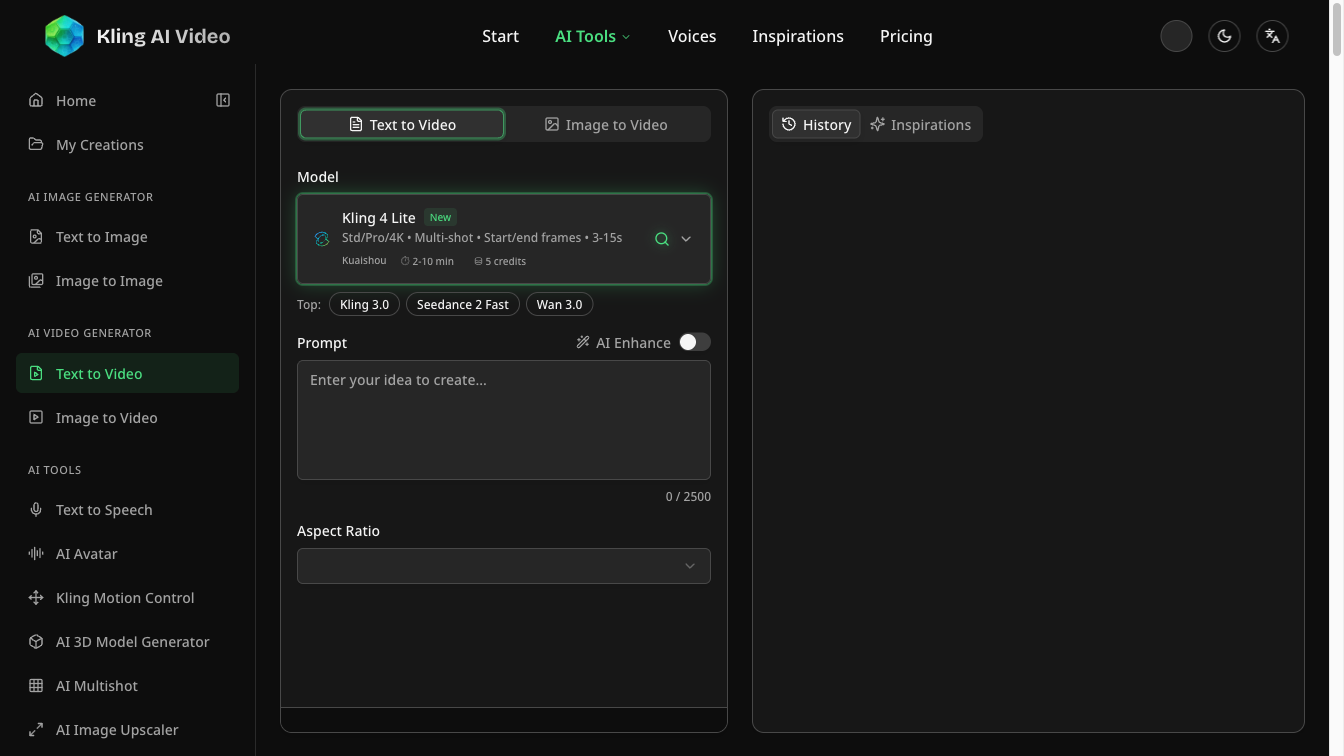
Kling AI Video is a browser-based workspace for generating videos and images with a range of third-party AI models. Despite the name, it is an independent site rather than the official Kling service; it credits Kuaishou Technology as the developer of the Kling models it offers, alongside Google's Veo.
About Kling AI Video
Kling AI Video is a browser-based workspace for generating videos and images with a range of third-party AI models. Despite the name, it is an independent site rather than the official Kling service; it credits Kuaishou Technology as the developer of the Kling models it offers, alongside Google's Veo, Alibaba's Wan and Seedance for video, and GPT Image, Seedream, Flux Pro and Nano Banana for images.
The platform supports text-to-video, image-to-video and motion control, which transfers movement from a short reference clip onto a character image. With Kling 3.0 it advertises clips of 3 to 15 seconds in standard, pro and 4K modes, multi-shot sequences, start and end frames, and native audio that generates dialogue, effects and music with the video. Additional tools cover text to speech, lip-synced avatars, 3D model generation, upscaling and background removal.
Usage runs on credits, with each generation costing a set number depending on the model. Subscription plans include monthly credit allowances, and the site says paid output carries no watermark and includes commercial usage rights.
Demo video Locked
Hidden until this listing is claimed The owner adds this when they verify Kling AI Video.
Claim to unlock →Kling AI Video homepage
✨ Key Features
Multi-model video
Generates video with Kling, Veo, Wan and Seedance models from one interface.
Text and image to video
Creates clips from written prompts or a starting image.
Motion control
Transfers movement from a 3-30 second reference video onto a character image.
Native audio
Kling 3.0 can generate synchronised dialogue, sound effects and music with the video.
AI image generation
Offers image models including GPT Image, Seedream, Flux Pro and Nano Banana.
Extra creative tools
Includes text to speech, lip-sync avatars, 3D models, upscaling and background removal.
🎯 Target Audience
Content creators
Produce short social clips from prompts or images.
Marketers
Create watermark-free promotional video for commercial use.
Animators
Apply reference motion to characters with motion control.
Designers
Generate images and 3D assets alongside video in one workspace.
Model testers
Compare output from several video and image models in one place.
⚖️ Pros & Cons
Pros
Cons
Founder / CEO Locked
Hidden until this listing is claimed The owner adds this when they verify Kling AI Video.
Claim to unlock →Pricing Prices from the maker · check the maker's own site for current plans
Starter
$9.99 /month
- 200 credits
Pro
$29.99 /month
- 880 credits
Premium
$49.99 /month
- 1800 credits
❓ Frequently Asked Questions
Is Kling AI Video the official Kling app?
No. It is an independent platform that offers Kling models, which it credits to Kuaishou Technology, alongside models from other providers.
How much does Kling AI Video cost?
Monthly plans start at $9.99 for 200 credits, with Pro at $29 and Enterprise at $49; yearly billing lowers the monthly rate. Extra credit packs can also be bought.
Can I use the videos commercially?
The site says plan output is watermark-free and includes commercial usage rights.
Which models does it support?
Video models include Kling, Veo, Wan and Seedance, and image models include GPT Image, Seedream, Flux Pro and Nano Banana.
Does Kling AI Video have an API?
The site does not mention a public API.
What is Kling AI Video?
Kling AI Video is an independent platform for text-to-video and image-to-video, with related image, voice, avatar and 3D tools. Creators get limited trial credits; continued use is credit-based with paid plans. Not the official Kling AI or Kuaishou website.
What are the key features of Kling AI Video?
Kling AI Video offers 6 main features. Multi-model video: Generates video with Kling, Veo, Wan and Seedance models from one interface. Text and image to video: Creates clips from written prompts or a starting image. Motion control: Transfers movement from a 3-30 second reference video onto a character image. Native audio: Kling 3.0 can generate synchronised dialogue, sound effects and music with the video. AI image generation: Offers image models including GPT Image, Seedream, Flux Pro and Nano Banana. Extra creative tools: Includes text to speech, lip-sync avatars, 3D models, upscaling and background removal.
What are the pros and cons of Kling AI Video?
Key advantages include: Several video and image models available under one credit balance; Paid plans include commercial usage rights and no watermark; Motion control and native audio support; Yearly billing lowers the monthly rate by about 30%. Potential drawbacks: Not the official Kling service, and the operator is not named on the site; No public API mentioned; Credit-based pricing makes per-video costs vary by model.
What type of tool is Kling AI Video?
Kling AI Video is listed under Video Generator, Image Generator on Ai Product Index.
SIDE BY SIDE
Kling AI Video vs Katalist vs Kling AI
See at a glance which tool leads on each point. ★ = best in row
| CRITERIA | K Kling AI Video THIS TOOL | K | K  Kling AI VERIFIED |
|---|---|---|---|
| Best for | Independent AI video creation from text and images | AI creative studio for performance ad teams | Next-Gen AI Video & Image Generator |
| Starting price | $9.99 / month ★ Lowest | $19 / month | Paid |
| Free plan | Yes | Yes | No |
| Verified listing | No | No | Yes ★ Only one |
| Pricing model | Free Trial | Free Trial | Paid |
| Founded | Not stated | 2023 ★ Longest running | 2024 |
| Links | View listing | View listing | View listing |
REVIEWS
What people say about Kling AI Video
No reviews yet
If you have used Kling AI Video, yours would be the first. Create a free account to leave a review, or sign in if you already have one.
MORE LIKE THIS