MakeEmoji
UNCLAIMEDEmoji Maker, Create Custom Emojis Online
Overview
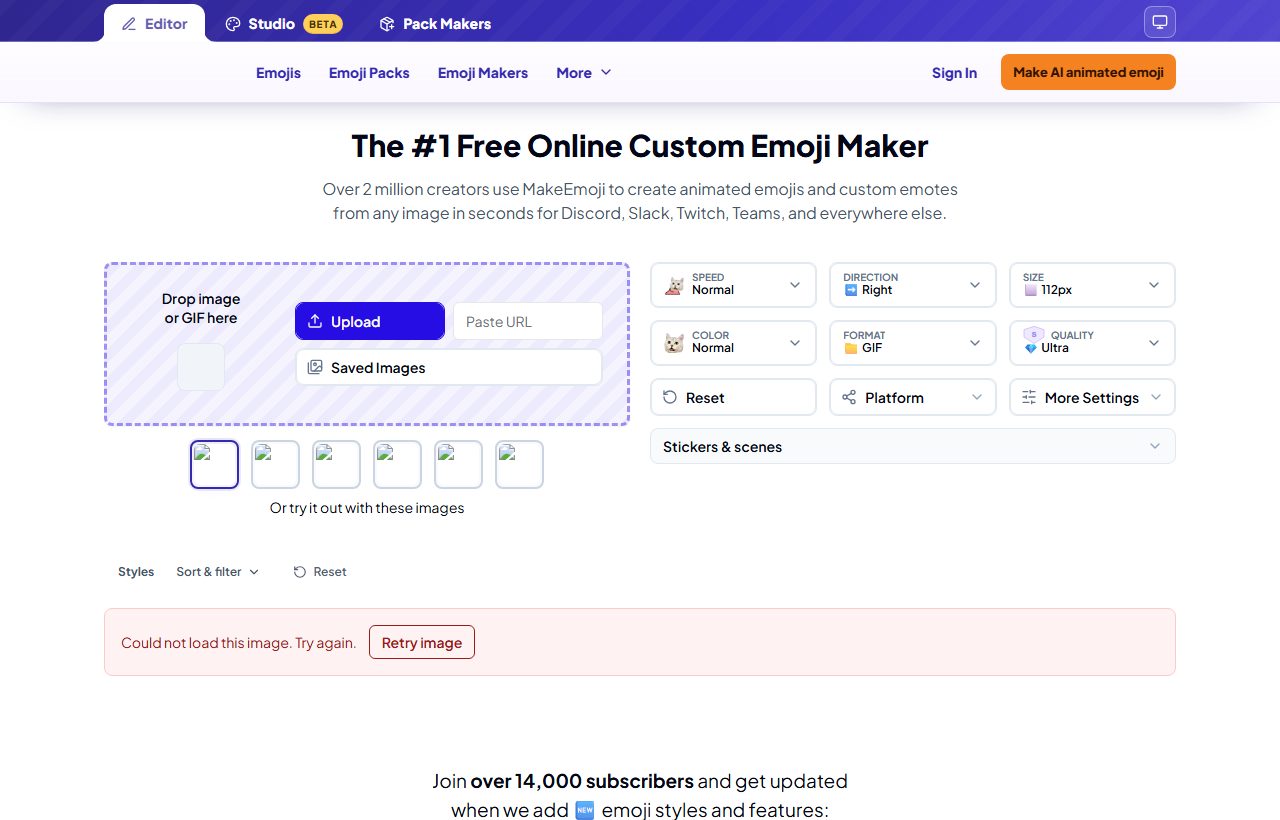
MakeEmoji is a browser-based tool for turning images and GIFs into custom and animated emoji for chat platforms such as Discord, Slack, Twitch and Microsoft Teams. Users upload a picture, crop it, remove the background if needed, choose an animation style, and adjust speed, direction, size, color.
About MakeEmoji
MakeEmoji is a browser-based tool for turning images and GIFs into custom and animated emoji for chat platforms such as Discord, Slack, Twitch and Microsoft Teams. Users upload a picture, crop it, remove the background if needed, choose an animation style, and adjust speed, direction, size, color, output format and quality before downloading a PNG, GIF or WebP file sized for the target platform.
Alongside the core editor, the site includes an Emoji AI Studio that generates emoji artwork from a text prompt or reference image, and Super Animations that animate an uploaded image into reactions such as laughing or crying. A set of smaller utilities covers emote resizing, speech bubbles, bulk image conversion, rounded-corner cropping, captioned memes and GIF frame timing.
The basic editor is free to use. AI features run on credits, which can be bought in one-time packs, earned through offers, or received monthly with the Individual or Creator subscriptions, which also remove ads. MakeEmoji LLC is independently owned by Matt Popovich, and the site says it is used by more than two million creators.
Demo video Locked
Hidden until this listing is claimed The owner adds this when they verify MakeEmoji.
Claim to unlock →MakeEmoji homepage
✨ Key Features
Image-to-emoji editor
Upload a PNG, JPG, GIF or WebP and export a chat-ready emoji.
Animation styles
Apply motion styles and tune speed, direction, size and color.
Emoji AI Studio
Generate emoji art from a text prompt, a reference image, or both.
Super Animations
Animate an uploaded image into reactions in 3, 6 or 12 frames.
Platform presets
Match size and format rules for Discord, Slack and Twitch.
Creator utilities
Resize emotes, add speech bubbles, crop corners and edit GIF timing.
🎯 Target Audience
Discord communities
Make custom server emoji and animated reactions.
Slack workspaces
Create team emoji from photos of coworkers or logos.
Twitch streamers
Produce emotes sized for Twitch uploads.
Microsoft Teams users
Turn GIFs into branded reactions for Teams.
Meme makers
Build captioned memes and animated GIFs for sharing.
⚖️ Pros & Cons
Pros
Cons
Founder / CEO Locked
Hidden until this listing is claimed The owner adds this when they verify MakeEmoji.
Claim to unlock →Pricing Prices from the maker · check the maker's own site for current plans
Free
$0 /mo
- Emoji editor and creator tools
- Credits can be earned through offers
- Includes ads
Individual
$12 /mo
- 100 AI credits per month that roll over
- High and Ultra frame counts
- No ads
- $120 billed annually option
Creator
$29 /mo
- 300 AI credits per month that roll over
- Emoji AI Studio access
- No ads
- $290 billed annually option
Starter Pack
$7 one-time
- 30 credits
- Studio and all quality levels
Bulk Pack
$49 one-time
- 300 credits
- For larger emoji packs
❓ Frequently Asked Questions
Is MakeEmoji free?
Yes, the main emoji editor is free. AI features use credits that come from one-time packs, earned offers, or the Individual and Creator subscriptions.
Which platforms does MakeEmoji support?
It produces emoji sized for Discord, Slack and Twitch, and includes a tool for Microsoft Teams reactions.
Can MakeEmoji create an emoji from a text prompt?
Yes. The Emoji AI Studio generates artwork from a prompt or reference image, which can then be animated.
Do monthly credits expire?
No. Unused Individual and Creator credits roll over each month until they are spent.
Who makes MakeEmoji?
MakeEmoji is operated by MakeEmoji LLC, which is independently owned by Matt Popovich. It launched on Product Hunt in November 2019.
What is MakeEmoji?
Create custom emojis and emotes online. Turn any image into an emoji, make Discord, Slack, and Twitch emotes, or start from scratch with MakeEmoji.
What are the key features of MakeEmoji?
MakeEmoji offers 6 main features. Image-to-emoji editor: Upload a PNG, JPG, GIF or WebP and export a chat-ready emoji. Animation styles: Apply motion styles and tune speed, direction, size and color. Emoji AI Studio: Generate emoji art from a text prompt, a reference image, or both. Super Animations: Animate an uploaded image into reactions in 3, 6 or 12 frames. Platform presets: Match size and format rules for Discord, Slack and Twitch. Creator utilities: Resize emotes, add speech bubbles, crop corners and edit GIF timing.
How much does MakeEmoji cost?
MakeEmoji uses a Freemium pricing model. Available plans include Free at $0/mo, Individual at $12/mo, Creator at $29/mo, Starter Pack at $7one-time, Bulk Pack at $49one-time.
What are the pros and cons of MakeEmoji?
Key advantages include: Core emoji editor is free to use; Presets for Discord, Slack, Twitch and Teams; Subscription credits roll over month to month; Many small GIF and image utilities in one site. Potential drawbacks: AI generation and animation require credits; The free editor shows ads; Platform-synced sets are still in beta.
What type of tool is MakeEmoji?
MakeEmoji is listed under Image Generator on Ai Product Index.
Does MakeEmoji offer a free plan?
Yes, MakeEmoji offers a free plan. Emoji editor and creator tools. Credits can be earned through offers. Includes ads
SIDE BY SIDE
MakeEmoji vs Midjourney vs Civitai
See at a glance which tool leads on each point. ★ = best in row
| CRITERIA | M | M  Midjourney VERIFIED | C  Civitai UNCLAIMED |
|---|---|---|---|
| Best for | Emoji Maker, Create Custom Emojis Online | AI image generation with a distinctive visual style | Discover and Create AI Art |
| Starting price | Freemium | Freemium | $10 / month |
| Free plan | Yes | No | Yes |
| Verified listing | No | Yes ★ Only one | No |
| Pricing model | Freemium | Freemium | Freemium |
| Founded | 2019 ★ Longest running | 2021 | 2022 |
| Links | View listing | View listing | View listing |
REVIEWS
What people say about MakeEmoji
No reviews yet
If you have used MakeEmoji, yours would be the first. Create a free account to leave a review, or sign in if you already have one.
MORE LIKE THIS
Related Image Generator Tools

Recraft is a top-ranked text-to-image model and design platform for photorealism, vector genera