NVIDIA Canvas
UNCLAIMEDTurn brushstrokes into realistic landscape images
Overview
NVIDIA Canvas is a free desktop application, released as a beta in 2021, that uses AI to turn rough brushstrokes into realistic landscape images. Instead of colors, users paint with materials such as sky, clouds, mountains, grass, water, snow and stone, and the app generates a photographic scene from those.
About NVIDIA Canvas
NVIDIA Canvas is a free desktop application, released as a beta in 2021, that uses AI to turn rough brushstrokes into realistic landscape images. Instead of colors, users paint with materials such as sky, clouds, mountains, grass, water, snow and stone, and the app generates a photographic scene from those shapes in real time. Swapping one material for another, for example snow for grass, changes the whole image accordingly.
The app offers twenty materials and nine styles that alter the look of the result, supports layers to keep elements separate, and includes sample scenes as starting points. Version 1.4 added a Panorama mode for creating wide environment images. Finished work can be exported as a layered Photoshop file for further editing or compositing.
Canvas runs locally on Windows 10 and requires an NVIDIA GeForce RTX, NVIDIA RTX or TITAN RTX graphics card with a recent driver. NVIDIA positions it as a way for artists to block out backgrounds and explore concepts quickly. The main US product page now redirects to NVIDIA Studio, though the beta remains downloadable from regional pages.
Demo video Locked
Hidden until this listing is claimed The owner adds this when they verify NVIDIA Canvas.
Claim to unlock →NVIDIA Canvas homepage
✨ Key Features
Material-based painting
Paint with materials like sky, grass, water and stone instead of colors.
Real-time generation
The landscape image updates live as you paint.
Nine styles
Change the look and feel of a generated scene.
Layers
Keep painted elements separate for easier editing.
Panorama mode
Create wide environment images in version 1.4.
PSD export
Export work to Adobe Photoshop for further refinement.
🎯 Target Audience
Concept artists
Quickly block out landscape ideas and environments.
Game developers
Prototype backgrounds and scene concepts.
Illustrators
Generate base backgrounds to paint over.
3D artists
Create panoramic environment images for scenes.
Hobbyists
Experiment with AI landscape painting on an RTX PC.
⚖️ Pros & Cons
Pros
Cons
Founder / CEO Locked
Hidden until this listing is claimed The owner adds this when they verify NVIDIA Canvas.
Claim to unlock →Pricing Prices from the maker · check the maker's own site for current plans
Free
$0
- NVIDIA Canvas does not publish a plan table
❓ Frequently Asked Questions
Is NVIDIA Canvas free?
Yes, Canvas is a free beta download from NVIDIA.
What hardware does NVIDIA Canvas need?
It requires Windows 10, an NVIDIA GeForce RTX, NVIDIA RTX or TITAN RTX GPU, and driver 522.06 or later. NVIDIA lists 4 GB of RAM for standard mode and 6 GB for Panorama.
What can NVIDIA Canvas create?
It generates realistic landscape images from painted materials such as sky, mountains, water and grass, including panoramic images in version 1.4.
Can I edit Canvas images in Photoshop?
Yes, Canvas can export work as a PSD file for Adobe Photoshop.
Is NVIDIA Canvas still available?
The US product page now redirects to NVIDIA Studio, but the beta installer is still offered on NVIDIA's regional Canvas pages.
Who makes NVIDIA Canvas?
Canvas is made by NVIDIA and is based on its GauGAN research into AI image synthesis.
What is NVIDIA Canvas?
NVIDIA Canvas is a free Windows beta app that uses AI to turn simple painted shapes into realistic landscape images on RTX GPUs.
What are the key features of NVIDIA Canvas?
NVIDIA Canvas offers 6 main features. Material-based painting: Paint with materials like sky, grass, water and stone instead of colors. Real-time generation: The landscape image updates live as you paint. Nine styles: Change the look and feel of a generated scene. Layers: Keep painted elements separate for easier editing. Panorama mode: Create wide environment images in version 1.4. PSD export: Export work to Adobe Photoshop for further refinement.
How much does NVIDIA Canvas cost?
NVIDIA Canvas uses a Free pricing model.
What are the pros and cons of NVIDIA Canvas?
Key advantages include: Free to download and use; Runs locally without cloud uploads; Real-time results while painting; Exports layered PSD files. Potential drawbacks: Requires an NVIDIA RTX-class GPU and Windows; Still labeled a beta and limited to landscape scenes; Main US product page has been retired in favor of a general Studio page.
What type of tool is NVIDIA Canvas?
NVIDIA Canvas is listed under Image Generator on Ai Product Index.
SIDE BY SIDE
NVIDIA Canvas vs Midjourney vs StylMorph
See at a glance which tool leads on each point. ★ = best in row
| CRITERIA | N | M  Midjourney VERIFIED | S 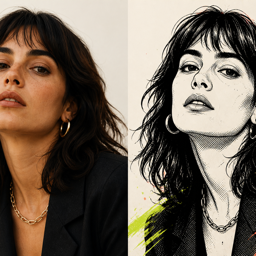 StylMorph UNCLAIMED |
|---|---|---|---|
| Best for | Turn brushstrokes into realistic landscape images | AI image generation with a distinctive visual style | Turn any photo into comic and cartoon art |
| Starting price | Free | Freemium | Free |
| Free plan | Yes | No | Yes |
| Verified listing | No | Yes ★ Only one | No |
| Pricing model | Free | Freemium | Free |
| Founded | 2021 ★ Longest running | 2021 ★ Longest running | 2026 |
| Links | View listing | View listing | View listing |
REVIEWS
What people say about NVIDIA Canvas
No reviews yet
If you have used NVIDIA Canvas, yours would be the first. Create a free account to leave a review, or sign in if you already have one.
MORE LIKE THIS
Related Image Generator Tools

Recraft is a top-ranked text-to-image model and design platform for photorealism, vector genera