Paper Animator
UNCLAIMEDPaperAnimator.com
Overview
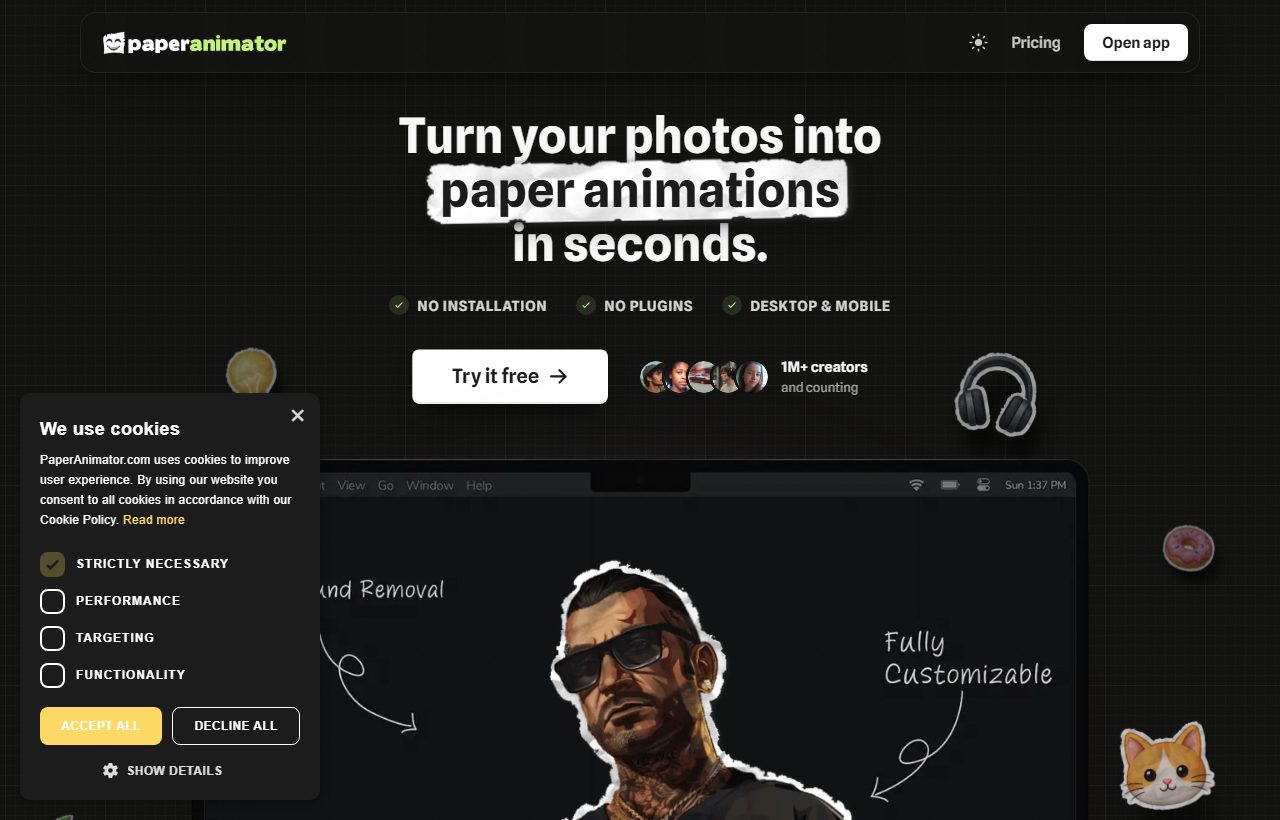
Paper Animator is a browser-based tool that turns photos into paper-style graphics and short animations. After a user uploads an image, it removes the background, lets them pick which person or object to keep, and adds a torn paper cut-out edge. With one click the cut-out can become a fold-out.
About Paper Animator
Paper Animator is a browser-based tool that turns photos into paper-style graphics and short animations. After a user uploads an image, it removes the background, lets them pick which person or object to keep, and adds a torn paper cut-out edge. With one click the cut-out can become a fold-out animation, the kind often seen in short-form social videos and YouTube intros.
The app also has a magazine letters generator that turns typed text into ransom-note style letter graphics, and a text match cut feature that builds animations from a keyword or phrase. Users can adjust edge thickness, intensity, detail, shadow, cut-out style and movement, and the editor uses drag-and-drop with pan and zoom. Results export as transparent PNGs or as green-screen video for chroma keying in a video editor.
Nothing needs to be installed, and the site says it works on any device. Downloads use credits: new accounts get one free credit, one-time credit packs are available, and a monthly Pro subscription adds 1080p exports, faster servers and credits that roll over. The site reports more than 412,000 sign-ups.
Demo video Locked
Hidden until this listing is claimed The owner adds this when they verify Paper Animator.
Claim to unlock →Paper Animator homepage
✨ Key Features
Paper cut-out effect
Adds a torn paper edge around the subject of a photo.
Fold-out animation
Turns a static cut-out into a paper fold-out animation in one click.
Magazine letters
Converts typed text into magazine cut-out letter graphics.
Text match cut
Generates text match cut animations from a keyword or phrase.
Background removal
Removes backgrounds and lets users pick which object to keep.
Style controls
Adjusts edge thickness, detail, shadow, cut-out style and motion.
🎯 Target Audience
Short-form video creators
Add paper cut-out animations to TikTok, Reels and Shorts.
YouTubers
Design paper-style thumbnails and intro graphics.
Video editors
Drop green-screen paper animations into editing timelines.
Social media marketers
Create eye-catching branded graphics for posts and ads.
Hobbyists
Make collage-style images for personal projects.
⚖️ Pros & Cons
Pros
Cons
Founder / CEO Locked
Hidden until this listing is claimed The owner adds this when they verify Paper Animator.
Claim to unlock →Pricing Prices from the maker · check the maker's own site for current plans
Pay as you go
$1.99 /credit
- 5 credits for $2.99, 10 for $3.99
- 50 credits for $5.99, 100 for $7.99
- One-time payment
- Credits expire after two years
Pro Monthly
$7.49 /mo
- 120 credits each month
- Full HD 1080p exports
- Fast export servers
- Unused credits roll over
❓ Frequently Asked Questions
Is Paper Animator free?
Not fully. New accounts receive one free credit to test the app, after which downloads require credit packs or the Pro subscription.
What are credits used for?
Credits are spent to download paper animations or PNG images. Pay-as-you-go credits expire two years after purchase.
Do subscription credits roll over?
Yes. Unused subscription credits carry over to the next cycle, up to five times the monthly allowance, while the subscription stays active.
Does Paper Animator offer refunds?
First-time subscribers can request a refund within 14 days if they have downloaded fewer than three assets. Other purchases are generally non-refundable.
Do I need to install software?
No. Paper Animator runs in the browser and works on any device.
What is Paper Animator?
Apply paper effect to any photo in seconds. Customize paper animation and export with green sceen background.
What are the key features of Paper Animator?
Paper Animator offers 6 main features. Paper cut-out effect: Adds a torn paper edge around the subject of a photo. Fold-out animation: Turns a static cut-out into a paper fold-out animation in one click. Magazine letters: Converts typed text into magazine cut-out letter graphics. Text match cut: Generates text match cut animations from a keyword or phrase. Background removal: Removes backgrounds and lets users pick which object to keep. Style controls: Adjusts edge thickness, detail, shadow, cut-out style and motion.
How much does Paper Animator cost?
Paper Animator uses a Paid pricing model. Available plans include Pay as you go at $1.99/credit, Pro Monthly at $7.49/mo.
What are the pros and cons of Paper Animator?
Key advantages include: Single-purpose tool that is quick to learn; No installation or plugins required; Low-cost credit packs without a subscription; Unused subscription credits roll over. Potential drawbacks: Only one free credit on sign-up; 1080p video exports require the Pro subscription; Narrow focus on paper-style effects.
What type of tool is Paper Animator?
Paper Animator is listed under Video Generator on Ai Product Index.
SIDE BY SIDE
Paper Animator vs Kling AI vs Luma AI
See at a glance which tool leads on each point. ★ = best in row
| CRITERIA | P | K  Kling AI VERIFIED | L  Luma AI UNCLAIMED |
|---|---|---|---|
| Best for | PaperAnimator.com | Next-Gen AI Video & Image Generator | Luma is your creative partner |
| Starting price | Paid | Paid | $30 / month |
| Free plan | No | No | No |
| Verified listing | No | Yes ★ Only one | No |
| Pricing model | Paid | Paid | Paid |
| Founded | Not stated | 2024 | 2021 ★ Longest running |
| Links | View listing | View listing | View listing |
REVIEWS
What people say about Paper Animator
No reviews yet
If you have used Paper Animator, yours would be the first. Create a free account to leave a review, or sign in if you already have one.
MORE LIKE THIS