Pinokio
UNCLAIMED1-click launch any open-source app
Overview
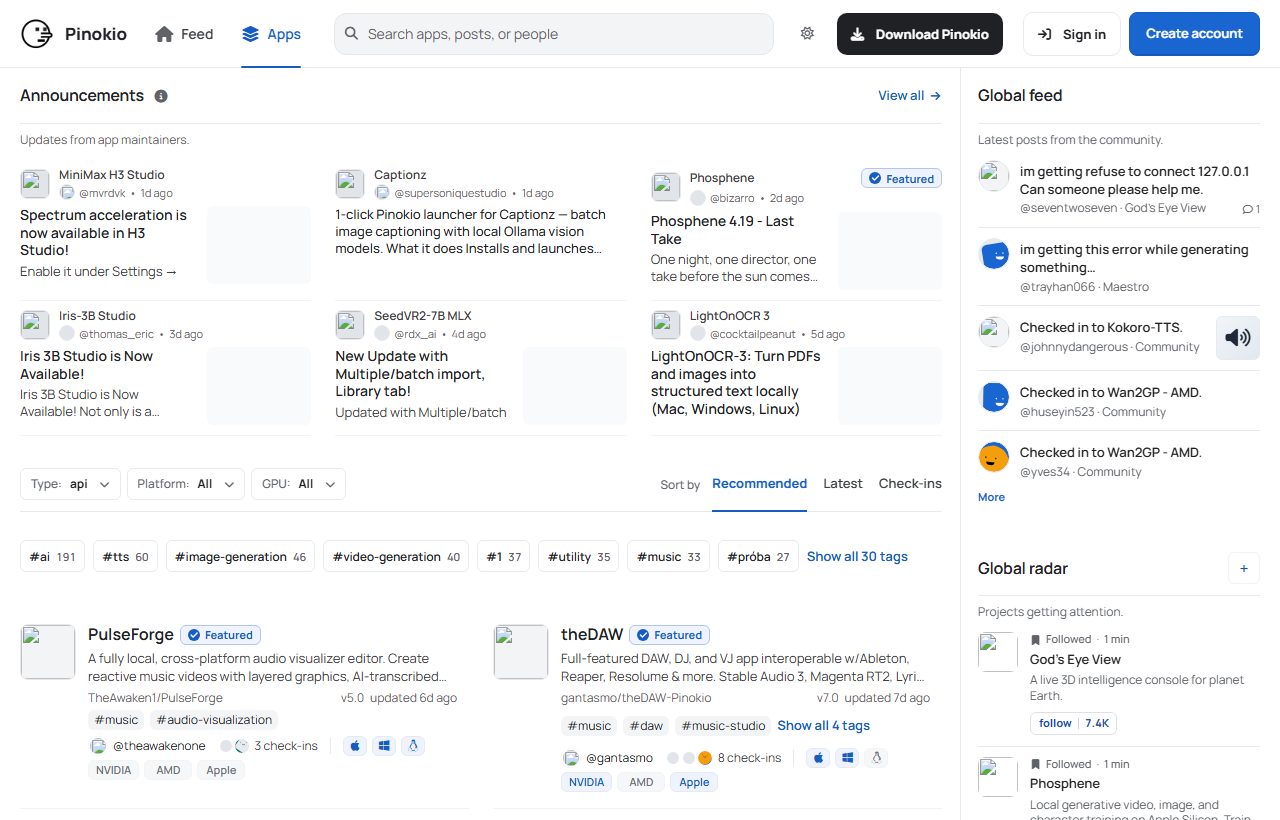
Pinokio is a free desktop application that installs and runs open-source AI apps on a personal computer without requiring the user to work in a terminal. Created by the developer known as cocktailpeanut and first released in 2023, it describes itself as an AI browser and a one-click launcher.
About Pinokio
Pinokio is a free desktop application that installs and runs open-source AI apps on a personal computer without requiring the user to work in a terminal. Created by the developer known as cocktailpeanut and first released in 2023, it describes itself as an AI browser and a one-click launcher for open-source projects.
Users browse a catalog of community scripts covering image, video, music, speech and language tools, then click install. Pinokio clones the repository, sets up an isolated environment, installs dependencies and opens the app's web interface. Each app is defined by a readable JSON or JavaScript script, and featured scripts go through a verification process. Apps run locally, so they can work offline once installed.
Pinokio is available for Windows, macOS and Linux and supports NVIDIA, AMD and Apple Silicon GPUs. The launcher itself is open source under the MIT license; individual apps in the catalog carry their own licenses, and a few third-party apps offer paid upgrades.
Demo video Locked
Hidden until this listing is claimed The owner adds this when they verify Pinokio.
Claim to unlock →Pinokio homepage
✨ Key Features
One-click installs
Clones, configures and launches open-source AI projects automatically.
App catalog
Discover hundreds of AI apps for images, video, audio and text.
Local execution
Apps run on the user's own machine and can work offline.
Isolated environments
Each app gets its own environment to avoid dependency conflicts.
Scriptable launchers
Apps are defined by readable JSON or JavaScript scripts.
Cross-platform GPU support
Runs on Windows, macOS and Linux with NVIDIA, AMD and Apple GPUs.
🎯 Target Audience
Creators
Run local image, video and music generators without command-line setup.
AI hobbyists
Try new open-source models soon after they are released.
Privacy-minded users
Keep generative AI work on their own hardware.
Open-source developers
Package projects as Pinokio scripts so others can install them easily.
Educators
Set up local AI demos on classroom or lab machines quickly.
⚖️ Pros & Cons
Pros
Cons
Founder / CEO Locked
Hidden until this listing is claimed The owner adds this when they verify Pinokio.
Claim to unlock →Pricing Prices from the maker · check the maker's own site for current plans
Free
$0
- Pinokio does not publish a plan table
❓ Frequently Asked Questions
Is Pinokio free?
Yes. Pinokio is free to download and use. Some third-party apps in its catalog may offer paid features.
Is Pinokio open source?
Yes. The Pinokio launcher is published on GitHub under the MIT license.
Can Pinokio run AI locally?
Yes. Apps installed through Pinokio run on your own computer and can be used offline once set up.
Which platforms does Pinokio support?
Pinokio runs on Windows, macOS and Linux, with support for NVIDIA, AMD and Apple Silicon GPUs.
Who makes Pinokio?
Pinokio was created by the developer known as cocktailpeanut and is maintained with a community of script authors.
What is Pinokio?
Pinokio is an AI tool. 1-click launch any open-source app.
What are the key features of Pinokio?
Pinokio offers 6 main features. One-click installs: Clones, configures and launches open-source AI projects automatically. App catalog: Discover hundreds of AI apps for images, video, audio and text. Local execution: Apps run on the user's own machine and can work offline. Isolated environments: Each app gets its own environment to avoid dependency conflicts. Scriptable launchers: Apps are defined by readable JSON or JavaScript scripts. Cross-platform GPU support: Runs on Windows, macOS and Linux with NVIDIA, AMD and Apple GPUs.
How much does Pinokio cost?
Pinokio uses a Free pricing model.
What are the pros and cons of Pinokio?
Key advantages include: Free and open source under the MIT license; Removes most manual setup for local AI apps; Large catalog across many media types; Works on Windows, macOS and Linux. Potential drawbacks: App quality and licensing vary by third-party script; Many apps need a capable GPU and plenty of disk space; Running community scripts carries some security risk despite verification.
What type of tool is Pinokio?
Pinokio is listed under AI Models on Ai Product Index.
SIDE BY SIDE
Pinokio vs Replicate vs Qwen 2.5
See at a glance which tool leads on each point. ★ = best in row
| CRITERIA | P | R  Replicate VERIFIED | Q  Qwen 2.5 UNCLAIMED |
|---|---|---|---|
| Best for | 1-click launch any open-source app | Run AI with an API | Qwen offers comprehensive functionality spanning chatbot, image and video understanding, image |
| Starting price | Free | Freemium | Free |
| Free plan | Yes | Yes | Yes |
| Verified listing | No | Yes ★ Only one | No |
| Pricing model | Free | Freemium | Free |
| Founded | 2023 | 2019 ★ Longest running | 2024 |
| Links | View listing | View listing | View listing |
REVIEWS
What people say about Pinokio
No reviews yet
If you have used Pinokio, yours would be the first. Create a free account to leave a review, or sign in if you already have one.
MORE LIKE THIS