
Clipdrop
UNCLAIMEDCreate stunning visuals in seconds with AI
Overview
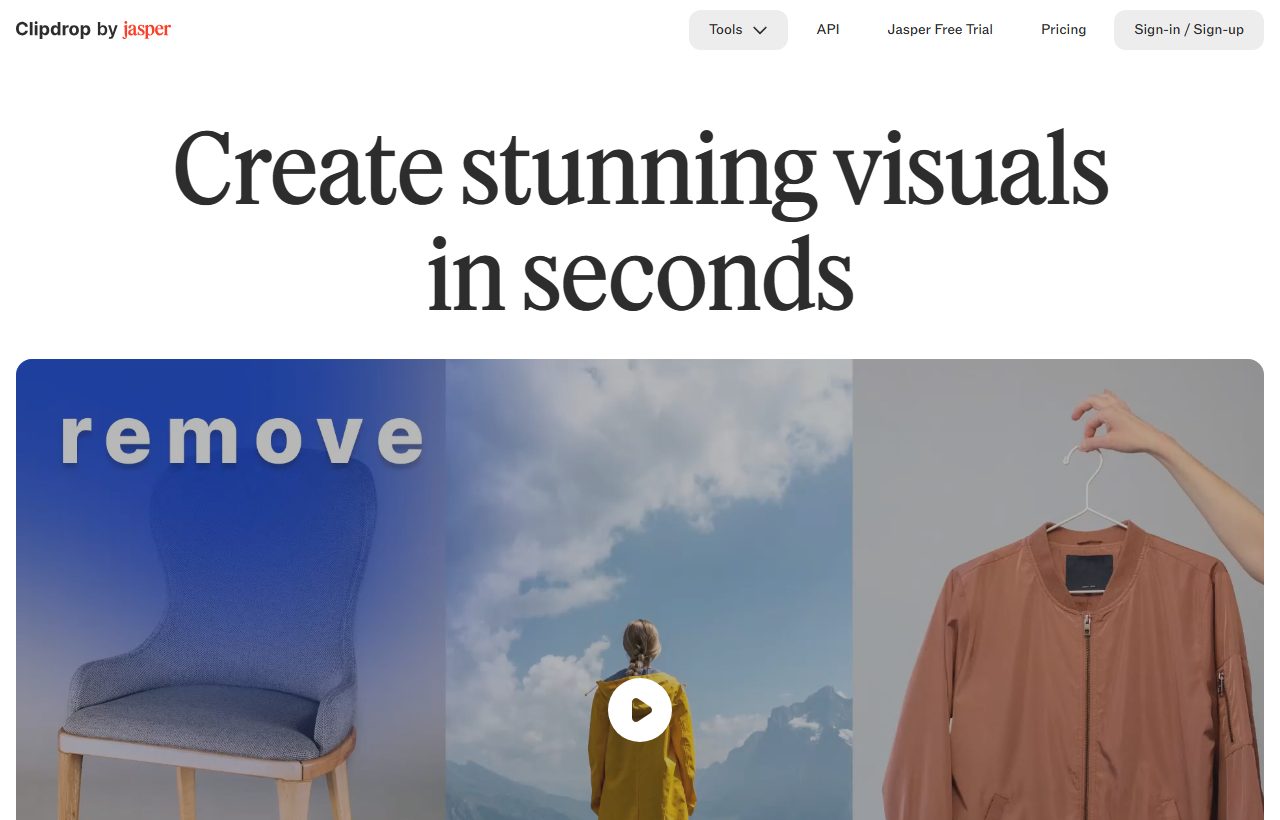
Clipdrop is a browser-based suite of AI image editing tools. It covers background removal and replacement, Cleanup for erasing objects, people, text and blemishes, Uncrop for extending a photo beyond its borders, upscaling up to 16x, relighting, text removal, text-to-image generation and a resizer for social media formats.
About Clipdrop
Clipdrop is a browser-based suite of AI image editing tools. It covers background removal and replacement, Cleanup for erasing objects, people, text and blemishes, Uncrop for extending a photo beyond its borders, upscaling up to 16x, relighting, text removal, text-to-image generation and a resizer for social media formats.
The product was created by InitML, a startup founded in 2020. Stability AI acquired InitML in February 2023, and Jasper bought Clipdrop in February 2024; the site now points to Jasper for support, careers and API access.
A free tier gives daily limits on most tools, such as 20 background removals and 20 cleanups per 24 hours, while the Pro plan raises those to 1,000 per day with high-resolution output and queue skipping. Developers can access the same models through a usage-based API, and the company says its terms do not restrict commercial use of generated images.
Demo video Locked
Hidden until this listing is claimed The owner adds this when they verify Clipdrop.
Claim to unlock →Clipdrop homepage
✨ Key Features
Background removal
Removes image backgrounds with free HD downloads.
Cleanup
Erases unwanted objects, people, text and defects from photos.
Uncrop
Extends a photo outward to fit new aspect ratios.
Image upscaler
Upscales images and reduces noise, up to 16x on Pro.
Relight
Changes lighting on an existing image.
Text to image
Generates new images from text prompts.
🎯 Target Audience
E-commerce sellers
Remove and replace product photo backgrounds.
Social media managers
Resize and clean images for different platforms.
Photographers
Retouch, relight and upscale shots quickly.
Designers
Extend, clean up and generate visual assets.
Developers
Add image editing models to apps via the API.
⚖️ Pros & Cons
Pros
Cons
Founder / CEO Locked
Hidden until this listing is claimed The owner adds this when they verify Clipdrop.
Claim to unlock →Pricing Prices from the maker · check the maker's own site for current plans
Free
$0 /mo
- 20 background removals per day
- 20 cleanups and 20 2x upscales per day
- 50 text removals per day
- Text to image and Uncrop included
Pro
See site
- 1,000 uses per day on each tool
- High-resolution outputs
- Upscaler up to 16x
- Skip the queue for generation
API
Usage based
- Pay per API call
- Separate API pricing page
❓ Frequently Asked Questions
Is Clipdrop free?
Yes, Clipdrop has a free plan with daily limits, including 20 background removals and 20 cleanups per 24 hours. A Pro plan raises limits to 1,000 per day with high-resolution output.
Does Clipdrop have an API?
Yes. Clipdrop offers a usage-based API, now provided through Jasper, including a background removal endpoint.
Who owns Clipdrop?
Clipdrop was created by InitML in 2020, acquired by Stability AI in February 2023 and bought by Jasper in February 2024.
Can I use Clipdrop images commercially?
The site says its terms do not restrict commercial use of the images you generate.
Can I remove objects from photos?
Yes. The Cleanup tool removes objects, people, text and defects from images.
What is Clipdrop?
Remove background, cleanup pictures, upscaling, Stable diffusion and more….
What are the key features of Clipdrop?
Clipdrop offers 6 main features. Background removal: Removes image backgrounds with free HD downloads. Cleanup: Erases unwanted objects, people, text and defects from photos. Uncrop: Extends a photo outward to fit new aspect ratios. Image upscaler: Upscales images and reduces noise, up to 16x on Pro. Relight: Changes lighting on an existing image. Text to image: Generates new images from text prompts.
How much does Clipdrop cost?
Clipdrop uses a Freemium pricing model. Available plans include Free at $0/mo, Pro at See site, API at Usage based.
What are the pros and cons of Clipdrop?
Key advantages include: Generous free daily limits on most tools; Wide range of editing tools in one place; API available for developers; Terms do not limit commercial use of outputs. Potential drawbacks: Pro plan price is not shown in the static pricing page; Ownership has changed twice since 2023; Free tier limited to standard resolution on several tools.
What type of tool is Clipdrop?
Clipdrop is listed under Background Remover, Image Editor on Ai Product Index.
Does Clipdrop offer a free plan?
Yes, Clipdrop offers a free plan. 20 background removals per day. 20 cleanups and 20 2x upscales per day. 50 text removals per day. Text to image and Uncrop included
SIDE BY SIDE
Clipdrop vs PicWish vs BGBye
See at a glance which tool leads on each point. ★ = best in row
| CRITERIA | C Clipdrop THIS TOOL | P  PicWish UNCLAIMED | B  BGBye UNCLAIMED |
|---|---|---|---|
| Best for | Create stunning visuals in seconds with AI | PicWish AI Photo Editor | Keep the best cutout |
| Starting price | Freemium | $9.99 / month | $5 / month ★ Lowest |
| Free plan | Yes | Yes | Yes |
| Verified listing | No | No | No |
| Pricing model | Freemium | Freemium | Freemium |
| Founded | 2020 ★ Longest running | 2021 | 2024 |
| Links | View listing | View listing | View listing |
REVIEWS
What people say about Clipdrop
No reviews yet
If you have used Clipdrop, yours would be the first. Create a free account to leave a review, or sign in if you already have one.
MORE LIKE THIS