
Kilo Code
UNCLAIMEDKilo, Open Source AI Coding Agent in IDE, CLI and Cloud
Overview
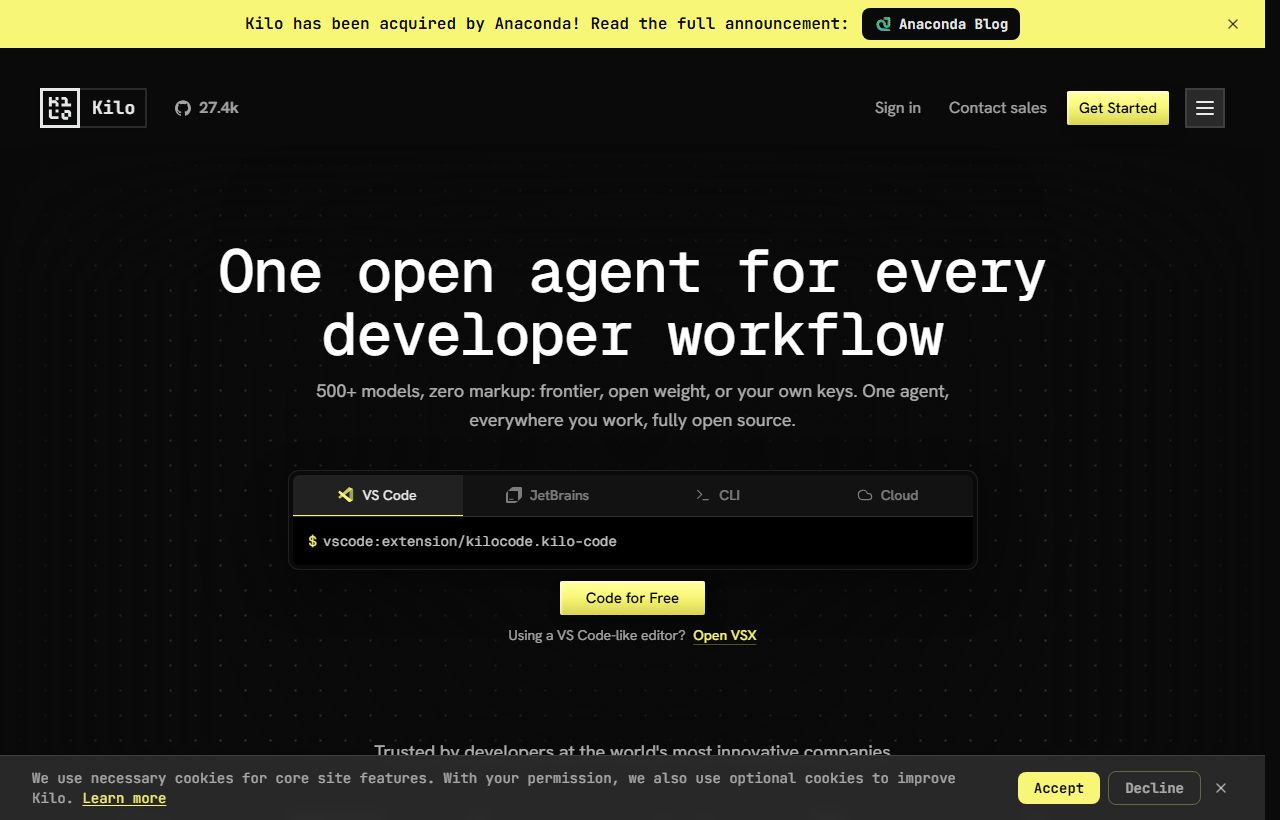
Kilo Code is an open-source AI coding agent that works inside editors, in the terminal, in the cloud and through a desktop app. It ships as an extension for VS Code and compatible editors such as Cursor and Windsurf, a plugin for JetBrains IDEs, and a command-line tool for shells.
About Kilo Code
Kilo Code is an open-source AI coding agent that works inside editors, in the terminal, in the cloud and through a desktop app. It ships as an extension for VS Code and compatible editors such as Cursor and Windsurf, a plugin for JetBrains IDEs, and a command-line tool for shells, scripts and CI jobs. The source code is published under the MIT license, so teams can inspect prompts, fork the project or self-host it.
The agent offers several working modes, including Code, Plan, Debug and Ask, and lets users define custom agents. A command center manages local and cloud agents, with parallel sessions running in isolated git worktrees, plus cloud code review, a Slack integration and a mobile app for following agent runs.
Kilo connects to more than 500 frontier, open-weight and local models. Users can bring their own API keys or buy credits through the Kilo Gateway, which the company says passes provider rates through with no markup. An Auto Model option routes requests by budget and task. The company behind it, Kilo Code, Inc., announced an $8 million seed round in December 2025.
Demo video Locked
Hidden until this listing is claimed The owner adds this when they verify Kilo Code.
Claim to unlock →Kilo Code homepage
✨ Key Features
Multiple agent modes
Code, Plan, Debug, Ask and custom agents cover different stages of a task.
Parallel worktree sessions
Run several agents at once, each in its own isolated git worktree.
500+ model access
Use frontier, open-weight or local models, or bring your own API keys.
Auto Model routing
Routes requests across Efficient, Frontier and Free tiers based on budget and task.
Cloud agents and review
Run agents in the cloud from a browser and get automated code review.
Open-source codebase
MIT-licensed source that can be inspected, forked and self-hosted.
🎯 Target Audience
Individual developers
Use an agent to write, refactor and debug code inside their editor.
Engineering teams
Share custom agents, centralize billing and track AI adoption.
Enterprises
Enforce model limits, SSO and audit logs across large organizations.
DevOps engineers
Run the CLI agent in scripts and CI pipelines.
Open-source advocates
Choose a coding agent whose prompts and code are fully inspectable.
⚖️ Pros & Cons
Pros
Cons
Founder / CEO Locked
Hidden until this listing is claimed The owner adds this when they verify Kilo Code.
Claim to unlock →Pricing Prices from the maker · check the maker's own site for current plans
Free & Open Source
$0 /mo
- VS Code, JetBrains and CLI extensions
- Agentic coding and code completion
- Works with any AI model
- Model usage billed separately
Kilo Pass Starter
$19 /mo
- Up to $26.60/mo in credits
- Up to 50% bonus credits
- Cancel anytime
Kilo Pass Pro
$49 /mo
- Up to $68.60/mo in credits
- Up to 50% bonus credits
- Cancel anytime
Kilo Pass Expert
$199 /mo
- Up to $278.60/mo in credits
- Up to 50% bonus credits
- Cancel anytime
Teams
$15 /user/mo
- Usage analytics and AI adoption score
- Shared custom agents and BYOK
- Centralized billing and team management
- 14-day Enterprise trial
Enterprise
Custom
- Model and provider limits
- SSO, OIDC and SCIM
- Audit logs and SLA commitments
- Dedicated support channels
❓ Frequently Asked Questions
Is Kilo Code free?
The extensions and CLI are free and open source. You pay for model usage, either through your own API keys, pay-as-you-go Gateway credits or a Kilo Pass subscription.
Is Kilo Code open source?
Yes. The source code is MIT-licensed and published on GitHub, and it can be forked or self-hosted.
Which editors does Kilo Code support?
It runs in VS Code and Open VSX editors such as Cursor and Windsurf, in JetBrains IDEs, as a CLI, in the cloud and as a beta desktop app.
Which AI models can I use with Kilo Code?
Kilo supports more than 500 models across 60+ providers, including local models, and an Auto Model option that picks a model for you.
Who makes Kilo Code?
It is built by Kilo Code, Inc. The company announced an $8 million seed round in December 2025.
What is Kilo Code?
Kilo is the open source AI coding agent for VS Code, JetBrains, CLI, and Cloud. Access 500+ models, bring your own keys at zero markup, and keep code private with local models.
What are the key features of Kilo Code?
Kilo Code offers 6 main features. Multiple agent modes: Code, Plan, Debug, Ask and custom agents cover different stages of a task. Parallel worktree sessions: Run several agents at once, each in its own isolated git worktree. 500+ model access: Use frontier, open-weight or local models, or bring your own API keys. Auto Model routing: Routes requests across Efficient, Frontier and Free tiers based on budget and task. Cloud agents and review: Run agents in the cloud from a browser and get automated code review. Open-source codebase: MIT-licensed source that can be inspected, forked and self-hosted.
How much does Kilo Code cost?
Kilo Code uses a Freemium pricing model. Available plans include Free & Open Source at $0/mo, Kilo Pass Starter at $19/mo, Kilo Pass Pro at $49/mo, Kilo Pass Expert at $199/mo, Teams at $15/user/mo, Enterprise at Custom.
What are the pros and cons of Kilo Code?
Key advantages include: Open source under the MIT license; Works across VS Code, JetBrains, CLI, cloud and Slack; Supports 500+ models and bring-your-own keys; Gateway passes through provider rates with no markup, per the company. Potential drawbacks: Model usage is billed separately from the free extension; Desktop app is still in beta; A 5% processing fee applies to Gateway credit purchases.
What type of tool is Kilo Code?
Kilo Code is listed under Coding, IDE on Ai Product Index.
Does Kilo Code offer a free plan?
Yes, Kilo Code offers a free plan. VS Code, JetBrains and CLI extensions. Agentic coding and code completion. Works with any AI model. Model usage billed separately
SIDE BY SIDE
Kilo Code vs Cursor vs v0 by Vercel
See at a glance which tool leads on each point. ★ = best in row
| CRITERIA | K Kilo Code THIS TOOL | C  Cursor VERIFIED | V  v0 by Vercel UNCLAIMED |
|---|---|---|---|
| Best for | Kilo, Open Source AI Coding Agent in IDE, CLI and Cloud | AI Coding Agent for Building Ambitious Software | Build Full-Stack Web Apps with AI |
| Starting price | $15 / month ★ Lowest | $20 / month | $30 / month |
| Free plan | Yes | No | Yes |
| Verified listing | No | Yes ★ Only one | No |
| Pricing model | Freemium | Paid | Freemium |
| Founded | 2025 | 2022 ★ Longest running | 2023 |
| Links | View listing | View listing | View listing |
REVIEWS
What people say about Kilo Code
No reviews yet
If you have used Kilo Code, yours would be the first. Create a free account to leave a review, or sign in if you already have one.
MORE LIKE THIS