
PDF Candy
UNCLAIMED90+ Free PDF Tools Online, PDF Candy
Overview
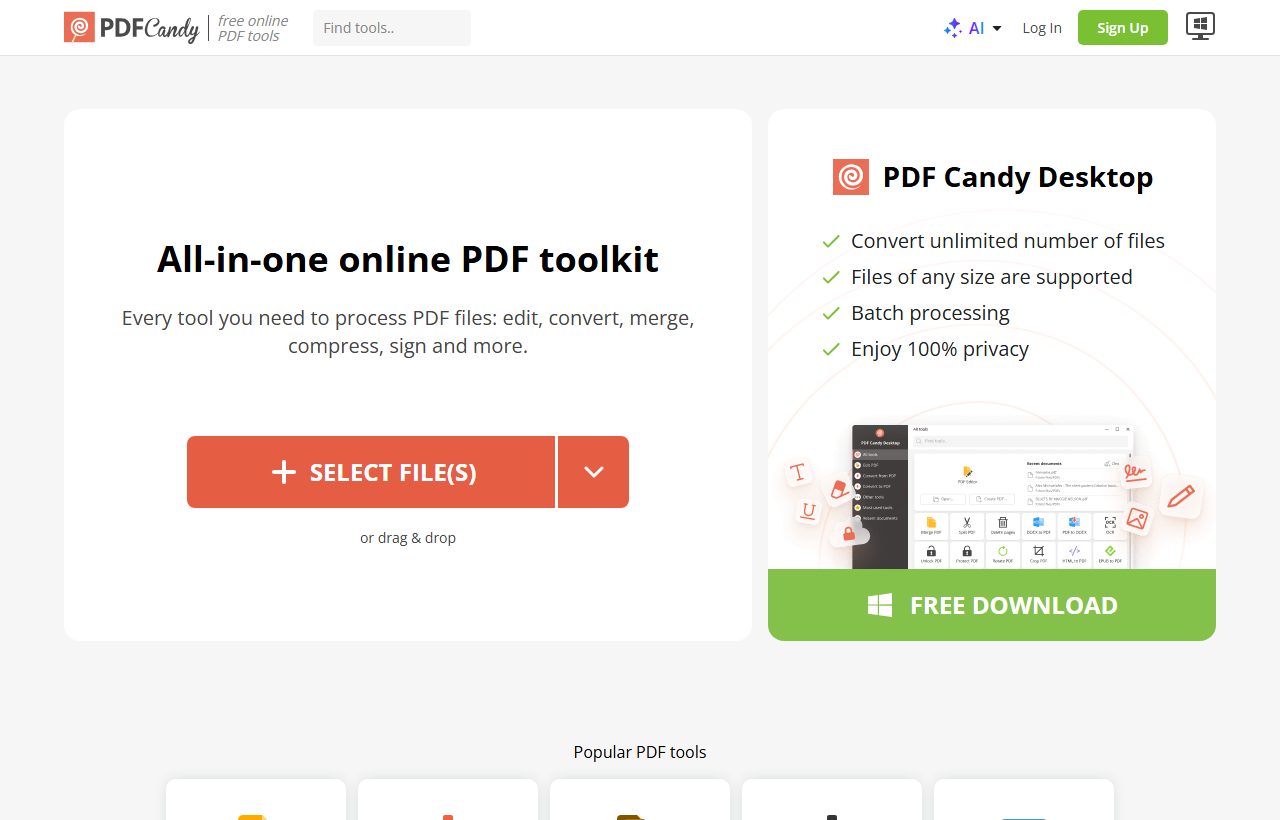
PDF Candy is an online PDF toolkit developed by the Icecream Apps team. It has offered its tools since 2016 and lists more than 90 browser-based utilities for editing, converting, compressing, merging, splitting, signing, protecting, unlocking and reorganizing PDF files, along with OCR for scanned documents.
About PDF Candy
PDF Candy is an online PDF toolkit developed by the Icecream Apps team. It has offered its tools since 2016 and lists more than 90 browser-based utilities for editing, converting, compressing, merging, splitting, signing, protecting, unlocking and reorganizing PDF files, along with OCR for scanned documents.
The service has added AI tools that summarize a PDF, answer questions about a document in a chat interface and translate PDF content. Conversions run in both directions, covering formats such as Word, Excel, images and EPUB. The site says uploaded files are kept on its servers for no longer than two hours and describes its handling as GDPR compliant.
A free tier works without an account but has page, hourly and file size limits and no batch processing. Paid plans remove the hourly limits, raise the per-task file size to 500 MB and give priority processing. Some plans add a Windows desktop app with more than 35 tools that runs fully offline, including batch processing and OCR.
Demo video Locked
Hidden until this listing is claimed The owner adds this when they verify PDF Candy.
Claim to unlock →PDF Candy homepage
✨ Key Features
90+ PDF tools
Edit, merge, split, compress, rotate, crop and organize PDF pages online.
Format conversion
Convert to and from Word, Excel, images, EPUB and other formats.
OCR
Turn scanned PDFs into searchable, editable documents.
AI PDF tools
Summarize, chat with and translate PDF documents.
Security tools
Protect, unlock and sign PDF files.
Offline desktop app
A Windows app with 35+ tools and batch processing works without internet.
🎯 Target Audience
Students
Convert, merge and summarize study materials and papers.
Office workers
Edit, sign and convert everyday business documents.
Small businesses
Handle contracts, invoices and forms without heavy software.
Educators
Prepare and organize handouts and course PDFs.
Researchers
Use OCR and AI chat to extract information from long PDFs.
⚖️ Pros & Cons
Pros
Cons
Founder / CEO Locked
Hidden until this listing is claimed The owner adds this when they verify PDF Candy.
Claim to unlock →Pricing Prices from the maker · check the maker's own site for current plans
Free
$0 /mo
- Page and hourly limits
- Limited file size
- No batch processing
- No account needed
Web Monthly
$6 /mo
- Web access
- No hourly limits
- Up to 500 MB per task
- Priority processing
Desktop + Web Yearly
$4 /mo
- Billed yearly
- Web and Windows desktop access
- No hourly limits
- Up to 500 MB per task
Desktop + Web Lifetime
$99 one-time
- Web and desktop access
- One-time payment
- Desktop license covers one version and minor updates
❓ Frequently Asked Questions
Is PDF Candy free?
Yes, there is a free tier that works without an account, but it has page, hourly and file size limits. Paid plans start at $4 per month billed yearly.
Who makes PDF Candy?
PDF Candy is developed by the Icecream Apps team and has been offering its tools since 2016.
Does PDF Candy have AI features?
Yes. It offers AI tools to summarize PDFs, chat with a document and translate PDF content.
Is there a PDF Candy desktop app?
Yes. A Windows desktop app with more than 35 tools works offline and is included in the Desktop + Web plans.
How long does PDF Candy keep uploaded files?
The site says files are kept on its servers for no longer than two hours.
What is PDF Candy?
Process PDF files with PDF Candy - a free online PDF toolkit. Edit PDF, convert PDF to Word, PDF to JPG, merge and split PDF, compress PDF, etc.
What are the key features of PDF Candy?
PDF Candy offers 6 main features. 90+ PDF tools: Edit, merge, split, compress, rotate, crop and organize PDF pages online. Format conversion: Convert to and from Word, Excel, images, EPUB and other formats. OCR: Turn scanned PDFs into searchable, editable documents. AI PDF tools: Summarize, chat with and translate PDF documents. Security tools: Protect, unlock and sign PDF files. Offline desktop app: A Windows app with 35+ tools and batch processing works without internet.
How much does PDF Candy cost?
PDF Candy uses a Freemium pricing model. Available plans include Free at $0/mo, Web Monthly at $6/mo, Desktop + Web Yearly at $4/mo, Desktop + Web Lifetime at $99one-time.
What are the pros and cons of PDF Candy?
Key advantages include: Large range of PDF tools in one place; Free tier usable without an account; Low-cost paid plans, including a lifetime option; Desktop app works fully offline. Potential drawbacks: Free tier has page, hourly and file size limits and no batch processing; Desktop app is Windows only; Lifetime desktop license does not cover future major versions.
What type of tool is PDF Candy?
PDF Candy is listed under PDF on Ai Product Index.
Does PDF Candy offer a free plan?
Yes, PDF Candy offers a free plan. Page and hourly limits. Limited file size. No batch processing. No account needed
SIDE BY SIDE
PDF Candy vs ChatPDF vs LightPDF
See at a glance which tool leads on each point. ★ = best in row
| CRITERIA | P PDF Candy THIS TOOL | C  ChatPDF VERIFIED | L  LightPDF UNCLAIMED |
|---|---|---|---|
| Best for | 90+ Free PDF Tools Online, PDF Candy | Sign up for free to save your chat history | AI-Powered Free Online PDF Editor, Converter & Reader |
| Starting price | $4 / month ★ Lowest | Freemium | $5.99 / month |
| Free plan | Yes | Yes | Yes |
| Verified listing | No | Yes ★ Only one | No |
| Pricing model | Freemium | Freemium | Freemium |
| Founded | 2016 ★ Longest running | 2023 | 2018 |
| Links | View listing | View listing | View listing |
REVIEWS
What people say about PDF Candy
No reviews yet
If you have used PDF Candy, yours would be the first. Create a free account to leave a review, or sign in if you already have one.
MORE LIKE THIS