
PDFgear
UNCLAIMEDFree PDF Editor Software & Online tools
Overview
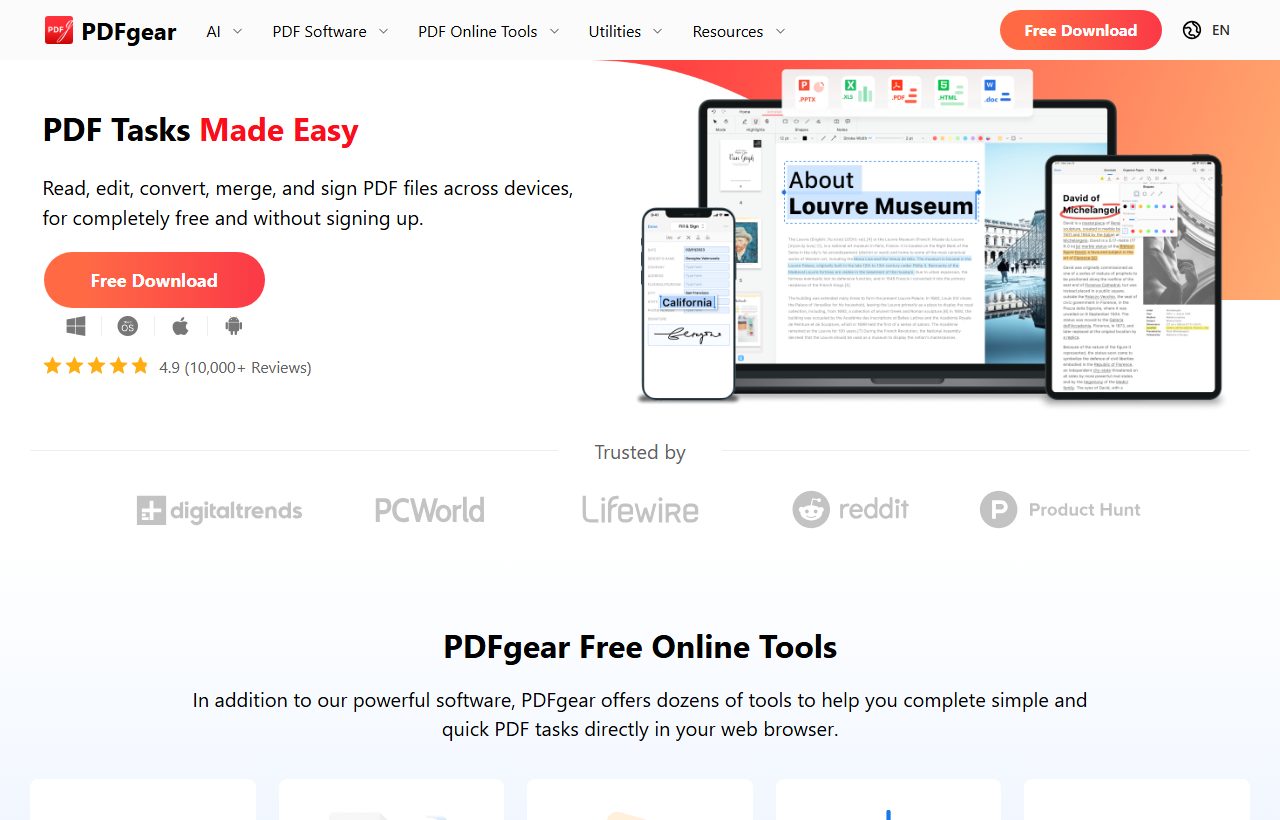
PDFgear is a free PDF editor, reader and converter developed by PDF Gear Tech, a Singapore-based company that launched the product in 2022. It is available as desktop apps for Windows and Mac, mobile apps for iPhone, iPad and Android, a set of browser-based online tools and a Chrome extension.
About PDFgear
PDFgear is a free PDF editor, reader and converter developed by PDF Gear Tech, a Singapore-based company that launched the product in 2022. It is available as desktop apps for Windows and Mac, mobile apps for iPhone, iPad and Android, a set of browser-based online tools and a Chrome extension. The company says the tools can be used for free and without signing up.
The software covers editing of text, images, shapes, links and form fields, along with annotation tools such as highlights, notes, stamps and text boxes. It converts PDFs to and from Word, Excel, PowerPoint, TXT and JPG, supports batch conversion, and includes OCR for scanned documents in more than 30 languages. Page tools handle merging, splitting, compressing, signing and reorganizing files.
The desktop app includes PDFgear Copilot, a chat assistant that the company says is powered by GPT-3.5. Users can type plain-language commands such as compressing a file or deleting a page, and ask it to summarize a document or answer questions about its contents.
Demo video Locked
Hidden until this listing is claimed The owner adds this when they verify PDFgear.
Claim to unlock →PDFgear homepage
✨ Key Features
PDF editing
Edit text, images, shapes, links and form fields in PDFs.
PDFgear Copilot
Chat assistant runs PDF tasks from plain-language commands.
Summaries and Q&A
Copilot summarizes documents and answers questions about them.
Format conversion
Convert PDFs to and from Word, Excel, PPT, TXT and JPG in batches.
OCR in 30+ languages
Extract text from scanned and image-based documents.
Annotation and signing
Highlight, comment, stamp and sign PDF files.
🎯 Target Audience
Students
Annotate, summarize and convert course readings at no cost.
Office workers
Edit, sign and convert everyday business documents.
Small businesses
Replace paid PDF editors with a free desktop tool.
Educators
Prepare and mark up teaching materials.
Mobile users
View, edit and sign PDFs on iPhone, iPad and Android.
⚖️ Pros & Cons
Pros
Cons
Founder / CEO Locked
Hidden until this listing is claimed The owner adds this when they verify PDFgear.
Claim to unlock →Pricing Prices from the maker · check the maker's own site for current plans
Free
$0 /mo
- Desktop, mobile and online tools
- No sign-up required
- Editing, conversion and OCR
- PDFgear Copilot on desktop
❓ Frequently Asked Questions
Is PDFgear free?
Yes. PDFgear says its PDF tools are completely free and can be used without signing up.
Who makes PDFgear?
PDFgear is developed by PDF Gear Tech, a company headquartered in Singapore that launched the product in 2022.
Does PDFgear have AI features?
Yes. PDFgear Copilot in the desktop app takes plain-language commands and can summarize documents and answer questions about them. The company says it is powered by GPT-3.5.
What platforms does PDFgear support?
It runs on Windows, Mac, iPhone, iPad and Android, with online tools in the browser and a Chrome extension.
Can PDFgear do OCR?
Yes. It extracts text from scanned and image-based documents and supports more than 30 languages.
What is PDFgear?
Edit PDF online or offline with PDFgear PDF Tasks Made Easy. PDFgear Free Online Tools. Meet eSignGear PDFgear's Online E-Signing Platform.
What are the key features of PDFgear?
PDFgear offers 6 main features. PDF editing: Edit text, images, shapes, links and form fields in PDFs. PDFgear Copilot: Chat assistant runs PDF tasks from plain-language commands. Summaries and Q&A: Copilot summarizes documents and answers questions about them. Format conversion: Convert PDFs to and from Word, Excel, PPT, TXT and JPG in batches. OCR in 30+ languages: Extract text from scanned and image-based documents. Annotation and signing: Highlight, comment, stamp and sign PDF files.
How much does PDFgear cost?
PDFgear uses a Free pricing model. Available plans include Free at $0/mo.
What are the pros and cons of PDFgear?
Key advantages include: Free to use without signing up; Available on Windows, Mac, iOS, Android and the web; Built-in AI copilot for commands, summaries and Q&A; OCR supports more than 30 languages. Potential drawbacks: Copilot is only available in the desktop app; The company says Copilot runs on GPT-3.5, an older model; No public developer API is listed.
What type of tool is PDFgear?
PDFgear is listed under PDF on Ai Product Index.
Does PDFgear offer a free plan?
Yes, PDFgear offers a free plan. Desktop, mobile and online tools. No sign-up required. Editing, conversion and OCR. PDFgear Copilot on desktop
SIDE BY SIDE
PDFgear vs ChatPDF vs PDF Candy
See at a glance which tool leads on each point. ★ = best in row
| CRITERIA | P PDFgear THIS TOOL | C  ChatPDF VERIFIED | P  PDF Candy UNCLAIMED |
|---|---|---|---|
| Best for | Free PDF Editor Software & Online tools | Sign up for free to save your chat history | 90+ Free PDF Tools Online, PDF Candy |
| Starting price | Free | Freemium | $4 / month |
| Free plan | Yes | Yes | Yes |
| Verified listing | No | Yes ★ Only one | No |
| Pricing model | Free | Freemium | Freemium |
| Founded | 2022 | 2023 | 2016 ★ Longest running |
| Links | View listing | View listing | View listing |
REVIEWS
What people say about PDFgear
No reviews yet
If you have used PDFgear, yours would be the first. Create a free account to leave a review, or sign in if you already have one.
MORE LIKE THIS