Seede AI
UNCLAIMEDSeedeAI - Think it. Design it
Overview
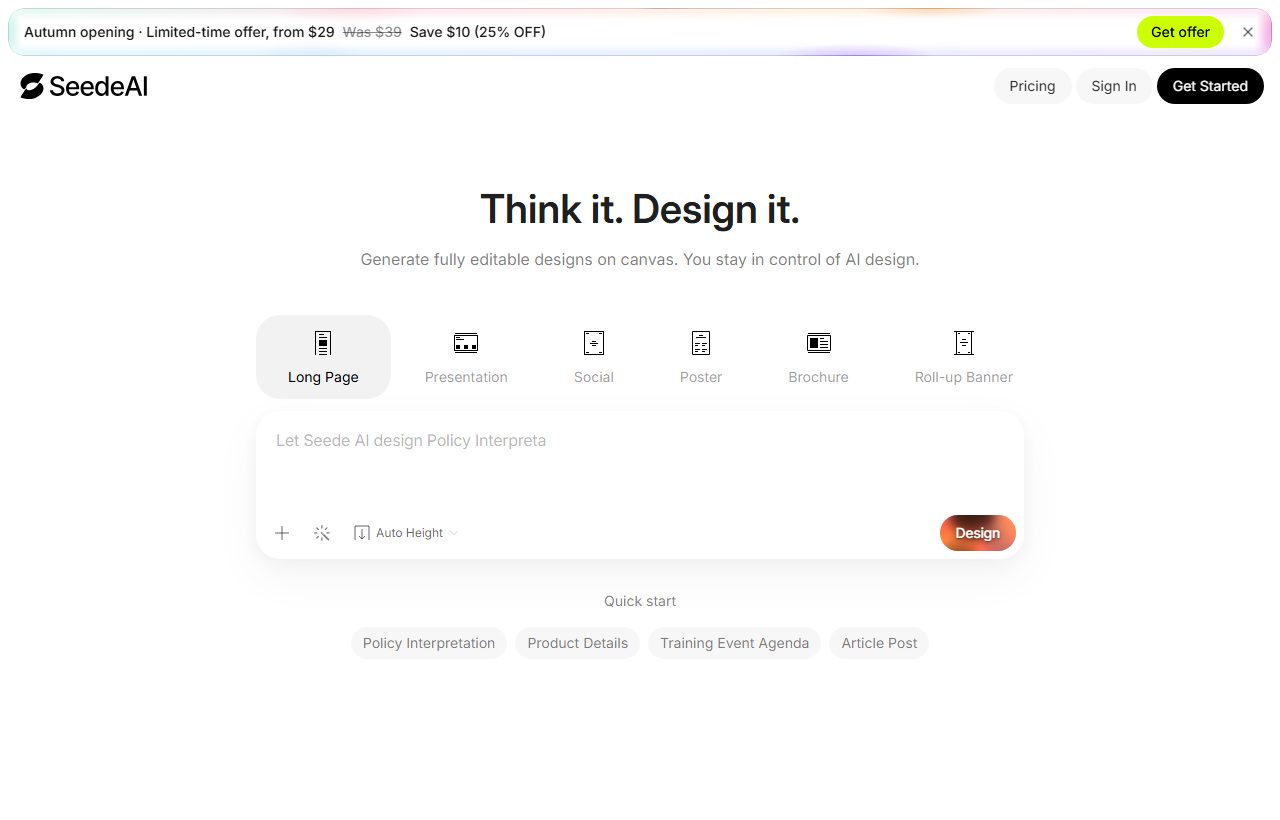
Seede AI is a browser-based design tool that turns written content into editable graphics. Users can paste text, upload Word or PDF documents, or import a web link, and the tool generates a finished layout in roughly 30 to 60 seconds, according to its documentation.
About Seede AI
Seede AI is a browser-based design tool that turns written content into editable graphics. Users can paste text, upload Word or PDF documents, or import a web link, and the tool generates a finished layout in roughly 30 to 60 seconds, according to its documentation. It targets posters, social media posts, infographics, long-form graphics, e-commerce detail pages and presentation slides.
Unlike tools that output a flat image, Seede separates designs into layers so text, images, colors and spacing can be changed afterward in its editor. The editor supports font and color adjustments, image cropping and filters, a smart cutout, drag-and-drop layout changes and alignment guides. A template library covers event promotions, holiday themes, reports and more, and the site also offers free utilities such as a background remover, image resizer and AI image generator.
Finished work can be exported as PNG, JPG, PDF or SVG at up to 4K, with batch export and share links. A free tier covers basic features, while paid plans add real-time collaboration and full commercial rights to exported designs. The interface is available in English, Chinese and Japanese.
Demo video Locked
Hidden until this listing is claimed The owner adds this when they verify Seede AI.
Claim to unlock →Seede AI homepage
✨ Key Features
Content-to-design generation
Builds a full layout from pasted text, documents or a web link.
Layered editable output
Separates text and images into layers that can be edited after generation.
Template library
Provides templates for promotions, infographics, reports and holidays.
Built-in editor
Adjusts fonts, colors, images and layout with drag-and-drop controls.
Multi-format export
Exports PNG, JPG, PDF and SVG at up to 4K with batch export.
Team collaboration
Offers sharing, real-time editing and comments on paid plans.
🎯 Target Audience
Social media managers
Produce post graphics quickly from written copy.
Marketers
Create campaign posters and promotional visuals.
Content creators
Turn articles and notes into infographics and long-form graphics.
E-commerce sellers
Design product detail page graphics.
Business teams
Convert reports and documents into presentation-ready visuals.
⚖️ Pros & Cons
Pros
Cons
Founder / CEO Locked
Hidden until this listing is claimed The owner adds this when they verify Seede AI.
Claim to unlock →Pricing Prices from the maker · check the maker's own site for current plans
Basic
$29 /mo
- Everyday simple needs
- 80 credits (valid for 1 year)
- 24/7 uninterrupted cloud AI design
- Image and design asset storage & management
Pro
$99 /mo
- Design made easy for work
- 300 credits (valid for 1 year)
- Brandkit matches your brand style
- Generate designs from website parsing
Ultra
$199 /mo
- Handle complex design needs
- 700 credits (valid for 1 year)
- Brandkit matches your brand style
- 10 API / MCP concurrent tasks
Enterprise
Custom
- SeedeAI tailored to your organization's needs.
- Right now, top teams across industries are designing with Seede AI.
- Plans and features
❓ Frequently Asked Questions
Is Seede AI free?
Seede AI offers a free tier with basic features. Paid plans unlock advanced functionality, collaboration and full commercial rights.
What can I use as input?
You can upload Word, PDF or text documents, import a web link, or paste text directly. Files should be under 10MB.
What export formats does Seede AI support?
Designs can be exported as PNG, JPG, PDF or SVG, with HD output up to 4K resolution.
Can I edit designs after they are generated?
Yes. Text, styles, images, colors, layout and spacing can all be changed in the editor.
Can I use Seede AI designs commercially?
Paid users have full commercial rights to exported designs. Free users are directed to check the terms of service.
What is Seede AI?
Turn your ideas into fully editable designs. Think it. Design it. All design in SeedeAI. Design at the speed of thought.
What are the key features of Seede AI?
Seede AI offers 6 main features. Content-to-design generation: Builds a full layout from pasted text, documents or a web link. Layered editable output: Separates text and images into layers that can be edited after generation. Template library: Provides templates for promotions, infographics, reports and holidays. Built-in editor: Adjusts fonts, colors, images and layout with drag-and-drop controls. Multi-format export: Exports PNG, JPG, PDF and SVG at up to 4K with batch export. Team collaboration: Offers sharing, real-time editing and comments on paid plans.
How much does Seede AI cost?
Seede AI uses a Freemium pricing model. Available plans include Basic at $29/mo, Pro at $99/mo, Ultra at $199/mo, Enterprise at Custom.
What are the pros and cons of Seede AI?
Key advantages include: Generated designs stay fully editable in layers; Accepts documents, web links or plain text as input; Exports to SVG and PDF as well as raster formats; Free tier available to try basic features. Potential drawbacks: Collaboration and full commercial rights require a paid plan; Editing on mobile is limited; Uploaded files are limited to 10MB.
What type of tool is Seede AI?
Seede AI is listed under Design on Ai Product Index.
SIDE BY SIDE
Seede AI vs Piktochart vs Flora
See at a glance which tool leads on each point. ★ = best in row
| CRITERIA | S | P  Piktochart UNCLAIMED | F  Flora UNCLAIMED |
|---|---|---|---|
| Best for | SeedeAI - Think it. Design it | Infographic Tools & AI Design Platform for 34M Users | Generative AI Canvas for Creative Teams |
| Starting price | $29 / month | $15 / month ★ Lowest | $18 / month |
| Free plan | Yes | Yes | Yes |
| Verified listing | No | No | No |
| Pricing model | Freemium | Freemium | Freemium |
| Founded | Not stated | 2011 ★ Longest running | 2024 |
| Links | View listing | View listing | View listing |
REVIEWS
What people say about Seede AI
No reviews yet
If you have used Seede AI, yours would be the first. Create a free account to leave a review, or sign in if you already have one.
MORE LIKE THIS
Related Design Tools



Recraft is a top-ranked text-to-image model and design platform for photorealism, vector genera