
Teachable Machine
UNCLAIMEDTeachable Machine
Overview
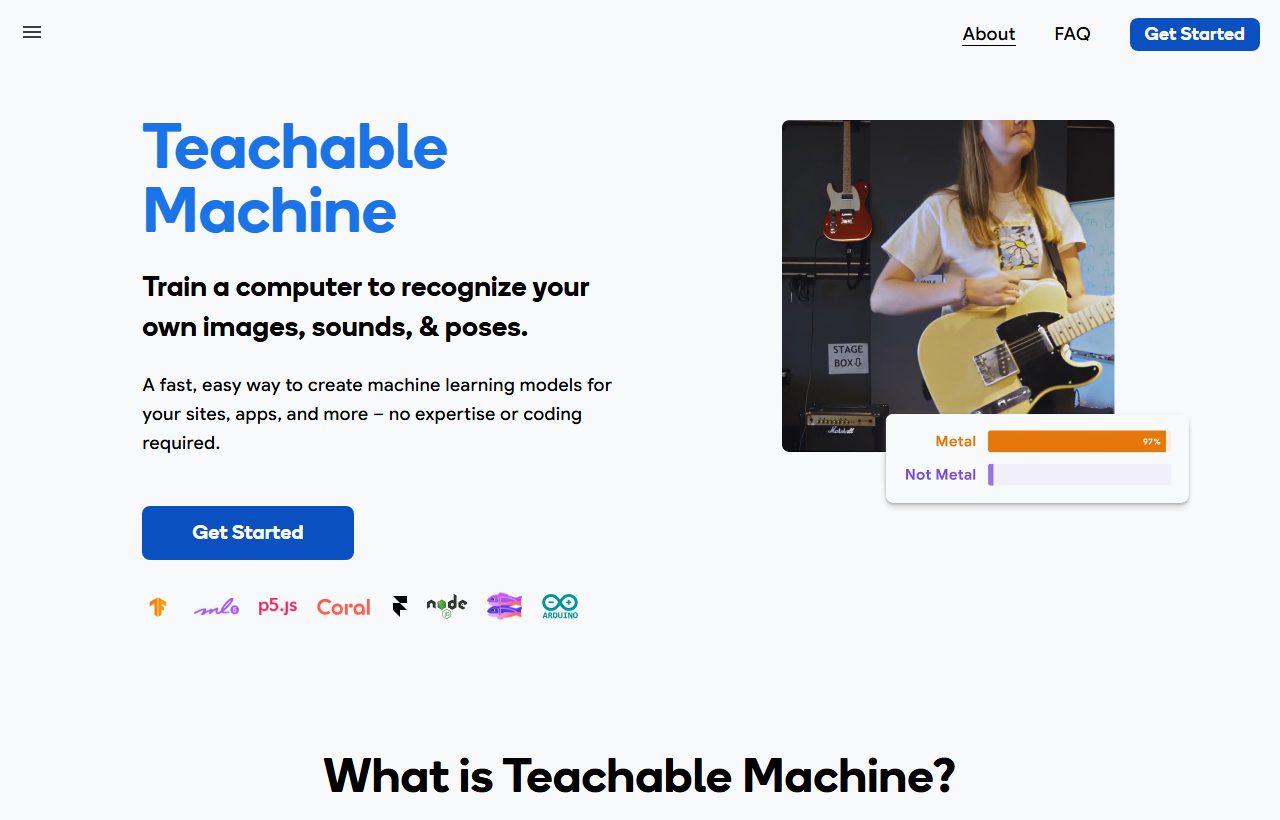
Teachable Machine is a free, browser-based tool from Google Creative Lab for training simple machine learning models without writing code. Users create classes, record or upload examples with a webcam, microphone or image files, and train a model with one click. Three project types are supported: image classification.
About Teachable Machine
Teachable Machine is a free, browser-based tool from Google Creative Lab for training simple machine learning models without writing code. Users create classes, record or upload examples with a webcam, microphone or image files, and train a model with one click. Three project types are supported: image classification, audio classification and pose detection.
Training runs in the browser using TensorFlow.js. Google says the examples stay on the user's device unless they choose to save the project to Google Drive. After training, a model can be tested live and then exported to TensorFlow.js for websites, TensorFlow Lite for mobile and edge devices, or a standard TensorFlow format. The export panel includes code snippets for JavaScript, Java and Python.
The first version launched in 2017. Teachable Machine 2.0, released in 2019, added sound and pose models and model export. Teachers, students, artists and makers use it to prototype ideas and to learn how classification works. Supporting libraries are open source under the Apache 2.0 license.
Demo video Locked
Hidden until this listing is claimed The owner adds this when they verify Teachable Machine.
Claim to unlock →Teachable Machine homepage
✨ Key Features
Image classification
Trains models to recognize objects from webcam captures or uploaded images.
Audio classification
Learns to tell sounds apart from short microphone recordings.
Pose detection
Classifies body positions captured through a webcam.
In-browser training
Trains models locally in the browser with TensorFlow.js.
Model export
Exports to TensorFlow.js, TensorFlow Lite or TensorFlow formats.
Google Drive saving
Projects can optionally be saved to Google Drive to resume later.
🎯 Target Audience
Teachers
Demonstrate how machine learning works in the classroom.
Students
Build and test their first classification models without code.
Web developers
Add trained image, sound or pose models to websites.
Makers
Run exported models on microcontrollers and edge devices.
Artists and designers
Prototype interactive projects driven by gestures or sounds.
⚖️ Pros & Cons
Pros
Cons
Founder / CEO Locked
Hidden until this listing is claimed The owner adds this when they verify Teachable Machine.
Claim to unlock →Pricing Prices from the maker · check the maker's own site for current plans
Free
$0 /mo
- Image, audio and pose projects
- In-browser training
- Model export
❓ Frequently Asked Questions
Is Teachable Machine free?
Yes. Teachable Machine is free to use in a web browser.
Who makes Teachable Machine?
It is built by Google Creative Lab, which describes it as an experiment rather than an official Google product.
Is my training data uploaded?
Google says training happens in the browser and examples stay on the device unless the user saves the project to Google Drive.
What can I export a model to?
Models can be exported to TensorFlow.js for the web, TensorFlow Lite for mobile and edge devices, or a standard TensorFlow format.
Do I need coding skills?
No. Models are trained through a visual interface, though using an exported model in an app requires some code.
What is Teachable Machine?
Train a computer to recognize your own images, sounds, & poses. A fast, easy way to create machine learning models for your sites, apps, and more, no expertise or coding required.
What are the key features of Teachable Machine?
Teachable Machine offers 6 main features. Image classification: Trains models to recognize objects from webcam captures or uploaded images. Audio classification: Learns to tell sounds apart from short microphone recordings. Pose detection: Classifies body positions captured through a webcam. In-browser training: Trains models locally in the browser with TensorFlow.js. Model export: Exports to TensorFlow.js, TensorFlow Lite or TensorFlow formats. Google Drive saving: Projects can optionally be saved to Google Drive to resume later.
How much does Teachable Machine cost?
Teachable Machine uses a Free pricing model. Available plans include Free at $0/mo.
What are the pros and cons of Teachable Machine?
Key advantages include: Completely free with no account needed to train; Training data stays on-device by default; Exports to several TensorFlow formats; Very easy for beginners and classrooms. Potential drawbacks: Limited to image, audio and pose classification; Labeled an experiment, so support may vary; Not suited to large datasets or production-scale training.
What type of tool is Teachable Machine?
Teachable Machine is listed under Education on Ai Product Index.
Does Teachable Machine offer a free plan?
Yes, Teachable Machine offers a free plan. Image, audio and pose projects. In-browser training. Model export
SIDE BY SIDE
Teachable Machine vs MagicSchool AI vs Scavenge.rs
See at a glance which tool leads on each point. ★ = best in row
| CRITERIA | T Teachable Machine THIS TOOL | M  MagicSchool AI VERIFIED | S  Scavenge.rs UNCLAIMED |
|---|---|---|---|
| Best for | Teachable Machine | AI Platform for School Districts | Create scavenger hunts with optional AI clue ideas |
| Starting price | Free | $12.99 / month | Free |
| Free plan | Yes | Yes | Yes |
| Verified listing | No | Yes ★ Only one | No |
| Pricing model | Free | Freemium | Free |
| Founded | 2017 ★ Longest running | 2023 | Not stated |
| Links | View listing | View listing | View listing |
REVIEWS
What people say about Teachable Machine
No reviews yet
If you have used Teachable Machine, yours would be the first. Create a free account to leave a review, or sign in if you already have one.
MORE LIKE THIS