
ClassPoint AI
UNCLAIMEDYour all-in-one teaching tool in PowerPoint
Overview
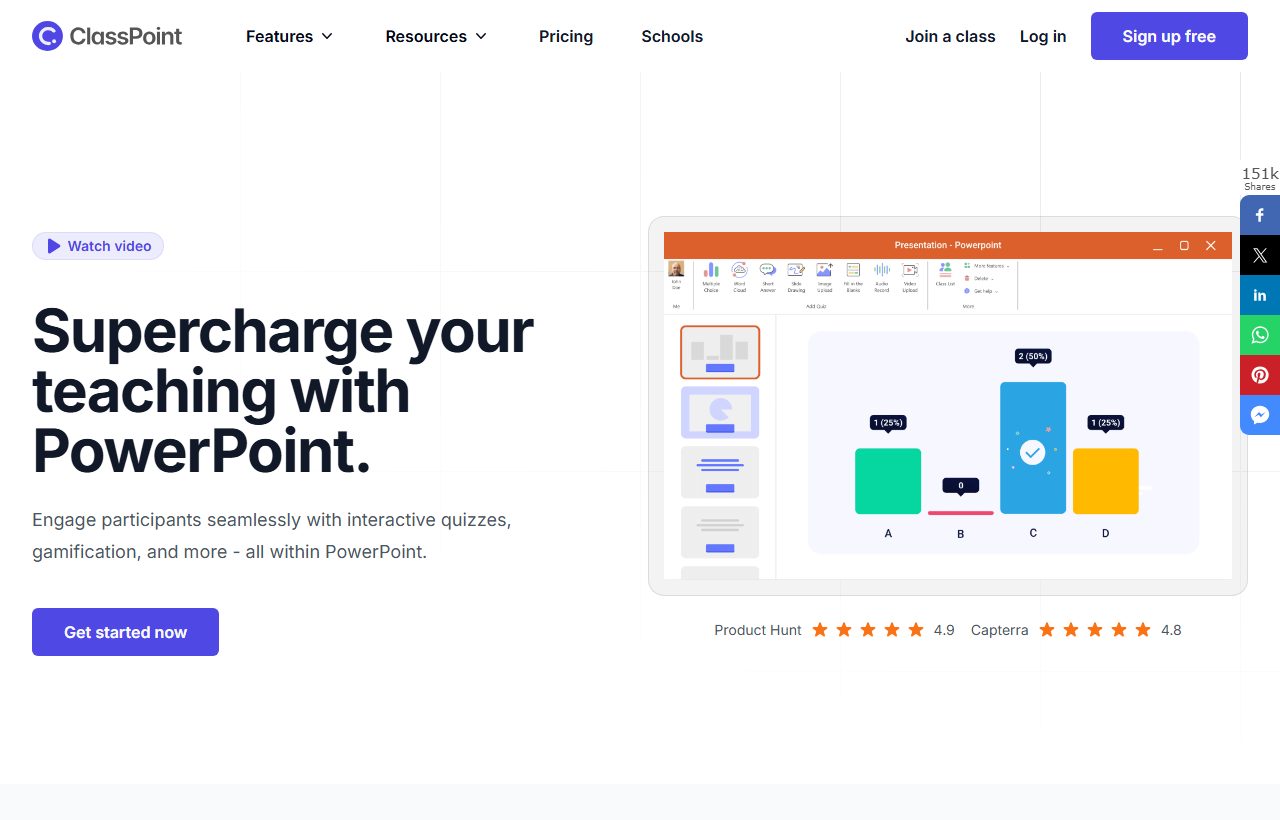
ClassPoint is a teaching tool that runs inside Microsoft PowerPoint, adding interactive activities, presentation tools and gamification to ordinary slides. Teachers can insert questions into a deck and run them live while presenting. Students answer from their own devices. Activity types include multiple choice, word cloud.
About ClassPoint AI
ClassPoint is a teaching tool that runs inside Microsoft PowerPoint, adding interactive activities, presentation tools and gamification to ordinary slides. Teachers can insert questions into a deck and run them live while presenting. Students answer from their own devices. Activity types include multiple choice, word cloud, fill in the blanks, short answer, slide drawing and image, video and audio responses.
ClassPoint AI generates quiz questions from the content of a slide. Teachers can target the six levels of Bloom's taxonomy and pick the output language, and the company says the feature uses OpenAI models. Other tools include slideshow annotation, a timer, a random name picker, whiteboard backgrounds and draggable objects. Stars, levels, badges and a leaderboard reward participation.
ClassPoint is made by Inknoe, a company based in Singapore. The company says more than 20 million educators, trainers and students have used it, and it lists compliance with SOC 2, GDPR, FERPA and COPPA. A free Basic plan supports small classes, a Pro plan adds quiz mode with auto-grading and AI insights, and schools can get custom Premium plans.
Demo video Locked
Hidden until this listing is claimed The owner adds this when they verify ClassPoint AI.
Claim to unlock →ClassPoint AI homepage
✨ Key Features
In-PowerPoint quizzes
Adds live interactive questions directly to PowerPoint slides.
AI quiz generator
Creates questions from slide content at chosen Bloom's taxonomy levels.
Eight activity types
Includes polls, word clouds, short answers, drawings and media uploads.
Gamification
Stars, levels, badges and leaderboards reward student participation.
Presentation tools
Offers annotation, timers, a name picker and draggable objects.
Quiz mode auto-grading
Pro plans grade quiz responses automatically and add AI insights.
🎯 Target Audience
K-12 teachers
Run interactive quizzes and polls during PowerPoint lessons.
University lecturers
Check understanding in large classes with live questions.
Corporate trainers
Keep workshop participants engaged during slide presentations.
Schools and districts
Roll out a standard engagement tool with custom onboarding.
Instructional coaches
Generate question sets aligned to Bloom's taxonomy.
⚖️ Pros & Cons
Pros
Cons
Founder / CEO Locked
Hidden until this listing is claimed The owner adds this when they verify ClassPoint AI.
Claim to unlock →Pricing Prices from the maker · check the maker's own site for current plans
Basic
$0 /mo
- 25 students per class
- Up to 3 classes
- 5 activity types
- 5 activities per presentation
Pro
$8 /mo
- $96 billed annually
- 200 students per class, unlimited classes
- All 8 activity types
- Quiz mode with auto-grading and AI Insights
Premium
Custom
- 500 students per class
- Grouping and live Q&A
- Webhook access and custom branding
- Dedicated support and SOC 2 report
❓ Frequently Asked Questions
Is ClassPoint free?
Yes. The Basic plan is free for up to three classes of 25 students. Pro costs $8 per month, billed $96 annually.
Who makes ClassPoint?
ClassPoint is made by Inknoe, a company based in Singapore.
What does ClassPoint AI do?
It generates multiple choice, short answer and fill-in-the-blank questions from slide content, at chosen Bloom's taxonomy levels and in the selected language.
Does ClassPoint work on Mac?
The download page lists Windows 10 with Office 2013 or later as the requirement.
Do students need to install ClassPoint?
Only the presenter installs the add-in, and students respond from their own devices.
What is ClassPoint AI?
ClassPoint AI is an AI tool. Your all-in-one teaching tool in PowerPoint.
What are the key features of ClassPoint AI?
ClassPoint AI offers 6 main features. In-PowerPoint quizzes: Adds live interactive questions directly to PowerPoint slides. AI quiz generator: Creates questions from slide content at chosen Bloom's taxonomy levels. Eight activity types: Includes polls, word clouds, short answers, drawings and media uploads. Gamification: Stars, levels, badges and leaderboards reward student participation. Presentation tools: Offers annotation, timers, a name picker and draggable objects. Quiz mode auto-grading: Pro plans grade quiz responses automatically and add AI insights.
How much does ClassPoint AI cost?
ClassPoint AI uses a Freemium pricing model. Available plans include Basic at $0/mo, Pro at $8/mo, Premium at Custom.
What are the pros and cons of ClassPoint AI?
Key advantages include: Works inside existing PowerPoint decks; Free plan covers up to three classes; AI questions can target Bloom's taxonomy levels; Lists SOC 2, GDPR, FERPA and COPPA compliance. Potential drawbacks: Desktop download is listed for Windows only; Free plan caps classes at 25 students; Group features and live Q&A need the custom Premium plan.
What type of tool is ClassPoint AI?
ClassPoint AI is listed under Education, Presentations on Ai Product Index.
Does ClassPoint AI offer a free plan?
Yes, ClassPoint AI offers a free plan. 25 students per class. Up to 3 classes. 5 activity types. 5 activities per presentation
SIDE BY SIDE
ClassPoint AI vs MagicSchool AI vs Gauth AI
See at a glance which tool leads on each point. ★ = best in row
| CRITERIA | C ClassPoint AI THIS TOOL | M  MagicSchool AI VERIFIED | G  Gauth AI UNCLAIMED |
|---|---|---|---|
| Best for | Your all-in-one teaching tool in PowerPoint | AI Platform for School Districts | Gauth - Best AI Homework Helper for All School Subjects |
| Starting price | $8 / month ★ Lowest | $12.99 / month | $11.99 / month |
| Free plan | Yes | Yes | Yes |
| Verified listing | No | Yes ★ Only one | No |
| Pricing model | Freemium | Freemium | Freemium |
| Founded | 2015 ★ Longest running | 2023 | 2020 |
| Links | View listing | View listing | View listing |
REVIEWS
What people say about ClassPoint AI
No reviews yet
If you have used ClassPoint AI, yours would be the first. Create a free account to leave a review, or sign in if you already have one.
MORE LIKE THIS