
Adobe Podcast
UNCLAIMEDAI audio recording and editing, all on the web
Overview
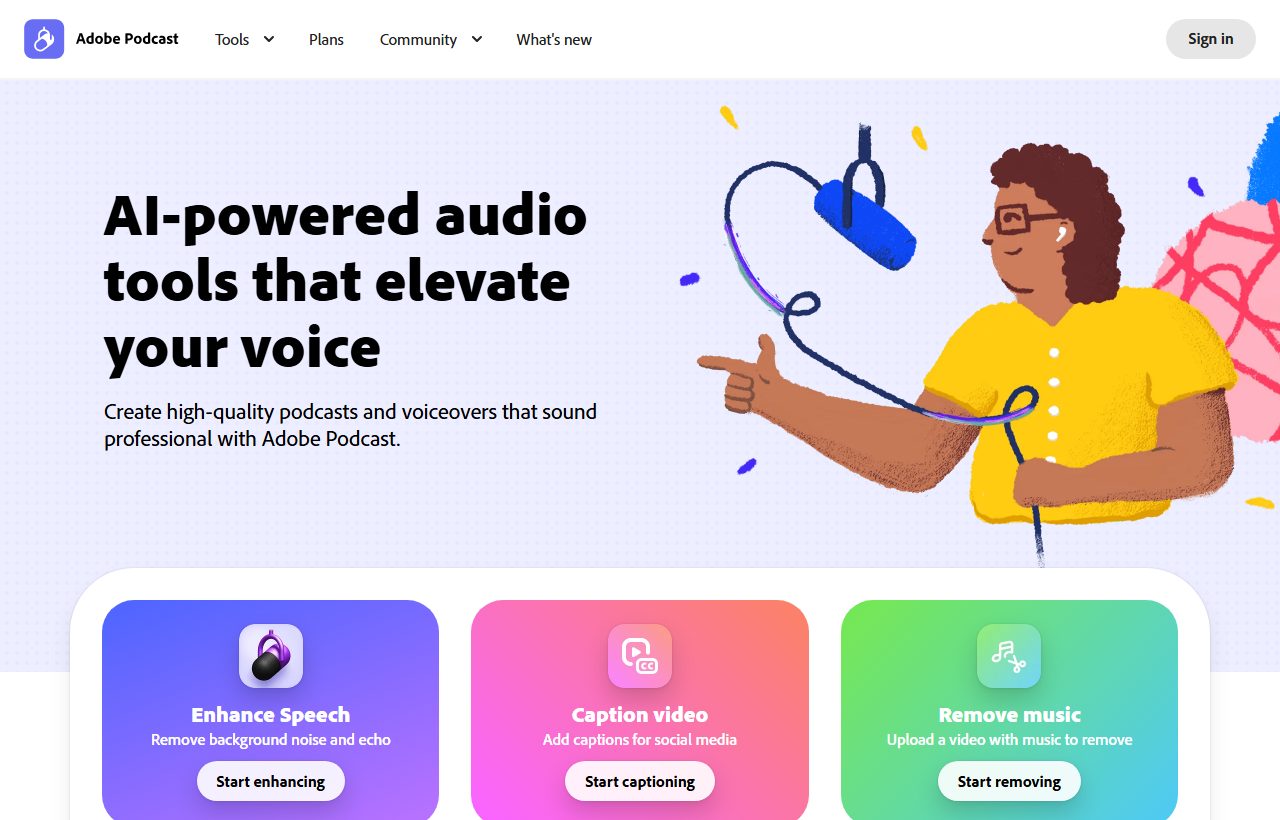
Adobe Podcast is a set of browser-based audio tools, and the one everybody knows is Enhance Speech. Upload a recording made in a bad room on a cheap microphone and it comes back sounding like it was recorded in a studio. It is close to the only tool in this.
About Adobe Podcast
Adobe Podcast is a set of browser-based audio tools, and the one everybody knows is Enhance Speech. Upload a recording made in a bad room on a cheap microphone and it comes back sounding like it was recorded in a studio. It is close to the only tool in this category that regularly surprises people.
The rest fills out a podcast workflow: recording solo or with remote guests at full quality, editing audio and video, captions for social, music removal and transcription. Nothing is installed; it all runs in the browser.
For anyone recording interviews or voiceovers without a treated room, the enhancement alone is worth knowing about, and the core of it is free to use.
Demo video Locked
Hidden until this listing is claimed The owner adds this when they verify Adobe Podcast.
Claim to unlock →Adobe Podcast homepage
✨ Key Features
Enhance Speech
Remove background noise and echo from a bad recording.
Record with remote guests
Full-quality capture for interviews.
Audio and video editing
Cut and compose in the browser.
Captions
Subtitles for social video.
Remove music
Strip a backing track out of a video.
Transcription
Download as text or PDF.
🎯 Target Audience
Podcasters
Studio sound without a studio.
Interviewers
Remote guests recorded properly.
Video creators
Fixing audio that would otherwise ruin a good take.
Lecturers
Recorded classes that are actually listenable.
Voiceover artists
Cleaning up a home recording setup.
⚖️ Pros & Cons
Pros
Cons
Founder / CEO Locked
Hidden until this listing is claimed The owner adds this when they verify Adobe Podcast.
Claim to unlock →Pricing Prices from the maker · check the maker's own site for current plans
Free
$0 /mo
- Enhance Speech on files up to 30 minutes and 500 MB
- Up to 1 hour of enhancement per day
- Browser-based recording and editing in Studio
- Mic Check
Firefly Pro (includes Podcast Premium)
$19.99 /mo
- Enhance up to 4 hours a day, files up to 1 GB
- Video support, bulk upload and adjustable enhancement strength
- No download limits on Studio projects
- 4,000 Firefly generative credits per month
❓ Frequently Asked Questions
Is Adobe Podcast free?
Yes. Adobe Podcast has a free tier that includes Enhance Speech with daily and per-file limits, plus browser-based recording and editing.
How do I get Adobe Podcast Premium?
Adobe now bundles Adobe Podcast Premium with the Adobe Firefly Pro plan, listed at $19.99 per month, with a free trial available.
What does Enhance Speech do?
Enhance Speech uses AI to reduce background noise and echo so voice recordings sound closer to a studio recording.
Do I need to install software?
No. Adobe Podcast runs in a web browser, so recording, enhancement and editing happen online.
Who makes Adobe Podcast?
Adobe Podcast is made by Adobe, the company behind Photoshop, Premiere Pro and the Firefly AI models.
What is Adobe Podcast?
Next generation audio from Adobe is here. Record, transcribe, edit, share. Crisp and clear, every time.
What are the key features of Adobe Podcast?
Adobe Podcast offers 6 main features. Enhance Speech: Remove background noise and echo from a bad recording. Record with remote guests: Full-quality capture for interviews. Audio and video editing: Cut and compose in the browser. Captions: Subtitles for social video. Remove music: Strip a backing track out of a video. Transcription: Download as text or PDF.
How much does Adobe Podcast cost?
Adobe Podcast uses a Freemium pricing model. Available plans include Free at $0/mo, Firefly Pro (includes Podcast Premium) at $19.99/mo.
What are the pros and cons of Adobe Podcast?
Key advantages include: Enhance Speech is genuinely better than the alternatives; Runs entirely in a browser with nothing to install; The core tools are free to use. Potential drawbacks: Enhancement can flatten a voice that was already well recorded; A lighter editor than a dedicated audio workstation.
What type of tool is Adobe Podcast?
Adobe Podcast is listed under Audio Editor, Podcasting on Ai Product Index.
Does Adobe Podcast offer a free plan?
Yes, Adobe Podcast offers a free plan. Enhance Speech on files up to 30 minutes and 500 MB. Up to 1 hour of enhancement per day. Browser-based recording and editing in Studio. Mic Check
SIDE BY SIDE
Adobe Podcast vs Cleanvoice AI vs Adobe Speech Enhancer
See at a glance which tool leads on each point. ★ = best in row
| CRITERIA | A Adobe Podcast THIS TOOL | C  Cleanvoice AI UNCLAIMED | A  Adobe Speech Enhancer UNCLAIMED |
|---|---|---|---|
| Best for | AI audio recording and editing, all on the web | Edit Audio & Video Podcast in 10 Mins, in Clicks | Next generation audio from Adobe is here |
| Starting price | $19.99 / month | $11 / month ★ Lowest | Freemium |
| Free plan | Yes | Yes | Yes |
| Verified listing | No | No | No |
| Pricing model | Freemium | Free Trial | Freemium |
| Founded | 2022 | 2021 ★ Longest running | 2022 |
| Links | View listing | View listing | View listing |
REVIEWS
What people say about Adobe Podcast
No reviews yet
If you have used Adobe Podcast, yours would be the first. Create a free account to leave a review, or sign in if you already have one.
MORE LIKE THIS