AI Photo Enhancer
UNCLAIMEDAI Photo Enhancer & HD Photo Converter to Upscale Images and Make Photos Higher Resolution
Overview
AI Photo Enhancer is a browser-based tool that improves image quality in one step. You upload a photo and the AI sharpens edges and textures, reduces noise and color speckles, corrects color and contrast, and can upscale the result to 4K. The site says it also restores damaged or low-quality.
About AI Photo Enhancer
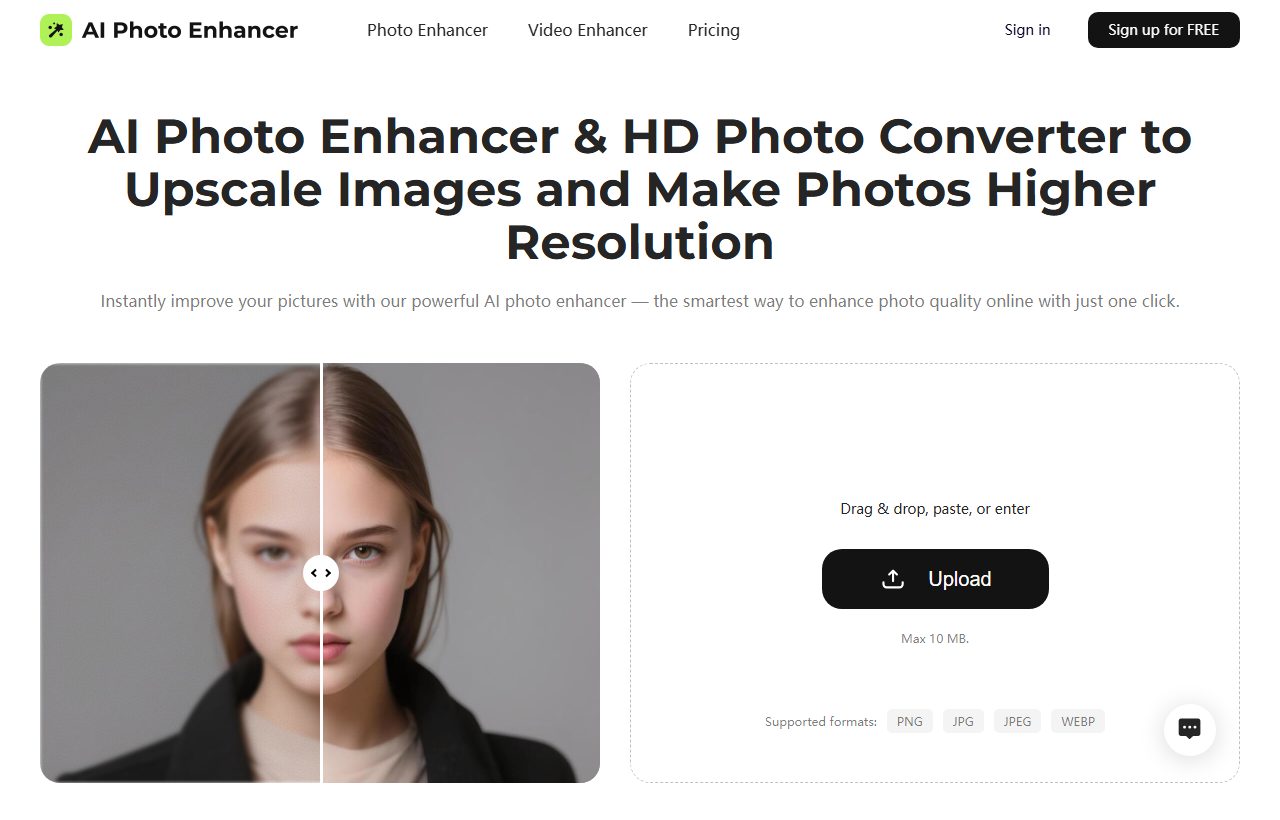
AI Photo Enhancer is a browser-based tool that improves image quality in one step. You upload a photo and the AI sharpens edges and textures, reduces noise and color speckles, corrects color and contrast, and can upscale the result to 4K. The site says it also restores damaged or low-quality pictures and reduces blur in out-of-focus areas.
The tool accepts PNG, JPG, JPEG and WEBP files up to 10 MB and supports batch uploads. No app download is needed, and the site says it works in browsers on phones and tablets as well as desktops. A companion AI Video Enhancer is offered on the same site.
New users receive free credits when they sign up and can buy more later. The pricing page lists only a basic free-credit option without visible prices, and the site does not name the company behind it or give a location.
Demo video Locked
Hidden until this listing is claimed The owner adds this when they verify AI Photo Enhancer.
Claim to unlock →AI Photo Enhancer homepage
✨ Key Features
One-click enhancement
Improves sharpness, color and contrast automatically.
Upscaling to 4K
Increases image resolution up to 4K.
Noise reduction
Removes grain and color speckles from low-light shots.
Blur removal
Sharpens out-of-focus areas in photos.
Photo restoration
Repairs damaged or low-quality images.
Batch upload
Processes several images at once.
🎯 Target Audience
Casual users
Fix blurry or grainy phone photos.
Online sellers
Sharpen and upscale product images.
Families
Improve old or scanned photos.
Social media users
Prepare clearer images for posting.
Designers
Upscale low-resolution assets for reuse.
⚖️ Pros & Cons
Pros
Cons
Founder / CEO Locked
Hidden until this listing is claimed The owner adds this when they verify AI Photo Enhancer.
Claim to unlock →Pricing Prices from the maker · check the maker's own site for current plans
Freemium
See site
- AI Photo Enhancer does not publish a plan table
❓ Frequently Asked Questions
Is AI Photo Enhancer free?
New users get free credits on signup and can top up later, but the site does not publish paid prices.
What file types does it support?
It accepts PNG, JPG, JPEG and WEBP images up to 10 MB.
Is there a mobile app?
No dedicated app is offered, but the tool works in mobile and tablet browsers.
Does AI Photo Enhancer have an API?
The site does not mention an API.
Who makes AI Photo Enhancer?
The site only identifies itself as AI Photo Enhancer and does not name a company or location.
What is AI Photo Enhancer?
AI image quality enhancer to upscale image online, 4K resolution for photo quality enhancer to improve resolution of image. This AI photo enhancer fixes blurry pictures online free to enhance a pic or convert pics to HD.
What are the key features of AI Photo Enhancer?
AI Photo Enhancer offers 6 main features. One-click enhancement: Improves sharpness, color and contrast automatically. Upscaling to 4K: Increases image resolution up to 4K. Noise reduction: Removes grain and color speckles from low-light shots. Blur removal: Sharpens out-of-focus areas in photos. Photo restoration: Repairs damaged or low-quality images. Batch upload: Processes several images at once.
How much does AI Photo Enhancer cost?
AI Photo Enhancer uses a Freemium pricing model.
What are the pros and cons of AI Photo Enhancer?
Key advantages include: No app download required; Free credits on signup; Supports batch uploads; Combines upscaling, denoising and sharpening in one step. Potential drawbacks: No company name, address or contact email published; Pricing page shows no actual prices; 10 MB file size limit and no API.
What type of tool is AI Photo Enhancer?
AI Photo Enhancer is listed under Image Editor on Ai Product Index.
SIDE BY SIDE
AI Photo Enhancer vs Krea AI vs Picsart
See at a glance which tool leads on each point. ★ = best in row
| CRITERIA | A | K  Krea AI VERIFIED | P  Picsart UNCLAIMED |
|---|---|---|---|
| Best for | AI Photo Enhancer & HD Photo Converter to Upscale Images and Make Photos Higher Resolution | Krea is the world's most powerful creative AI suite | The AI Creative Platform |
| Starting price | Freemium | $21 / month | $9.45 / month ★ Lowest |
| Free plan | Yes | Yes | Yes |
| Verified listing | No | Yes ★ Only one | No |
| Pricing model | Freemium | Freemium | Freemium |
| Founded | Not stated | 2022 | 2011 ★ Longest running |
| Links | View listing | View listing | View listing |
REVIEWS
What people say about AI Photo Enhancer
No reviews yet
If you have used AI Photo Enhancer, yours would be the first. Create a free account to leave a review, or sign in if you already have one.
MORE LIKE THIS