AirBrush
UNCLAIMEDFree Online AI Photo Editor
Overview
AirBrush is a portrait-focused photo and video editor from Pixocial, a Singapore-based company spun off from Meitu. It began as a mobile selfie-retouching app and now runs in the browser, on iOS and Android, and as a desktop app called Airbrush Studio for Windows and macOS.
About AirBrush
AirBrush is a portrait-focused photo and video editor from Pixocial, a Singapore-based company spun off from Meitu. It began as a mobile selfie-retouching app and now runs in the browser, on iOS and Android, and as a desktop app called Airbrush Studio for Windows and macOS.
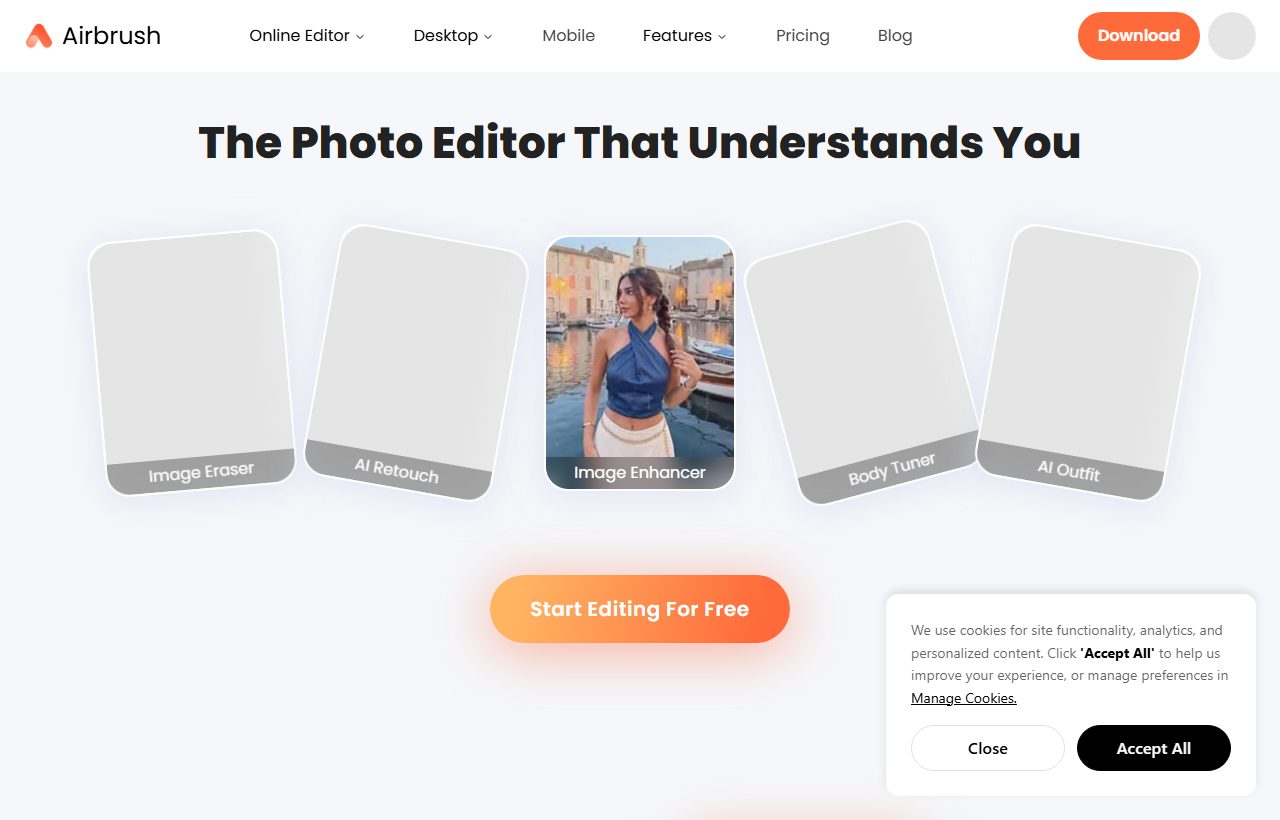
The editor covers skin retouching, blemish and object removal, face reshaping, AI makeup, hairstyle try-on, beard removal, background removal, color changes and photo filters. The site says it offers more than 60 AI tools, and many basic ones can be used free without signing up.
The web version uses a credit system. The free tier includes limited access to many features and 512 MB of upload space. Web Plus subscribers get 80 credits a month, 10 GB of storage and unlimited exports, and one-time credit packs are also sold. A photo edit costs one credit, while video costs depend on length. The desktop download comes with a seven-day free trial.
Demo video Locked
Hidden until this listing is claimed The owner adds this when they verify AirBrush.
Claim to unlock →AirBrush homepage
✨ Key Features
AI retouch
Smooths skin and removes blemishes automatically.
Face and body reshape
Adjusts facial features and proportions in portraits.
AI makeup
Applies virtual makeup looks to faces.
Eraser and background remover
Removes unwanted objects or cuts out the background.
Hair and beard tools
Tries on hairstyles and removes facial hair.
Video editing
Applies retouching and AI effects to video clips.
🎯 Target Audience
Selfie takers
Retouch everyday portraits on their phone.
Content creators
Polish photos and videos for social media.
Portrait photographers
Speed up retouching with the desktop app.
Influencers
Try makeup and hairstyle looks before posting.
Small businesses
Prepare clean profile and promotional images.
⚖️ Pros & Cons
Pros
Cons
Founder / CEO Locked
Hidden until this listing is claimed The owner adds this when they verify AirBrush.
Claim to unlock →Pricing Prices from the maker · check the maker's own site for current plans
Free
$0 /mo
- Limited access to many features
- 512 MB upload space
Web Plus Monthly
$15.95 /mo
- 80 credits per month
- 10 GB upload space
- Unlimited exports
- Listed as a limited-time offer
Web Plus Annual
$95.95 /yr
- About $8.00 per month, billed yearly
- 80 credits per month
- 10 GB upload space
- Unlimited exports
Credits Pack
$9 /10 credits
- One-time purchase
- Unlocks premium photo and video features
- Credits valid for one year
❓ Frequently Asked Questions
Is AirBrush free?
Yes, AirBrush has a free tier with limited access to many features, and many basic tools work without signup. Web Plus subscriptions and credit packs unlock premium features.
How do AirBrush credits work?
A photo edit costs one credit. A video up to one minute costs two credits, plus one credit for each additional minute.
Is there a desktop version?
Yes, Airbrush Studio is available for Windows and macOS, with a seven-day free trial.
Who makes AirBrush?
AirBrush is developed by Pixocial, a Singapore-based company spun off from Meitu.
Does AirBrush have an API?
The website does not mention a public API.
What is AirBrush?
Enhance videos and images with the Airbrush online AI photo editor. Enhance, retouch, and transform your images effortlessly with advanced AI tools. Perfect for quick and seamless photo improvements.
What are the key features of AirBrush?
AirBrush offers 6 main features. AI retouch: Smooths skin and removes blemishes automatically. Face and body reshape: Adjusts facial features and proportions in portraits. AI makeup: Applies virtual makeup looks to faces. Eraser and background remover: Removes unwanted objects or cuts out the background. Hair and beard tools: Tries on hairstyles and removes facial hair. Video editing: Applies retouching and AI effects to video clips.
How much does AirBrush cost?
AirBrush uses a Freemium pricing model. Available plans include Free at $0/mo, Web Plus Monthly at $15.95/mo, Web Plus Annual at $95.95/yr, Credits Pack at $9/10 credits.
What are the pros and cons of AirBrush?
Key advantages include: Available on web, mobile and desktop; Many basic tools are free without signup; Large set of portrait-specific AI tools; One-time credit packs available alongside subscriptions. Potential drawbacks: Premium features consume credits, and subscription credits expire at term end; Web Plus monthly price is described as a limited-time offer; Focused mainly on portraits rather than general photo editing.
What type of tool is AirBrush?
AirBrush is listed under Image Editor on Ai Product Index.
Does AirBrush offer a free plan?
Yes, AirBrush offers a free plan. Limited access to many features. 512 MB upload space
SIDE BY SIDE
AirBrush vs Krea AI vs Picsart
See at a glance which tool leads on each point. ★ = best in row
| CRITERIA | A | K  Krea AI VERIFIED | P  Picsart UNCLAIMED |
|---|---|---|---|
| Best for | Free Online AI Photo Editor | Krea is the world's most powerful creative AI suite | The AI Creative Platform |
| Starting price | Freemium | $21 / month | $9.45 / month ★ Lowest |
| Free plan | Yes | Yes | Yes |
| Verified listing | No | Yes ★ Only one | No |
| Pricing model | Freemium | Freemium | Freemium |
| Founded | 2015 | 2022 | 2011 ★ Longest running |
| Links | View listing | View listing | View listing |
REVIEWS
What people say about AirBrush
No reviews yet
If you have used AirBrush, yours would be the first. Create a free account to leave a review, or sign in if you already have one.
MORE LIKE THIS