AutoCaption
UNCLAIMEDAdd Captions to Your Videos in Seconds
Overview
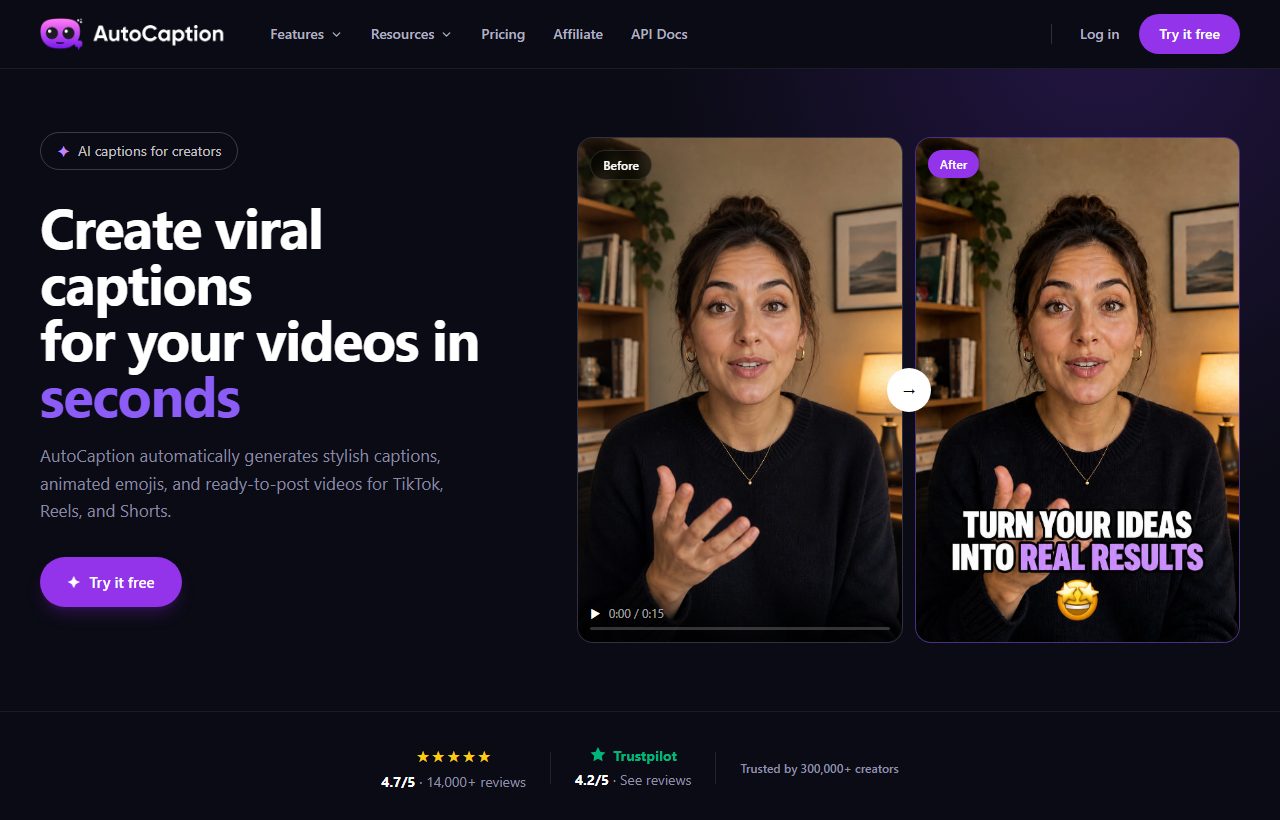
AutoCaption is a web app that adds styled, animated captions to short-form videos for TikTok, Instagram Reels and YouTube Shorts. Users upload a clip, pick a caption style and export a video ready to post. The service transcribes and translates speech in more than 100 languages.
About AutoCaption
AutoCaption is a web app that adds styled, animated captions to short-form videos for TikTok, Instagram Reels and YouTube Shorts. Users upload a clip, pick a caption style and export a video ready to post. The service transcribes and translates speech in more than 100 languages, and the company says most videos are captioned in under ten seconds.
Caption appearance can be adjusted for font, color, animation, size, position and word emphasis, and settings can be saved as reusable brand templates. A timeline editor allows corrections to subtitle text and timing, and one-click resizing reformats a video for vertical, square or widescreen layouts. Higher tiers add B-roll and other AI tools.
AutoCaption accepts MP4, MOV, AVI, MKV and WebM files up to 4K. Paid plans are priced by the number of videos per month and maximum clip length, and an API is available for developers who want to automate captioning.
Demo video Locked
Hidden until this listing is claimed The owner adds this when they verify AutoCaption.
Claim to unlock →AutoCaption homepage
✨ Key Features
Animated caption styles
Applies styled captions with animations and word emphasis.
100+ languages
Transcribes and translates speech in over 100 languages.
One-click resizing
Reformats videos for TikTok, Reels, Shorts and LinkedIn.
Timeline editor
Lets users fix subtitle text and timing manually.
Brand templates
Saves fonts, colors and styles as reusable templates.
B-roll and AI tools
Adds B-roll and extra AI tools on higher plans.
🎯 Target Audience
Content creators
Add engaging captions to short videos before posting.
Social media managers
Produce captioned clips for several platforms quickly.
Marketers
Repurpose video content across TikTok, Reels and Shorts.
Multilingual creators
Translate captions to reach audiences in other languages.
Developers
Automate caption generation through the API.
⚖️ Pros & Cons
Pros
Cons
Founder / CEO Locked
Hidden until this listing is claimed The owner adds this when they verify AutoCaption.
Claim to unlock →Pricing Prices from the maker · check the maker's own site for current plans
Starter
$18 /mo
- 100 videos per month
- Clips up to 2 minutes, 500 MB
- Full HD export
- No watermark, custom fonts and templates
Expert
$25 /mo
- 215 videos per month
- Clips up to 3 minutes, 1000 MB
- Adds B-roll and AI tools
- Lower price with annual billing
Pro
$39 /mo
- 350 videos per month
- Clips up to 6 minutes, 2000 MB
- 2K and 4K export
- B-roll and AI tools
Enterprise
Custom
- Custom pricing via sales
❓ Frequently Asked Questions
Is AutoCaption free?
The site says a free tier is available without a credit card. Paid plans start at $18 per month and add higher export quality and more features.
What video formats does AutoCaption support?
It accepts MP4, MOV, AVI, MKV and WebM files at up to 4K resolution.
How many languages does AutoCaption support?
AutoCaption transcribes and translates captions in more than 100 languages, including English, Spanish, French, Arabic, Hindi and Japanese.
Does AutoCaption have an API?
Yes. AutoCaption publishes developer API documentation for automating caption generation.
How long does captioning take?
The company says most videos are captioned in under ten seconds, while longer content can take a few minutes.
What is AutoCaption?
AutoCaption is the AI caption generator for TikTok, Instagram & YouTube. Animated subtitles, emojis & translations in 100+ languages. Try free.
What are the key features of AutoCaption?
AutoCaption offers 6 main features. Animated caption styles: Applies styled captions with animations and word emphasis. 100+ languages: Transcribes and translates speech in over 100 languages. One-click resizing: Reformats videos for TikTok, Reels, Shorts and LinkedIn. Timeline editor: Lets users fix subtitle text and timing manually. Brand templates: Saves fonts, colors and styles as reusable templates. B-roll and AI tools: Adds B-roll and extra AI tools on higher plans.
How much does AutoCaption cost?
AutoCaption uses a Freemium pricing model. Available plans include Starter at $18/mo, Expert at $25/mo, Pro at $39/mo, Enterprise at Custom.
What are the pros and cons of AutoCaption?
Key advantages include: Supports transcription and translation in 100+ languages; Fast processing for short clips; No watermark on paid plans; Reusable caption templates with custom fonts. Potential drawbacks: Paid plans cap clip length at 2 to 6 minutes; 4K export only on the top Pro plan; Free tier limits are not clearly published.
What type of tool is AutoCaption?
AutoCaption is listed under Video Editor on Ai Product Index.
SIDE BY SIDE
AutoCaption vs Runway vs Descript
See at a glance which tool leads on each point. ★ = best in row
| CRITERIA | A | R  Runway VERIFIED | D  Descript UNCLAIMED |
|---|---|---|---|
| Best for | Add Captions to Your Videos in Seconds | Building Real-World Intelligence | AI Video & Audio Text-based Editor, Try Free |
| Starting price | $18 / month | $15 / month ★ Lowest | $24 / month |
| Free plan | Yes | Yes | Yes |
| Verified listing | No | Yes ★ Only one | No |
| Pricing model | Freemium | Freemium | Freemium |
| Founded | Not stated | 2018 | 2017 ★ Longest running |
| Links | View listing | View listing | View listing |
REVIEWS
What people say about AutoCaption
No reviews yet
If you have used AutoCaption, yours would be the first. Create a free account to leave a review, or sign in if you already have one.
MORE LIKE THIS