
CapCut
UNCLAIMEDCapCut AI Video Editor: Smart Online Video Editing with Advanced AI Tools
Overview
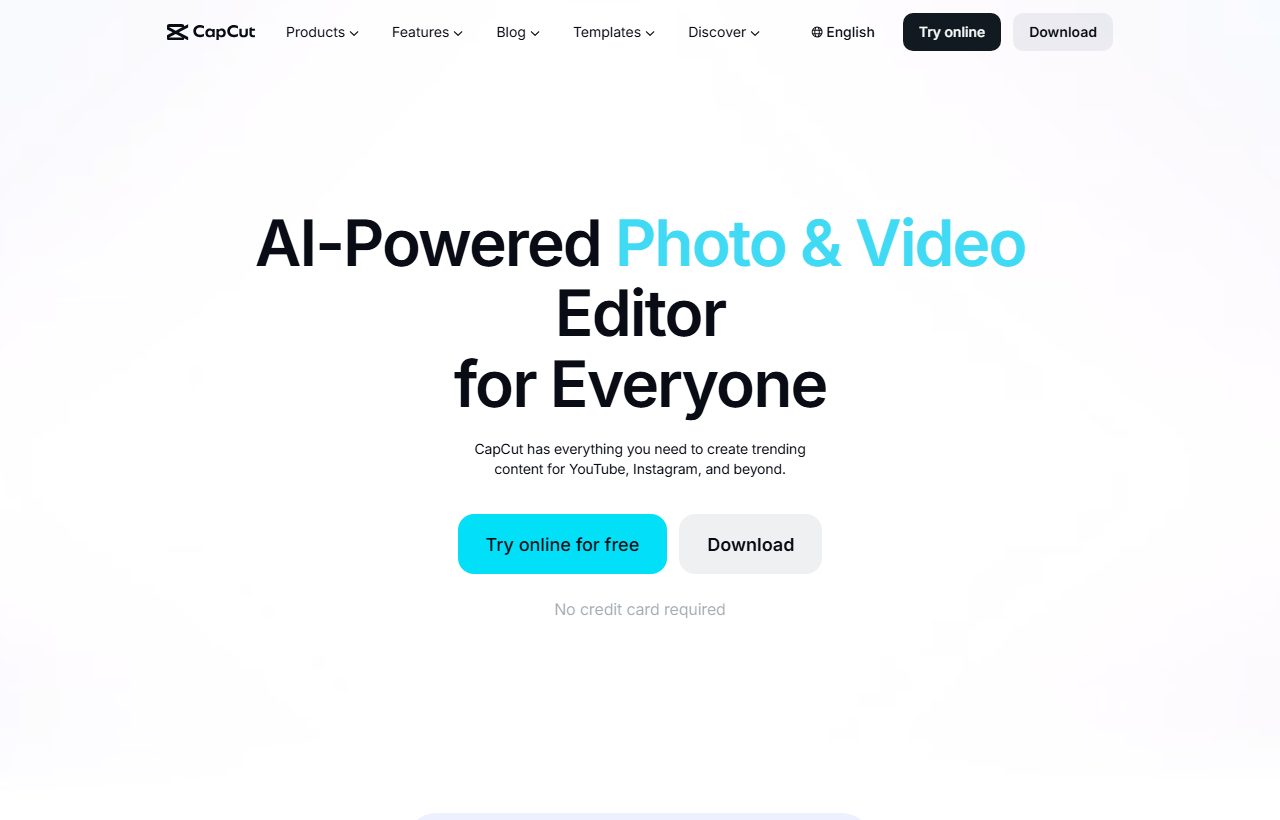
CapCut is a video and photo editor from ByteDance, the company behind TikTok. It runs as a desktop app, an online editor, mobile apps and a tablet version. It covers standard timeline editing and a large library of templates, and it adds a growing set of AI tools for making.
About CapCut
CapCut is a video and photo editor from ByteDance, the company behind TikTok. It runs as a desktop app, an online editor, mobile apps and a tablet version. It covers standard timeline editing and a large library of templates, and it adds a growing set of AI tools for making content for TikTok, YouTube, Instagram and Reels.
The AI tools include auto captions, speech-to-text, text-to-speech, custom voices, voice enhancement and noise reduction. There is also background removal for images and video, upscaling, and object and text removal. Newer features generate images and video from prompts with ByteDance's Seedance and Seedream models and some third-party models, and Video Studio builds a video from a chat prompt.
The free plan includes basic editing and free templates. Paid plans add monthly AI credits, premium templates and effects, and 1 TB of cloud storage, and a Teams plan adds per-seat billing and a shared brand kit. Prices differ by region and platform, and the site says the displayed prices are for reference only.
Demo video Locked
Hidden until this listing is claimed The owner adds this when they verify CapCut.
Claim to unlock →CapCut homepage
✨ Key Features
Multi-platform editor
Edit on desktop, in the browser, on mobile or on a tablet.
Auto captions
Generates subtitles from speech and supports text-to-speech voices.
AI video generation
Creates video and images from prompts using Seedance and other models.
Background removal
Removes backgrounds from images and videos without a green screen.
Audio cleanup
Enhances voices and reduces background noise.
Template library
Offers ready-made templates for social posts, ads and covers.
🎯 Target Audience
Social media creators
Edit short-form videos for TikTok, Reels and YouTube Shorts.
Marketers
Produce ads and promotional videos from templates and AI tools.
Small businesses
Create product videos and branded content without an editor.
Vloggers
Cut, caption and polish personal video content.
Teams
Share Pro features and a brand kit across seats.
⚖️ Pros & Cons
Pros
Cons
Founder / CEO Locked
Hidden until this listing is claimed The owner adds this when they verify CapCut.
Claim to unlock →Pricing Prices from the maker · check the maker's own site for current plans
Free
$0 /mo
- Free templates
- Basic editing tools
Pro
$19.99 /mo
- $179.99/year on annual billing (US web price)
- 1,200 monthly AI credits
- All premium templates and Pro features
- 1 TB cloud storage
❓ Frequently Asked Questions
Is CapCut free?
Yes. CapCut has a free plan with basic editing tools and free templates. AI credits, premium templates and extra storage require a paid plan.
How much is CapCut Pro?
CapCut's own materials list Pro at $19.99 per month or $179.99 per year in the US, but prices vary by region, platform and promotions.
Who makes CapCut?
CapCut is made by ByteDance, the company behind TikTok. Its terms of service name Bytedance Pte. Ltd. in Singapore.
What platforms is CapCut available on?
CapCut runs as a desktop app, an online editor, mobile apps for iOS and Android, and a tablet version.
What plans does CapCut offer besides Pro?
There is also an Ultra plan with far more monthly AI credits and a Teams plan billed per seat with a shared brand kit.
What is CapCut?
Edit YouTube and Instagram videos with CapCut's AI-powered video editor, smart templates, and creative effects. Download CapCut on desktop, mobile, or edit online.
What are the key features of CapCut?
CapCut offers 6 main features. Multi-platform editor: Edit on desktop, in the browser, on mobile or on a tablet. Auto captions: Generates subtitles from speech and supports text-to-speech voices. AI video generation: Creates video and images from prompts using Seedance and other models. Background removal: Removes backgrounds from images and videos without a green screen. Audio cleanup: Enhances voices and reduces background noise. Template library: Offers ready-made templates for social posts, ads and covers.
How much does CapCut cost?
CapCut uses a Freemium pricing model. Available plans include Free at $0/mo, Pro at $19.99/mo.
What are the pros and cons of CapCut?
Key advantages include: Capable free tier with basic editing and templates; Available on desktop, web, mobile and tablet; Broad set of built-in AI audio, image and video tools; Large template library aimed at social formats. Potential drawbacks: Prices vary by region and platform, making costs hard to compare; Many AI features and premium templates require a paid plan; AI generation consumes credits on top of the subscription.
What type of tool is CapCut?
CapCut is listed under Video Editor on Ai Product Index.
Does CapCut offer a free plan?
Yes, CapCut offers a free plan. Free templates. Basic editing tools
SIDE BY SIDE
CapCut vs Runway vs Descript
See at a glance which tool leads on each point. ★ = best in row
| CRITERIA | C CapCut THIS TOOL | R  Runway VERIFIED | D  Descript UNCLAIMED |
|---|---|---|---|
| Best for | CapCut AI Video Editor: Smart Online Video Editing with Advanced AI Tools | Building Real-World Intelligence | AI Video & Audio Text-based Editor, Try Free |
| Starting price | $19.99 / month | $15 / month ★ Lowest | $24 / month |
| Free plan | Yes | Yes | Yes |
| Verified listing | No | Yes ★ Only one | No |
| Pricing model | Freemium | Freemium | Freemium |
| Founded | 2020 | 2018 | 2017 ★ Longest running |
| Links | View listing | View listing | View listing |
REVIEWS
What people say about CapCut
No reviews yet
If you have used CapCut, yours would be the first. Create a free account to leave a review, or sign in if you already have one.
MORE LIKE THIS