
DaVinci Resolve
UNCLAIMEDBlackmagic Design
Overview
DaVinci Resolve is a professional post-production application from Blackmagic Design, the Australian hardware and software maker. It puts editing, color correction, visual effects, motion graphics and audio post into one program for Mac, Windows and Linux. The work is split across dedicated pages: Cut for fast turnaround editing.
About DaVinci Resolve
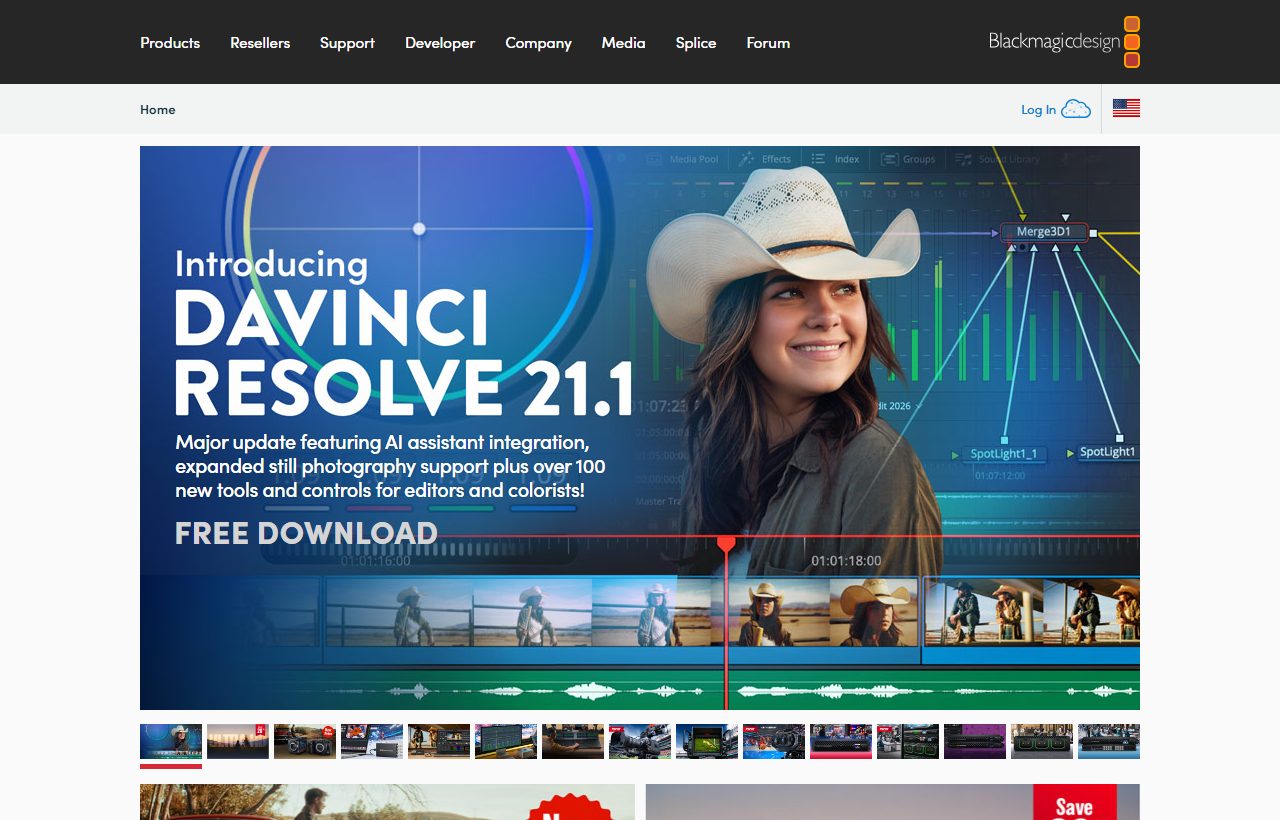
DaVinci Resolve is a professional post-production application from Blackmagic Design, the Australian hardware and software maker. It puts editing, color correction, visual effects, motion graphics and audio post into one program for Mac, Windows and Linux. The work is split across dedicated pages: Cut for fast turnaround editing, Edit for traditional timeline work, Color for grading, Fusion for node-based compositing, and Fairlight for audio mixing. Version 21 also adds a Photo page for grading still images.
The free version handles most 8-bit formats up to UHD at 60 frames per second and includes multi-user collaboration. DaVinci Resolve Studio is a one-time purchase. It adds the DaVinci AI Neural Engine, which powers features such as Magic Mask, smart reframing, speed warp retiming, super scale upscaling, AI noise reduction and text-based editing. Studio also supports 10-bit video up to 120 fps and resolutions beyond 4K.
Blackmagic Cloud lets teams host shared project libraries and work together remotely. The software also works with Blackmagic's own editing keyboards, color panels and Fairlight audio consoles.
Demo video Locked
Hidden until this listing is claimed The owner adds this when they verify DaVinci Resolve.
Claim to unlock →DaVinci Resolve homepage
✨ Key Features
All-in-one post-production
Combines editing, color, VFX, motion graphics and audio in one app.
Professional color grading
Primary and secondary grading with Power Windows and HDR tools.
Fusion VFX
Node-based 2D and 3D compositing, tracking and motion graphics.
Fairlight audio
Audio post with ADR, Foley and mixing of up to 2,000 tracks.
AI Neural Engine
Studio adds Magic Mask, smart reframe, super scale and AI noise reduction.
Multi-user collaboration
Several users can work in shared local or remote projects, including via Blackmagic Cloud.
🎯 Target Audience
Film and TV editors
Cut and finish long-form projects in a single application.
Colorists
Grade footage with tools widely used in professional finishing.
YouTubers and creators
Edit and grade videos for free using the no-cost version.
VFX and motion artists
Build composites and motion graphics in Fusion.
Audio engineers
Mix and master soundtracks on the Fairlight page.
⚖️ Pros & Cons
Pros
Cons
Founder / CEO Locked
Hidden until this listing is claimed The owner adds this when they verify DaVinci Resolve.
Claim to unlock →Pricing Prices from the maker · check the maker's own site for current plans
DaVinci Resolve
$0
- Edit, Color, Fusion and Fairlight pages
- Most 8-bit formats up to UHD at 60 fps
- Multi-user collaboration and HDR grading
DaVinci Resolve Studio
$295 one-time
- DaVinci AI Neural Engine features
- 10-bit video up to 120 fps and beyond 4K
- Extra Resolve FX and Fairlight FX plugins
- Advanced HDR grading and stereoscopic tools
❓ Frequently Asked Questions
Is DaVinci Resolve free?
Yes. The standard version of DaVinci Resolve is free and includes editing, color, Fusion VFX and Fairlight audio. DaVinci Resolve Studio is a paid upgrade.
How much does DaVinci Resolve Studio cost?
DaVinci Resolve Studio costs $295 as a one-time purchase rather than a subscription.
What does Studio add over the free version?
Studio adds the DaVinci AI Neural Engine, extra Resolve FX, AI noise reduction, text-based editing, Magic Mask, and support for 10-bit video up to 120 fps and beyond 4K.
Which operating systems does DaVinci Resolve support?
It runs on Mac, Windows and Linux.
Who makes DaVinci Resolve?
DaVinci Resolve is made by Blackmagic Design, a company based in Australia, which acquired it from da Vinci Systems in 2009.
What is DaVinci Resolve?
Blackmagic Design creates the world's highest quality products for the feature film, post and broadcast industries including URSA cameras, DaVinci Resolve and ATEM switchers.
What are the key features of DaVinci Resolve?
DaVinci Resolve offers 6 main features. All-in-one post-production: Combines editing, color, VFX, motion graphics and audio in one app. Professional color grading: Primary and secondary grading with Power Windows and HDR tools. Fusion VFX: Node-based 2D and 3D compositing, tracking and motion graphics. Fairlight audio: Audio post with ADR, Foley and mixing of up to 2,000 tracks. AI Neural Engine: Studio adds Magic Mask, smart reframe, super scale and AI noise reduction. Multi-user collaboration: Several users can work in shared local or remote projects, including via Blackmagic Cloud.
How much does DaVinci Resolve cost?
DaVinci Resolve uses a Freemium pricing model. Available plans include DaVinci Resolve at $0, DaVinci Resolve Studio at $295one-time.
What are the pros and cons of DaVinci Resolve?
Key advantages include: Free version covers most editing, color, VFX and audio needs; Studio is a one-time purchase with no subscription; Runs on Mac, Windows and Linux; Built-in multi-user collaboration. Potential drawbacks: Steep learning curve given the breadth of tools; Most AI Neural Engine features require the paid Studio version; Free version is limited to UHD at 60 fps and 8-bit for most formats.
What type of tool is DaVinci Resolve?
DaVinci Resolve is listed under Video Editor on Ai Product Index.
Does DaVinci Resolve offer a free plan?
Yes, DaVinci Resolve offers a free plan. Edit, Color, Fusion and Fairlight pages. Most 8-bit formats up to UHD at 60 fps. Multi-user collaboration and HDR grading
SIDE BY SIDE
DaVinci Resolve vs Runway vs Descript
See at a glance which tool leads on each point. ★ = best in row
| CRITERIA | D DaVinci Resolve THIS TOOL | R  Runway VERIFIED | D  Descript UNCLAIMED |
|---|---|---|---|
| Best for | Blackmagic Design | Building Real-World Intelligence | AI Video & Audio Text-based Editor, Try Free |
| Starting price | Freemium | $15 / month ★ Lowest | $24 / month |
| Free plan | Yes | Yes | Yes |
| Verified listing | No | Yes ★ Only one | No |
| Pricing model | Freemium | Freemium | Freemium |
| Founded | 2004 ★ Longest running | 2018 | 2017 |
| Links | View listing | View listing | View listing |
REVIEWS
What people say about DaVinci Resolve
No reviews yet
If you have used DaVinci Resolve, yours would be the first. Create a free account to leave a review, or sign in if you already have one.
MORE LIKE THIS