Dewatermark AI
UNCLAIMEDWatermark Remover
Overview
Dewatermark AI is a browser-based tool that removes watermarks, logos, text overlays, timestamps and stickers from photos, and it also offers related removers for video and PDF files. It is built by XTeam, a small team based in Singapore, and launched in 2022. The company says it uses inpainting.
About Dewatermark AI
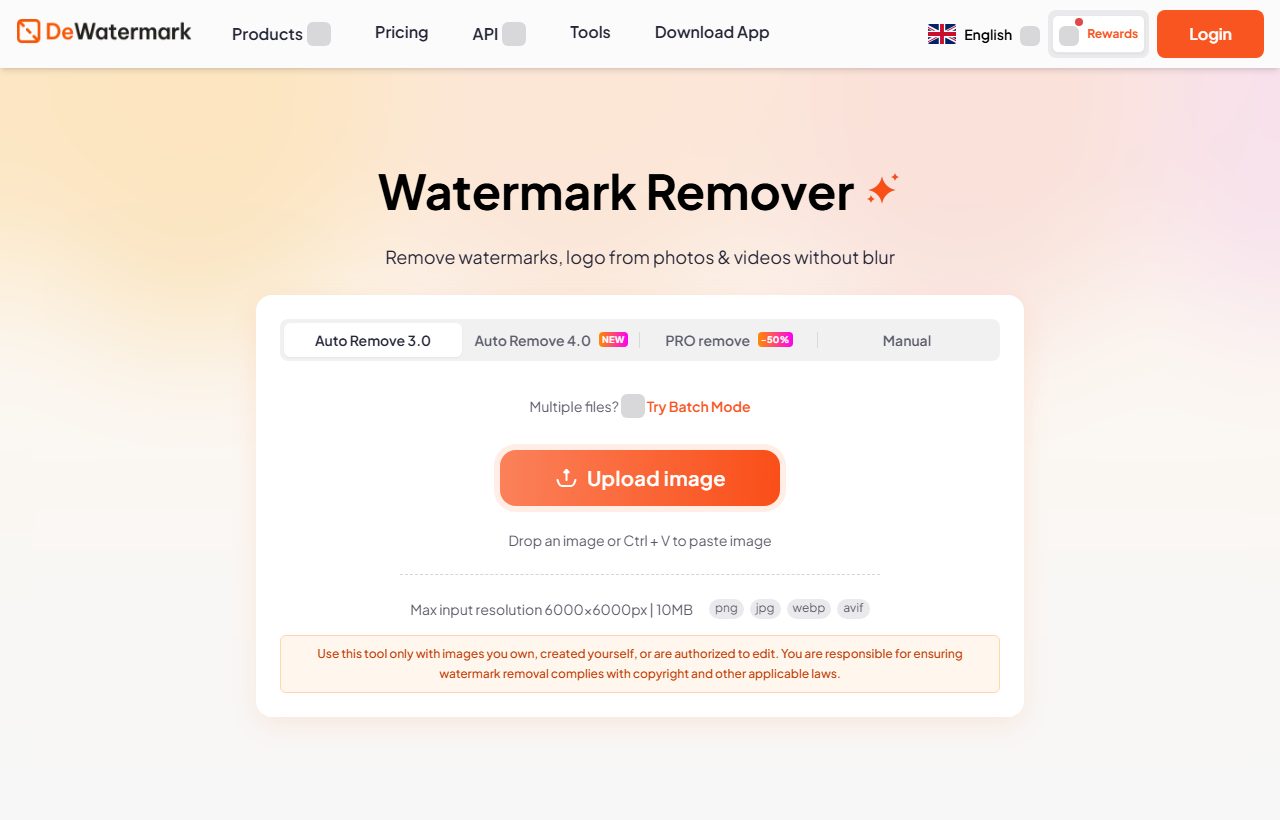
Dewatermark AI is a browser-based tool that removes watermarks, logos, text overlays, timestamps and stickers from photos, and it also offers related removers for video and PDF files. It is built by XTeam, a small team based in Singapore, and launched in 2022. The company says it uses inpainting and generative models to fill the erased area so the background is rebuilt rather than blurred.
Users upload an image and pick one of several automatic removal models, from a lighter option for simple overlays to a PRO model aimed at layered or faint watermarks. A manual AI brush handles leftover artifacts, and batch mode processes up to 50 images at once and returns them as a ZIP file. The site accepts JPG, PNG, WEBP and AVIF uploads up to 10MB.
A free tier allows a few images per day without an account, while paid credits unlock higher output quality, upscaling, batch work and full video processing. The same credits work with the company's watermark removal API, and the site also lists an MCP server, mobile apps and a desktop app. The site asks users to edit only images they own or are authorized to modify.
Demo video Locked
Hidden until this listing is claimed The owner adds this when they verify Dewatermark AI.
Claim to unlock →Dewatermark AI homepage
✨ Key Features
Automatic watermark removal
Several AI models detect and erase text, logos and pattern watermarks.
PRO removal model
A higher-cost model targets multi-layered or near-invisible watermarks.
Manual AI brush
Lets users paint over remaining marks for a second cleanup pass.
Batch processing
Processes up to 50 images at once and delivers a ZIP download.
Video and PDF removers
Separate tools handle watermarks in MP4 and MOV videos and PDF files.
Upscale and HD export
Paid plans export up to 24MP and include 4x image upscaling.
🎯 Target Audience
E-commerce sellers
Clean up product photos in bulk before listing them.
Content creators
Remove platform watermarks and overlays from their own clips and images.
Photographers
Strip date stamps, signatures or old logos from their own photos.
Researchers and students
Tidy up images they are authorized to reuse in documents.
Developers
Add watermark removal to apps through the API or MCP server.
⚖️ Pros & Cons
Pros
Cons
Founder / CEO Locked
Hidden until this listing is claimed The owner adds this when they verify Dewatermark AI.
Claim to unlock →Pricing Prices from the maker · check the maker's own site for current plans
Free
$0 /mo
- A few free credits per day
- Image, video and text removers
- Manual editor
Pro Pack
$10 /mo
- Billed yearly ($120), no auto-renewal
- Output up to 24MP and 4x upscale
- Batch processing and full video processing
- No ads
Pay as you go
$7 /100 credits
- Packs from 100 to 100K credits
- 100K credits for $800
- Credits never expire
- 1 credit per image, 3 with the Pro model
Enterprise
Custom
- Custom pricing and support
- Contact by email or Telegram
❓ Frequently Asked Questions
Is Dewatermark AI free?
Yes, there is a free tier with a small number of images per day and no login required. Paid credits unlock higher quality output, batch processing and full video processing.
Does Dewatermark AI have an API?
Yes. The company offers a Watermark Remover API, and credits bought on the site can be used for both the web app and the API.
Who makes Dewatermark AI?
It is built by XTeam, a team based in Singapore, and launched in 2022.
What file types does it support?
Images can be uploaded as JPG, PNG, WEBP or AVIF up to 10MB and exported as JPG, PNG or WEBP. Separate tools handle MP4 and MOV videos and PDF files.
Does it store uploaded images?
The site says uploads are not stored or shared and are deleted after download, with transfers over HTTPS.
What is Dewatermark AI?
Remove watermarks, logo, timestamp, text from photos and videos accurately without blur with advanced AI watermark remover.
What are the key features of Dewatermark AI?
Dewatermark AI offers 6 main features. Automatic watermark removal: Several AI models detect and erase text, logos and pattern watermarks. PRO removal model: A higher-cost model targets multi-layered or near-invisible watermarks. Manual AI brush: Lets users paint over remaining marks for a second cleanup pass. Batch processing: Processes up to 50 images at once and delivers a ZIP download. Video and PDF removers: Separate tools handle watermarks in MP4 and MOV videos and PDF files. Upscale and HD export: Paid plans export up to 24MP and include 4x image upscaling.
How much does Dewatermark AI cost?
Dewatermark AI uses a Freemium pricing model. Available plans include Free at $0/mo, Pro Pack at $10/mo, Pay as you go at $7/100 credits, Enterprise at Custom.
What are the pros and cons of Dewatermark AI?
Key advantages include: Free daily images without creating an account; Covers images, videos and PDFs in one service; Batch mode handles up to 50 images at a time; Credits shared between the web app and the API. Potential drawbacks: Free tier is limited to a few images per day; Stronger models and video processing consume extra credits; Uploads are capped at 10MB or 6000x6000 pixels.
What type of tool is Dewatermark AI?
Dewatermark AI is listed under Image Editor on Ai Product Index.
Does Dewatermark AI offer a free plan?
Yes, Dewatermark AI offers a free plan. A few free credits per day. Image, video and text removers. Manual editor
SIDE BY SIDE
Dewatermark AI vs Krea AI vs Picsart
See at a glance which tool leads on each point. ★ = best in row
| CRITERIA | D | K  Krea AI VERIFIED | P  Picsart UNCLAIMED |
|---|---|---|---|
| Best for | Watermark Remover | Krea is the world's most powerful creative AI suite | The AI Creative Platform |
| Starting price | Freemium | $21 / month | $9.45 / month ★ Lowest |
| Free plan | Yes | Yes | Yes |
| Verified listing | No | Yes ★ Only one | No |
| Pricing model | Freemium | Freemium | Freemium |
| Founded | 2022 | 2022 | 2011 ★ Longest running |
| Links | View listing | View listing | View listing |
REVIEWS
What people say about Dewatermark AI
No reviews yet
If you have used Dewatermark AI, yours would be the first. Create a free account to leave a review, or sign in if you already have one.
MORE LIKE THIS