Free AI Photo Editor
UNCLAIMEDFree AI Photo Editor Online, Edit Images Online, No Sign-Up
Overview
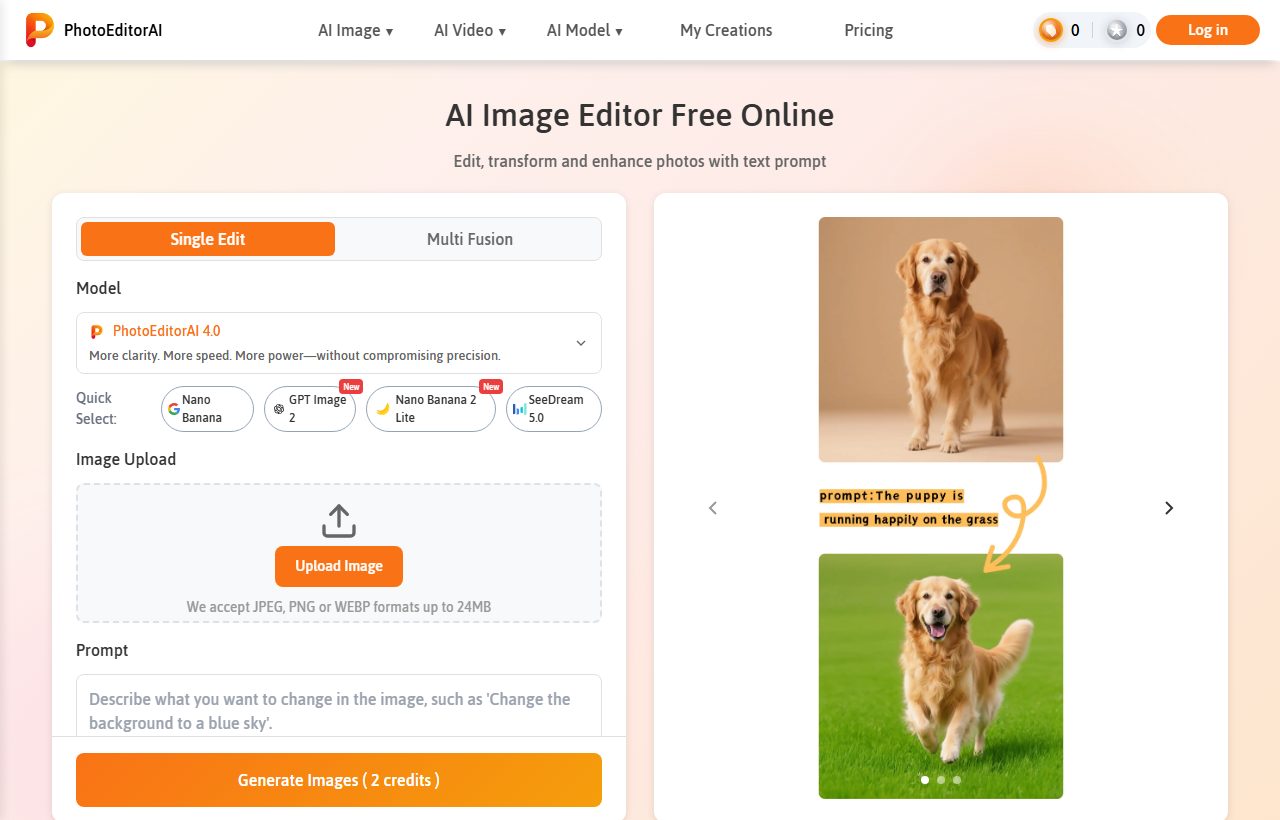
PhotoEditorAI is a browser-based image editor that changes photos from plain-language instructions. Users upload a picture and describe the edit they want, such as swapping the background, removing an object, changing hair color or applying an artistic style, and the tool generates a new version.
About Free AI Photo Editor
PhotoEditorAI is a browser-based image editor that changes photos from plain-language instructions. Users upload a picture and describe the edit they want, such as swapping the background, removing an object, changing hair color or applying an artistic style, and the tool generates a new version. The site says no sign-up is required to start.
The editor offers a single-image mode and a Multi Fusion mode for combining images, along with controls for aspect ratio and output resolution up to 4K. It accepts JPEG, PNG and WEBP uploads up to 24MB. Behind the interface, users can choose between the site's own PhotoEditorAI models and several third-party image models, including Nano Banana, GPT Image 2, SeeDream and Qwen, each with its own credit cost per generation.
Typical uses listed on the site include product photo cleanup for online stores, old photo restoration, adding text or logos, and keeping a character consistent across edits. The FAQ says edited images can be used commercially and that uploads are encrypted and deleted automatically after a few days. The site does not name the company behind it.
Demo video Locked
Hidden until this listing is claimed The owner adds this when they verify Free AI Photo Editor.
Claim to unlock →Free AI Photo Editor homepage
✨ Key Features
Text-prompt editing
Describe a change in words and the AI applies it to the photo.
Multiple AI models
Choose from in-house models plus Nano Banana, GPT Image 2, SeeDream and Qwen.
Multi Fusion mode
Combines more than one uploaded image into a single result.
Background and object removal
Replaces or removes backgrounds and erases unwanted objects.
Photo restoration
Repairs and refreshes old or damaged photos.
Up to 4K output
Exports at 1K, 2K or 4K in aspect ratios from 1:1 to 16:9.
🎯 Target Audience
Online sellers
Prepare product images for marketplaces like Amazon, Shopify and Etsy.
Social media users
Restyle and retouch personal photos for posting.
Marketers
Produce quick image variations with text or logos added.
Families and archivists
Restore and colorize old photographs.
Hobbyist creators
Experiment with style transfer and character-consistent edits.
⚖️ Pros & Cons
Pros
Cons
Founder / CEO Locked
Hidden until this listing is claimed The owner adds this when they verify Free AI Photo Editor.
Claim to unlock →Pricing Prices from the maker · check the maker's own site for current plans
Freemium
See site
- Free AI Photo Editor does not publish a plan table
❓ Frequently Asked Questions
Is PhotoEditorAI free?
The site says the editor can be used free in the browser without logging in. Edits consume credits, and some premium models require an upgrade.
How much does each edit cost?
Credit costs vary by model, from 2 credits for the in-house models and Qwen up to 18 credits for some Nano Banana Pro settings. The site does not list dollar prices for credits.
Can I use edited images commercially?
The FAQ says edited images can be used for commercial purposes.
What happens to uploaded photos?
The FAQ says uploads are encrypted and automatically deleted after a few days.
Which file types are supported?
The editor accepts JPEG, PNG and WEBP files up to 24MB.
What is Free AI Photo Editor?
Edit, transform, and enhance photos with text prompts using our free AI photo editor online. Get pro results in seconds, no Photoshop, no sign-up needed.
What are the key features of Free AI Photo Editor?
Free AI Photo Editor offers 6 main features. Text-prompt editing: Describe a change in words and the AI applies it to the photo. Multiple AI models: Choose from in-house models plus Nano Banana, GPT Image 2, SeeDream and Qwen. Multi Fusion mode: Combines more than one uploaded image into a single result. Background and object removal: Replaces or removes backgrounds and erases unwanted objects. Photo restoration: Repairs and refreshes old or damaged photos. Up to 4K output: Exports at 1K, 2K or 4K in aspect ratios from 1:1 to 16:9.
How much does Free AI Photo Editor cost?
Free AI Photo Editor uses a Freemium pricing model.
What are the pros and cons of Free AI Photo Editor?
Key advantages include: Can be tried in the browser without creating an account; Choice of several image models in one interface; Output resolution up to 4K; FAQ permits commercial use of edited images. Potential drawbacks: No public dollar pricing for credits or VIP upgrades; Operator, location and contact details are not disclosed; Premium models cost several times more credits per edit.
What type of tool is Free AI Photo Editor?
Free AI Photo Editor is listed under Image Editor on Ai Product Index.
SIDE BY SIDE
Free AI Photo Editor vs Krea AI vs Picsart
See at a glance which tool leads on each point. ★ = best in row
| CRITERIA | F | K  Krea AI VERIFIED | P  Picsart UNCLAIMED |
|---|---|---|---|
| Best for | Free AI Photo Editor Online, Edit Images Online, No Sign-Up | Krea is the world's most powerful creative AI suite | The AI Creative Platform |
| Starting price | Freemium | $21 / month | $9.45 / month ★ Lowest |
| Free plan | Yes | Yes | Yes |
| Verified listing | No | Yes ★ Only one | No |
| Pricing model | Freemium | Freemium | Freemium |
| Founded | Not stated | 2022 | 2011 ★ Longest running |
| Links | View listing | View listing | View listing |
REVIEWS
What people say about Free AI Photo Editor
No reviews yet
If you have used Free AI Photo Editor, yours would be the first. Create a free account to leave a review, or sign in if you already have one.
MORE LIKE THIS