GitDiagram
UNCLAIMEDVisualize Any GitHub Repository
Overview
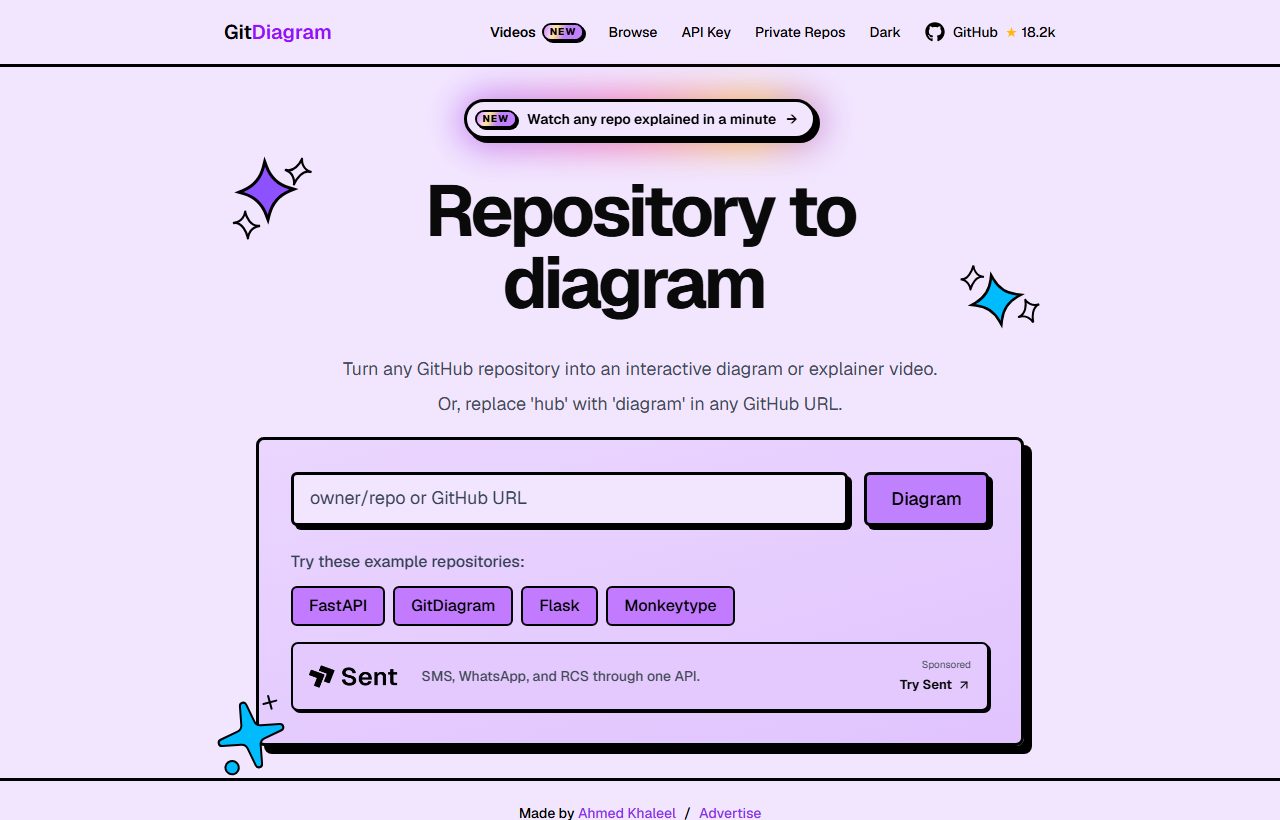
GitDiagram is a free, open-source tool that turns a GitHub repository into an interactive architecture diagram. Users can paste a repository link, or simply replace "hub" with "diagram" in any GitHub URL, to get an AI-generated overview of the project's components and how they connect.
About GitDiagram
GitDiagram is a free, open-source tool that turns a GitHub repository into an interactive architecture diagram. Users can paste a repository link, or simply replace "hub" with "diagram" in any GitHub URL, to get an AI-generated overview of the project's components and how they connect.
Each diagram comes with a streamed explanation, and its components link back to the relevant files or folders in the code. Diagrams can be exported as PNG images or copied as Mermaid source. Private repositories are supported when a user supplies a GitHub token. A newer feature produces narrated explainer videos of about a minute that cover a project's purpose, main parts and one design decision; watching existing videos is open to all, while creating new ones is in early access.
GitDiagram also exposes a remote MCP server that lets coding agents read diagram data for public repositories without sign-in. The project is MIT licensed and can be self-hosted with an OpenAI or OpenRouter API key.
Demo video Locked
Hidden until this listing is claimed The owner adds this when they verify GitDiagram.
Claim to unlock →GitDiagram homepage
✨ Key Features
Repo-to-diagram generation
Builds an interactive architecture diagram from any GitHub repository.
URL shortcut
Replacing "hub" with "diagram" in a GitHub URL opens its diagram.
Clickable components
Links each diagram node to its file or directory.
Private repo support
Works with private repositories using a GitHub token.
Explainer videos
Produces narrated one-minute videos explaining a repository.
PNG and Mermaid export
Exports diagrams as images or Mermaid source code.
🎯 Target Audience
Developers
Get a quick map of an unfamiliar codebase before reading the code.
Open-source contributors
Understand project structure before submitting changes.
Students
Learn how real-world projects are organized.
Technical writers
Add architecture visuals to project documentation.
AI agent users
Feed repository structure to coding agents through MCP.
⚖️ Pros & Cons
Pros
Cons
Founder / CEO Locked
Hidden until this listing is claimed The owner adds this when they verify GitDiagram.
Claim to unlock →Pricing Prices from the maker · check the maker's own site for current plans
Free
$0
- GitDiagram does not publish a plan table
❓ Frequently Asked Questions
Is GitDiagram free?
Yes. The project describes its diagrams as free, and the site shows no paid plans.
Does GitDiagram work with private repositories?
Yes. Users can add a GitHub token through the Private Repos option to diagram private code.
Is GitDiagram open source?
Yes. The code is on GitHub under the MIT license and can be self-hosted.
Does GitDiagram have an API?
It offers a remote MCP server that agents can use without a key, plus a Markdown version of each diagram.
Who makes GitDiagram?
GitDiagram is an independent open-source project released under the MIT license.
What is GitDiagram?
Turn any GitHub repository into an interactive architecture diagram for quick codebase understanding.
What are the key features of GitDiagram?
GitDiagram offers 6 main features. Repo-to-diagram generation: Builds an interactive architecture diagram from any GitHub repository. URL shortcut: Replacing "hub" with "diagram" in a GitHub URL opens its diagram. Clickable components: Links each diagram node to its file or directory. Private repo support: Works with private repositories using a GitHub token. Explainer videos: Produces narrated one-minute videos explaining a repository. PNG and Mermaid export: Exports diagrams as images or Mermaid source code.
How much does GitDiagram cost?
GitDiagram uses a Free pricing model.
What are the pros and cons of GitDiagram?
Key advantages include: Free to use with no sign-up for public repos; Open source under the MIT license; Supports private repositories via token; MCP server for AI agent workflows. Potential drawbacks: Diagram accuracy depends on AI interpretation of the code; Creating new explainer videos is limited to early access; Self-hosting requires several third-party services.
What type of tool is GitDiagram?
GitDiagram is listed under Coding on Ai Product Index.
SIDE BY SIDE
GitDiagram vs Cursor vs gstack
See at a glance which tool leads on each point. ★ = best in row
| CRITERIA | G | C  Cursor VERIFIED | G |
|---|---|---|---|
| Best for | Visualize Any GitHub Repository | AI Coding Agent for Building Ambitious Software | Navigation Menu |
| Starting price | Free | $20 / month | Free |
| Free plan | Yes | No | Yes |
| Verified listing | No | Yes ★ Only one | No |
| Pricing model | Free | Paid | Free |
| Founded | 2024 | 2022 ★ Longest running | 2026 |
| Links | View listing | View listing | View listing |
REVIEWS
What people say about GitDiagram
No reviews yet
If you have used GitDiagram, yours would be the first. Create a free account to leave a review, or sign in if you already have one.
MORE LIKE THIS