Photiu AI
UNCLAIMEDRemove Background, Upscale & Erase Objects, Photiu.ai
Overview
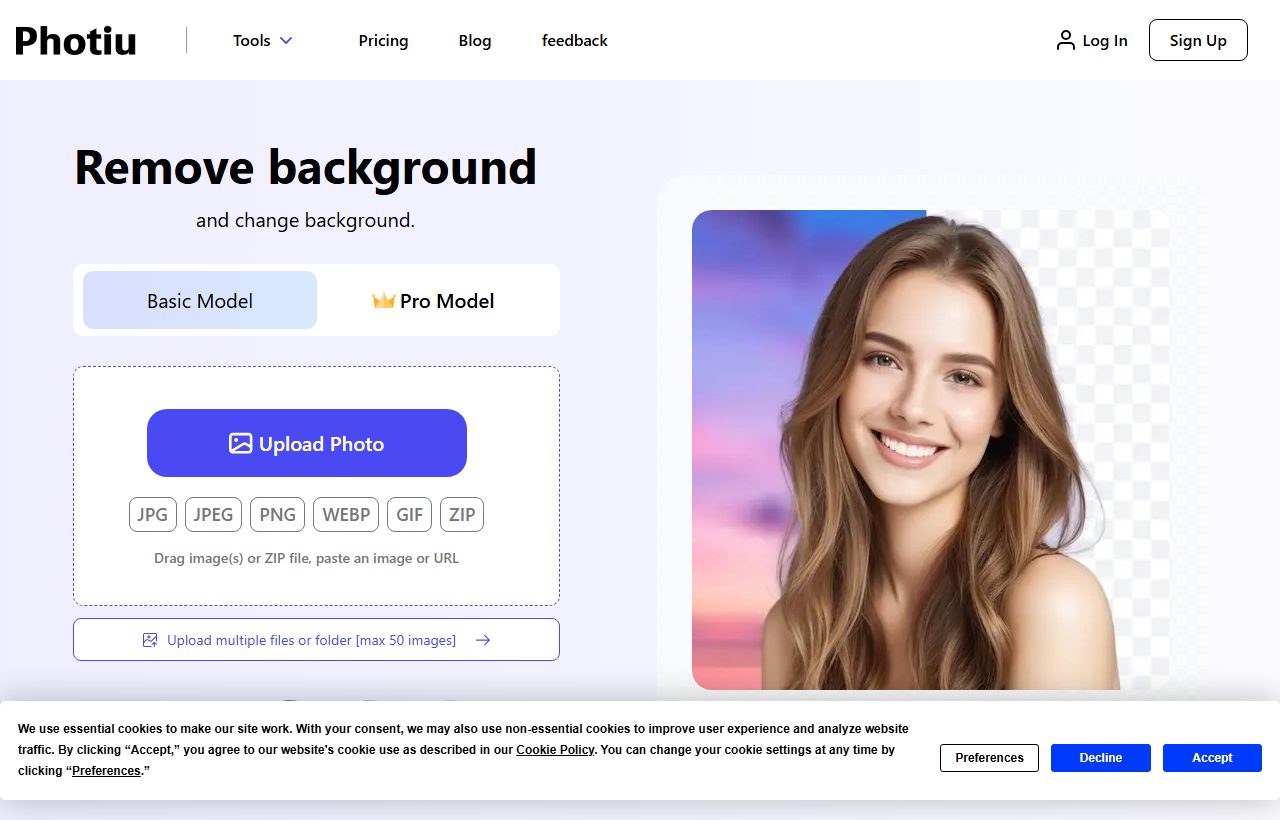
Photiu AI is a browser-based set of AI photo editing tools. Its main feature is one-click background removal, and the suite also includes an image upscaler, a magic eraser for removing unwanted objects, and a text-to-image generator. Nothing needs to be installed, and the tools are designed for people without.
About Photiu AI
Photiu AI is a browser-based set of AI photo editing tools. Its main feature is one-click background removal, and the suite also includes an image upscaler, a magic eraser for removing unwanted objects, and a text-to-image generator. Nothing needs to be installed, and the tools are designed for people without design experience.
Background removal comes in Basic and Pro models, and users can refine cutouts by hand with erase and restore brushes, then swap in a transparent, white or custom background. The upscaler has unblur, enhance and portrait modes, and the service says it supports outputs up to 4K. Batch processing accepts up to 50 images or a ZIP file at once. Supported formats include JPG, PNG, WEBP and GIF, and there are smaller utilities for resizing, compression, HEIC to JPG conversion and font generation.
Photiu runs on credits. Standard-resolution background removal (up to 0.25 megapixels) is free, and high-resolution downloads cost one credit per image. New accounts get bonus credits, daily logins earn more, and pay-as-you-go credits stay valid for two years after purchase.
Demo video Locked
Hidden until this listing is claimed The owner adds this when they verify Photiu AI.
Claim to unlock →Photiu AI homepage
✨ Key Features
One-click background removal
Removes backgrounds using Basic or Pro AI models.
Manual cutout refinement
Erase and Restore brushes let users fine-tune edges.
Image upscaler
Unblur, enhance and portrait modes, with output up to 4K.
Magic eraser
Removes unwanted objects or people from photos.
Batch processing
Processes up to 50 images or a ZIP file in one upload.
Utility tools
Includes an image generator, resizer, compressor and HEIC to JPG converter.
🎯 Target Audience
E-commerce sellers
Create clean product photos on white or transparent backgrounds.
Content creators
Make cutouts and upscaled images for social posts and thumbnails.
Small businesses
Edit marketing images without design software or skills.
Photographers
Remove distracting objects and sharpen or upscale shots.
Casual users
Make quick free edits to personal photos in the browser.
⚖️ Pros & Cons
Pros
Cons
Founder / CEO Locked
Hidden until this listing is claimed The owner adds this when they verify Photiu AI.
Claim to unlock →Pricing Prices from the maker · check the maker's own site for current plans
Freemium
See site
- Photiu AI does not publish a plan table
❓ Frequently Asked Questions
Is Photiu AI free?
Partly. Standard-resolution background removal up to 0.25 megapixels is free, while high-resolution downloads cost one credit per image.
How do Photiu AI credits work?
Credits pay for high-quality processing at one credit per high-resolution image. Pay-as-you-go credits are valid for up to two years from purchase.
How can I get free credits on Photiu AI?
New users receive bonus credits at sign-up, and daily logins earn additional free credits.
Can Photiu AI process multiple images at once?
Yes. Its batch feature accepts up to 50 images or a ZIP file in one upload.
What tools does Photiu AI include?
Besides background removal, it offers an image upscaler, magic eraser, image generator, resizer, compressor, HEIC to JPG converter and font generator.
What is Photiu AI?
Discover Photiu.ai's AI tools: remove backgrounds, upscale images, and erase unwanted objects. Achieve stunning photo edits online quickly and for free.
What are the key features of Photiu AI?
Photiu AI offers 6 main features. One-click background removal: Removes backgrounds using Basic or Pro AI models. Manual cutout refinement: Erase and Restore brushes let users fine-tune edges. Image upscaler: Unblur, enhance and portrait modes, with output up to 4K. Magic eraser: Removes unwanted objects or people from photos. Batch processing: Processes up to 50 images or a ZIP file in one upload. Utility tools: Includes an image generator, resizer, compressor and HEIC to JPG converter.
How much does Photiu AI cost?
Photiu AI uses a Freemium pricing model.
What are the pros and cons of Photiu AI?
Key advantages include: Free standard-resolution background removal; Manual erase and restore tools for refining cutouts; Batch processing of up to 50 images; Pay-as-you-go credits stay valid for two years. Potential drawbacks: High-resolution downloads require paid credits; Free output is limited to 0.25 megapixels; No public API or third-party integrations mentioned.
What type of tool is Photiu AI?
Photiu AI is listed under Image Editor on Ai Product Index.
SIDE BY SIDE
Photiu AI vs Krea AI vs Picsart
See at a glance which tool leads on each point. ★ = best in row
| CRITERIA | P | K  Krea AI VERIFIED | P  Picsart UNCLAIMED |
|---|---|---|---|
| Best for | Remove Background, Upscale & Erase Objects, Photiu.ai | Krea is the world's most powerful creative AI suite | The AI Creative Platform |
| Starting price | Freemium | $21 / month | $9.45 / month ★ Lowest |
| Free plan | Yes | Yes | Yes |
| Verified listing | No | Yes ★ Only one | No |
| Pricing model | Freemium | Freemium | Freemium |
| Founded | Not stated | 2022 | 2011 ★ Longest running |
| Links | View listing | View listing | View listing |
REVIEWS
What people say about Photiu AI
No reviews yet
If you have used Photiu AI, yours would be the first. Create a free account to leave a review, or sign in if you already have one.
MORE LIKE THIS