
Superhuman
UNCLAIMEDDocs, Mail, and AI That Work Everywhere
Overview
Superhuman Mail is an email client for Gmail and Outlook users that focuses on speed, keyboard-driven navigation and AI assistance. The product began as a standalone email startup and was acquired by Grammarly in 2025. Grammarly then renamed the company Superhuman, and the email app now sits alongside Grammarly.
About Superhuman
Superhuman Mail is an email client for Gmail and Outlook users that focuses on speed, keyboard-driven navigation and AI assistance. The product began as a standalone email startup and was acquired by Grammarly in 2025. Grammarly then renamed the company Superhuman, and the email app now sits alongside Grammarly, Docs and the Go assistant in a single suite.
The built-in AI assistant organizes the inbox, flags missed follow-ups, drafts emails in the user's voice and can send them when allowed. Other tools include Split Inbox for separating mail by sender type, follow-up reminders, Send Later, Snooze, saved snippets, read statuses and keyboard shortcuts for most actions. Teams can share a live view of a thread and comment on it, and calendar tools turn emails into events or find shared free time.
The company says users save about four hours each week. Mail is included in the suite's Business and Enterprise plans, which also add CRM views for HubSpot, Salesforce and Pipedrive inside the inbox.
Demo video Locked
Hidden until this listing is claimed The owner adds this when they verify Superhuman.
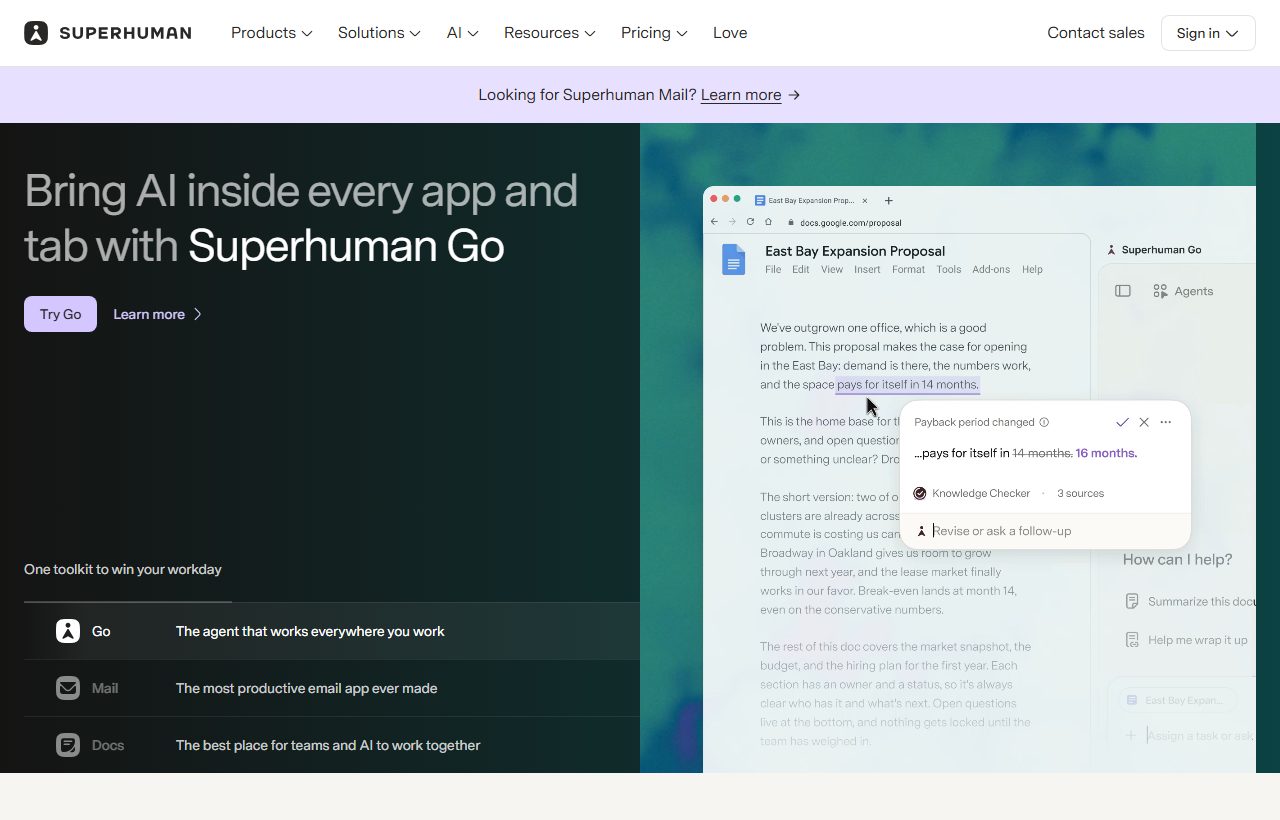
Claim to unlock →Superhuman homepage
✨ Key Features
AI inbox assistant
Organizes mail, flags follow-ups and drafts replies in the user's voice.
Split Inbox
Separates email from teammates, VIPs and tools into their own views.
Follow-up reminders
Prompts the user when a sent email gets no reply within a set time.
Snippets
Inserts saved phrases or full emails, including attachments and recipients.
Keyboard shortcuts
Lets users handle most email actions without a mouse.
Calendar tools
Turns emails into events and finds times when everyone is free.
🎯 Target Audience
Executives
Move through heavy email volume quickly with shortcuts and AI drafts.
Sales teams
See CRM context from HubSpot, Salesforce or Pipedrive inside the inbox.
Founders
Keep track of follow-ups and important senders.
Customer-facing teams
Share live threads and avoid duplicate replies.
Grammarly suite users
Use email alongside Grammarly, Docs and the Go assistant.
⚖️ Pros & Cons
Pros
Cons
Founder / CEO Locked
Hidden until this listing is claimed The owner adds this when they verify Superhuman.
Claim to unlock →Pricing Prices from the maker · check the maker's own site for current plans
Business
$40 /member/mo
- Includes Mail, Grammarly, Docs and Go
- AI inbox organization and voice-matched writing
- Read-only HubSpot, Salesforce and Pipedrive views
- $33 per month when billed annually
Enterprise
Custom
- Everything in Business
- SAML SSO and custom roles
- Data loss prevention and BYOK encryption
- Analytics and dedicated support
❓ Frequently Asked Questions
Is Superhuman Mail free?
No. The suite's Free and Pro plans do not include Mail; it is part of the Business plan at $40 per member per month, or $33 billed annually.
Who owns Superhuman?
Grammarly acquired Superhuman in 2025 and then renamed the company Superhuman. The email product is now called Superhuman Mail.
Does Superhuman work with Outlook?
Yes. The company says Superhuman Mail is built for teams that use Gmail or Outlook.
What AI features does Superhuman Mail have?
Its AI assistant organizes the inbox, flags follow-ups, drafts emails in the user's voice and can run multi-step workflows.
Does Superhuman offer an enterprise plan?
Yes. Enterprise pricing is custom and adds SAML SSO, data loss prevention, BYOK encryption, analytics and dedicated support.
What is Superhuman?
Superhuman is the AI productivity suite that gives you superpowers everywhere you work. So you can be more creative, strategic, and impactful.
What are the key features of Superhuman?
Superhuman offers 6 main features. AI inbox assistant: Organizes mail, flags follow-ups and drafts replies in the user's voice. Split Inbox: Separates email from teammates, VIPs and tools into their own views. Follow-up reminders: Prompts the user when a sent email gets no reply within a set time. Snippets: Inserts saved phrases or full emails, including attachments and recipients. Keyboard shortcuts: Lets users handle most email actions without a mouse. Calendar tools: Turns emails into events and finds times when everyone is free.
How much does Superhuman cost?
Superhuman uses a Paid pricing model. Available plans include Business at $40/member/mo, Enterprise at Custom.
What are the pros and cons of Superhuman?
Key advantages include: Supports both Gmail and Outlook accounts; AI drafting, follow-up reminders and inbox sorting built in; Extensive keyboard shortcuts for fast triage; Bundled with Grammarly and other suite tools on Business plans. Potential drawbacks: No free plan includes Mail; Official site shows Mail pricing only within the $40 per month suite Business plan; Product has been reorganized into a larger suite after the acquisition.
What type of tool is Superhuman?
Superhuman is listed under Email on Ai Product Index.
SIDE BY SIDE
Superhuman vs PolitePost vs Shortwave
See at a glance which tool leads on each point. ★ = best in row
| CRITERIA | S Superhuman THIS TOOL | P  PolitePost VERIFIED | S  Shortwave UNCLAIMED |
|---|---|---|---|
| Best for | Docs, Mail, and AI That Work Everywhere | PolitePost.net | Automate your email with AI |
| Starting price | $40 / month | Freemium | $30 / month ★ Lowest |
| Free plan | No | Yes | Yes |
| Verified listing | No | Yes ★ Only one | No |
| Pricing model | Paid | Freemium | Free Trial |
| Founded | 2014 ★ Longest running | 2023 | 2020 |
| Links | View listing | View listing | View listing |
REVIEWS
What people say about Superhuman
No reviews yet
If you have used Superhuman, yours would be the first. Create a free account to leave a review, or sign in if you already have one.
MORE LIKE THIS