
Autopod
CLAIMED VerifiedAutomatic Podcast Editing for Premiere Pro
Verified by the maker Details confirmed by Autopod
Overview
AutoPod is a set of plug-ins for Adobe Premiere Pro rather than a separate tool, which is the right shape for its audience: editors who already work in Premiere and want the tedious parts automated. It does three things. The multi-camera editor cuts between angles automatically based on who.
About Autopod
AutoPod is a set of plug-ins for Adobe Premiere Pro rather than a separate tool, which is the right shape for its audience: editors who already work in Premiere and want the tedious parts automated.
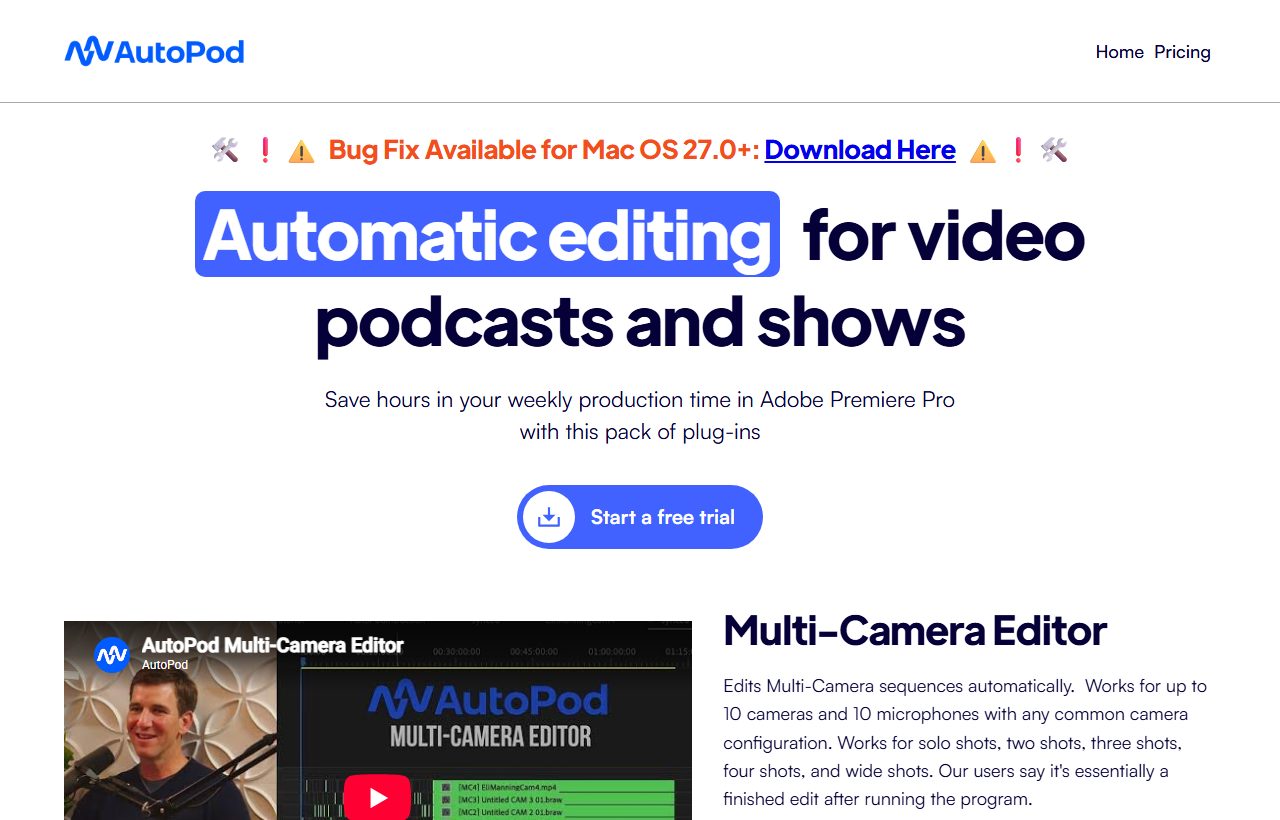
It does three things. The multi-camera editor cuts between angles automatically based on who is speaking, which is the single most time-consuming part of editing a video podcast. The jump cut editor removes silences. The social clip creator produces short vertical clips from the finished edit. It saves hours per episode for anyone producing a regular show, and there is a free trial.
🎥 Autopod demo video
📷 Screenshots
✨ Key Features
Multi-Camera Editor
Automatically switches cameras based on who is speaking, with up to 10 cameras and microphones.
Custom cutting presets
Adjust cutting style and wide-shot frequency, then save the settings as presets.
Social Clip Creator
Turns marked sections into 16:9, 4:5 or 9:16 clips for social media.
Auto-reframe and branding
Adds reframing, watermarks and end pages to social clips.
Jump Cut Editor
Removes silences using a decibel threshold you set.
Batch export folder
Collects generated clips in one folder for batch export.
🎯 Target Audience
Podcast editors
Get a first multicam cut of long episodes in minutes.
Video podcasters
Cut their own shows without editing every camera switch by hand.
Production studios
Speed up editing across many recurring shows.
Social media editors
Turn episode highlights into vertical and square clips.
YouTubers
Remove silences and dead air with automatic jump cuts.
⚖️ Pros & Cons
Pros
Cons
Pricing Prices from the maker · check www.autopod.fm for current plans
❓ Frequently Asked Questions
Is AutoPod free?
No, but it has a 30-day free trial. After the trial it costs $29 per month for each license.
Which editing software does AutoPod work with?
AutoPod runs in Adobe Premiere Pro 2023 or newer, and a DaVinci Resolve version is also available. The company says it has no plans to support Final Cut Pro or Avid.
Can I use AutoPod with a single microphone?
Not with the Multi-Camera Editor. It needs multiple cameras and a separate audio track for each speaker so it can tell who is talking.
Can I use one license on two computers?
No. Each license works on the first computer you activate it on, and you can move it to a new machine from the Switch Computers page.
Is there enterprise pricing?
No. Teams buy multiple license keys under the same email address.
What is Autopod?
AutoPod is a set of Adobe Premiere Pro plug-ins that are designed for video podcast and video show editors. Edit multi-camera videos automatically, create social clips, and create jump cuts during silent portions of videos.
What are the key features of Autopod?
Autopod offers 6 main features. Multi-Camera Editor: Automatically switches cameras based on who is speaking, with up to 10 cameras and microphones. Custom cutting presets: Adjust cutting style and wide-shot frequency, then save the settings as presets. Social Clip Creator: Turns marked sections into 16:9, 4:5 or 9:16 clips for social media. Auto-reframe and branding: Adds reframing, watermarks and end pages to social clips. Jump Cut Editor: Removes silences using a decibel threshold you set. Batch export folder: Collects generated clips in one folder for batch export.
How much does Autopod cost?
Autopod uses a Free Trial pricing model.
What are the pros and cons of Autopod?
Key advantages include: Handles up to 10 cameras and 10 microphones; Works inside Premiere Pro, so editors keep their usual timeline; Generous 30-day free trial; One subscription covers all three plug-ins. Potential drawbacks: The Multi-Camera Editor needs multiple cameras and separate audio tracks for each speaker; Each license works on one computer only; No support for Final Cut Pro, Avid or other editors besides Premiere Pro and DaVinci Resolve.
What type of tool is Autopod?
Autopod is listed under Podcasting on Ai Product Index.
Where can I try Autopod?
You can visit the official Autopod website at www.autopod.fm to sign up, explore features, or start a free trial.
SIDE BY SIDE
Autopod vs Cleanvoice AI vs Adobe Podcast
See at a glance which tool leads on each point. ★ = best in row
| CRITERIA | A Autopod THIS TOOL | C  Cleanvoice AI UNCLAIMED | A  Adobe Podcast UNCLAIMED |
|---|---|---|---|
| Best for | Automatic Podcast Editing for Premiere Pro | Edit Audio & Video Podcast in 10 Mins, in Clicks | AI audio recording and editing, all on the web |
| Starting price | $29 / month | $11 / month ★ Lowest | $19.99 / month |
| Free plan | Yes | Yes | Yes |
| Verified listing | Yes ★ Only one | No | No |
| Pricing model | Free Trial | Free Trial | Freemium |
| Founded | Not stated | 2021 ★ Longest running | 2022 |
| Links | Visit Autopod ↗ | View listing | View listing |
REVIEWS
What people say about Autopod
No reviews yet
If you have used Autopod, yours would be the first. Create a free account to leave a review, or sign in if you already have one.
MORE LIKE THIS