
Banani
UNCLAIMEDGenerate UI from Text
Overview
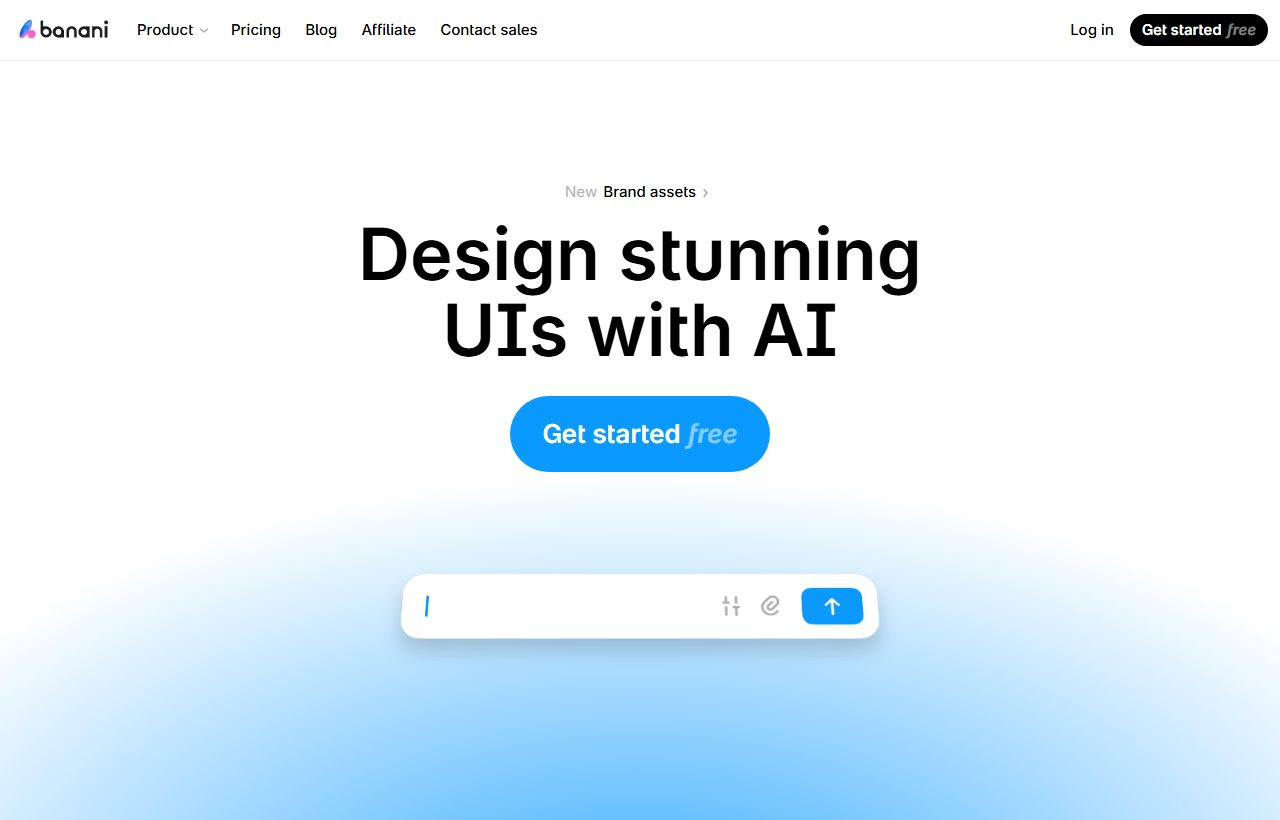
Banani is an AI tool for generating user interface designs. Users describe a product in text, upload a screenshot or reference image, or paste in a product requirements document, and Banani produces editable screens, wireframes and multi-screen clickable prototypes for web and mobile apps. Generated designs open on a canvas.
About Banani
Banani is an AI tool for generating user interface designs. Users describe a product in text, upload a screenshot or reference image, or paste in a product requirements document, and Banani produces editable screens, wireframes and multi-screen clickable prototypes for web and mobile apps.
Generated designs open on a canvas where they can be changed by chatting with the AI or by clicking and editing elements directly. Users can ask for a different tone, such as more playful or more minimal, or adjust colors, typography and other design tokens by hand. Projects and individual screens can be shared by link for feedback.
On paid plans, designs export to Figma, HTML/CSS and code, and an MCP connection lets coding agents such as Claude Code, Cursor and Codex read designs directly. The company was founded in 2024 by Vlad Solomakha and Vova Parkhomchuk, and it says more than 100,000 people use the tool, including product managers, founders, engineers and designers.
Demo video Locked
Hidden until this listing is claimed The owner adds this when they verify Banani.
Claim to unlock →Banani homepage
✨ Key Features
Text-to-UI generation
Turns a product description into editable multi-screen designs.
Reference-based design
Extracts style and layout from images, screenshots or Figma links.
Chat and canvas editing
Edit designs by prompting the AI or clicking elements directly.
Clickable prototypes
Generates linked multi-screen prototypes for web and mobile.
Style controls
Adjust tone, colors, typography and design tokens.
Link sharing
Share a project or screen with teammates for feedback.
🎯 Target Audience
Product managers
Turn PRDs and ideas into visual mockups without waiting on design.
Founders and indie hackers
Produce app screens and prototypes quickly for validation.
Designers
Use AI as a copilot for routine screens and early exploration.
Engineers
Feed designs to coding agents through MCP or code export.
Students
Practice UI design and build portfolio prototypes.
⚖️ Pros & Cons
Pros
Cons
Founder / CEO Locked
Hidden until this listing is claimed The owner adds this when they verify Banani.
Claim to unlock →Pricing Prices from the maker · check the maker's own site for current plans
Free
$0 /mo
- 12 monthly credits plus 3 daily refills
- Private projects
- No credit card required
Plus
$20 /mo
- $12/mo billed annually
- 100 monthly credits plus 10 daily refills
- Agent mode and unlimited Figma export
- MCP and code export
Pro
$50 /mo
- $30/mo billed annually
- Unlimited credits
- Highest generation speed
- Priority support
Enterprise
Custom
- SSO (SAML/SCIM)
- Design system import
- Custom integrations and AI models
❓ Frequently Asked Questions
Is Banani free?
Yes. The free plan includes 12 monthly credits plus 3 daily refills, does not expire and needs no credit card.
Can I export Banani designs to Figma?
Yes, Figma export is available on the paid Plus and Pro plans, which also unlock HTML/CSS export.
Does Banani work with AI coding agents?
Yes. Banani offers an MCP connection so agents such as Claude Code, Cursor and Codex can access designs directly.
What happens when I run out of credits?
Existing projects stay accessible, but new generations pause until credits refill or you upgrade.
Who makes Banani?
Banani was founded in 2024 by Vlad Solomakha and Vova Parkhomchuk, with a team of designers and developers from Ukraine.
What is Banani?
AI-powered UI design tool. Free text to UI design generation. Create stunning wireframes and high-fidelity designs fast. Edit designs with text prompts.
What are the key features of Banani?
Banani offers 6 main features. Text-to-UI generation: Turns a product description into editable multi-screen designs. Reference-based design: Extracts style and layout from images, screenshots or Figma links. Chat and canvas editing: Edit designs by prompting the AI or clicking elements directly. Clickable prototypes: Generates linked multi-screen prototypes for web and mobile. Style controls: Adjust tone, colors, typography and design tokens. Link sharing: Share a project or screen with teammates for feedback.
How much does Banani cost?
Banani uses a Freemium pricing model. Available plans include Free at $0/mo, Plus at $20/mo, Pro at $50/mo, Enterprise at Custom.
What are the pros and cons of Banani?
Key advantages include: Free plan with no credit card and no expiry; Designs are editable on a canvas, not static images; Exports to Figma and code on paid plans; MCP support for AI coding agents. Potential drawbacks: Figma and code export are limited to paid plans; Free plan has a small credit allowance and generations can cost several credits; Enterprise features like SSO and design system import require a sales contract.
What type of tool is Banani?
Banani is listed under UI Design on Ai Product Index.
Does Banani offer a free plan?
Yes, Banani offers a free plan. 12 monthly credits plus 3 daily refills. Private projects. No credit card required
SIDE BY SIDE
Banani vs Uizard vs Visily
See at a glance which tool leads on each point. ★ = best in row
| CRITERIA | B Banani THIS TOOL | U  Uizard VERIFIED | V  Visily UNCLAIMED |
|---|---|---|---|
| Best for | Generate UI from Text | UI Design Made Easy, Powered By AI | AI-powered UI design software |
| Starting price | $20 / month | $12 / month ★ Lowest | $14 / month |
| Free plan | Yes | Yes | Yes |
| Verified listing | No | Yes ★ Only one | No |
| Pricing model | Freemium | Freemium | Freemium |
| Founded | 2024 | 2018 ★ Longest running | 2022 |
| Links | View listing | View listing | View listing |
REVIEWS
What people say about Banani
No reviews yet
If you have used Banani, yours would be the first. Create a free account to leave a review, or sign in if you already have one.
MORE LIKE THIS