PopPop AI Vocal Remover
UNCLAIMEDPopPop.AI, Free Text to Speech, Vocal Remover, and More
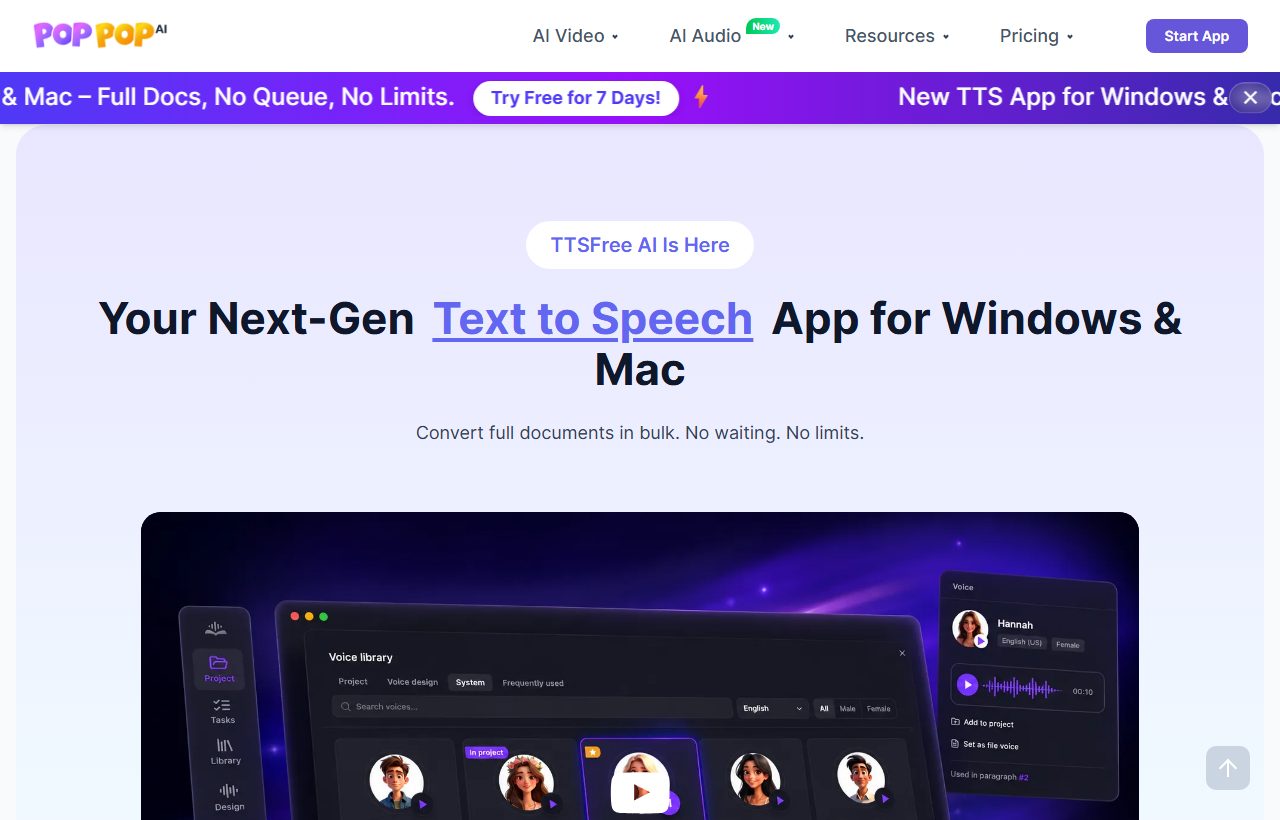
Overview
PopPop AI Vocal Remover is a browser-based tool that separates a song into its vocal and instrumental tracks. You can upload a file or paste a link from a video or audio site, and the company says more than 1,000 sites are supported. The tool returns the original.
About PopPop AI Vocal Remover
PopPop AI Vocal Remover is a browser-based tool that separates a song into its vocal and instrumental tracks. You can upload a file or paste a link from a video or audio site, and the company says more than 1,000 sites are supported. The tool returns the original, the isolated vocals and the instrumental, which you can preview before downloading as MP3 files. It needs no installation, and basic use doesn't require signing in.
It accepts MP4, MKV and MOV video and MP3, WAV, FLAC and M4A audio, up to 20 minutes and 400 MB per file. Free users can process 20 songs a day. The site notes that separation quality depends on how complex the mix is.
The vocal remover is part of a wider PopPop AI suite that includes a karaoke maker, acapella extractor, instrumental maker, AI cover song generator, text-to-speech, voice cloning, sound effect generation and the Vita3D 3D creation tools. A paid Basic plan raises usage limits across the audio tools. The site footer credits Nabla Mind.
Demo video Locked
Hidden until this listing is claimed The owner adds this when they verify PopPop AI Vocal Remover.
Claim to unlock →PopPop AI Vocal Remover homepage
✨ Key Features
AI vocal separation
Splits a song into isolated vocal and instrumental tracks.
URL import
Pulls audio from video and audio links on supported sites.
Video and audio input
Accepts MP4, MKV, MOV, MP3, WAV, FLAC and M4A files.
Three-track preview
Plays the original, vocals and instrumental before download.
No sign-in needed
Lets users process songs without creating an account.
Related music tools
Includes karaoke, acapella and instrumental maker tools.
🎯 Target Audience
Karaoke singers
Make instrumental backing tracks from favorite songs.
Music producers
Extract acapellas or instrumentals for sampling and remixes.
Cover artists
Get backing tracks to record their own vocals over.
Video creators
Separate music and voice from video files and links.
Music learners
Isolate vocals or instruments to study and practice a song.
⚖️ Pros & Cons
Pros
Cons
Founder / CEO Locked
Hidden until this listing is claimed The owner adds this when they verify PopPop AI Vocal Remover.
Claim to unlock →Pricing Prices from the maker · check the maker's own site for current plans
Free
$0 /mo
- 20 songs per day
- 15 text-to-speech conversions per day
- 1 GB storage
- No voice cloning
Basic
$9.95 /mo
- 1,000 songs per month
- 1,000 TTS conversions per month
- 2 voice clones per month, 5 GB storage
- $79/year when billed annually
Enterprise
Custom
- Custom limits for teams and businesses
- Contact sales
❓ Frequently Asked Questions
Is PopPop AI Vocal Remover free?
Yes. The free tier lets you process up to 20 songs a day without logging in. A paid Basic plan raises limits across PopPop's audio tools.
What file formats does it support?
It accepts MP4, MKV and MOV video and MP3, WAV, FLAC and M4A audio, up to 20 minutes and 400 MB per file. Results are saved as MP3.
Can I remove vocals from a video link?
Yes. You can paste a video or audio URL, and the company says over 1,000 sites are supported. If a link fails, the site suggests downloading the file and uploading it directly.
Can I use the separated tracks commercially?
That depends on the copyright of the original song. PopPop advises getting any necessary permissions first.
Who makes PopPop AI?
The site's footer credits Nabla Mind, and its About page describes a small team of seven people.
What is PopPop AI Vocal Remover?
PopPop AI offers free AI tools for audio, video, and 3D creation. Features include lifelike text-to-speech, clean vocal removal, instant 3D asset generation, and more.
What are the key features of PopPop AI Vocal Remover?
PopPop AI Vocal Remover offers 6 main features. AI vocal separation: Splits a song into isolated vocal and instrumental tracks. URL import: Pulls audio from video and audio links on supported sites. Video and audio input: Accepts MP4, MKV, MOV, MP3, WAV, FLAC and M4A files. Three-track preview: Plays the original, vocals and instrumental before download. No sign-in needed: Lets users process songs without creating an account. Related music tools: Includes karaoke, acapella and instrumental maker tools.
How much does PopPop AI Vocal Remover cost?
PopPop AI Vocal Remover uses a Freemium pricing model. Available plans include Free at $0/mo, Basic at $9.95/mo, Enterprise at Custom.
What are the pros and cons of PopPop AI Vocal Remover?
Key advantages include: Free tier allows 20 songs a day without logging in; Accepts video files and links as well as audio; Generous limits of 20 minutes and 400 MB per file; Part of a broader suite of AI audio tools. Potential drawbacks: Output is MP3 only, with no lossless download; Two-track split only, with no separate drums or bass stems; The site notes separation is not always clean on complex mixes.
What type of tool is PopPop AI Vocal Remover?
PopPop AI Vocal Remover is listed under Audio Editor on Ai Product Index.
Does PopPop AI Vocal Remover offer a free plan?
Yes, PopPop AI Vocal Remover offers a free plan. 20 songs per day. 15 text-to-speech conversions per day. 1 GB storage. No voice cloning
SIDE BY SIDE
PopPop AI Vocal Remover vs LALAL.AI vs Adobe Podcast
See at a glance which tool leads on each point. ★ = best in row
| CRITERIA | P | L  LALAL.AI VERIFIED | A  Adobe Podcast UNCLAIMED |
|---|---|---|---|
| Best for | PopPop.AI, Free Text to Speech, Vocal Remover, and More | AI Vocal Remover & Instrumental Isolator | AI audio recording and editing, all on the web |
| Starting price | $9.95 / month ★ Lowest | $9.99 / month | $19.99 / month |
| Free plan | Yes | No | Yes |
| Verified listing | No | Yes ★ Only one | No |
| Pricing model | Freemium | Paid | Freemium |
| Founded | Not stated | 2020 ★ Longest running | 2022 |
| Links | View listing | View listing | View listing |
REVIEWS
What people say about PopPop AI Vocal Remover
No reviews yet
If you have used PopPop AI Vocal Remover, yours would be the first. Create a free account to leave a review, or sign in if you already have one.
MORE LIKE THIS