
Cline
UNCLAIMEDThe Open Coding Agent
Overview
Cline is an open-source AI coding agent that runs in code editors, in the terminal, or inside other products through an SDK. It started in 2024 as a VS Code extension originally called Claude Dev, and is now offered as an IDE extension, a desktop app for Mac.
About Cline
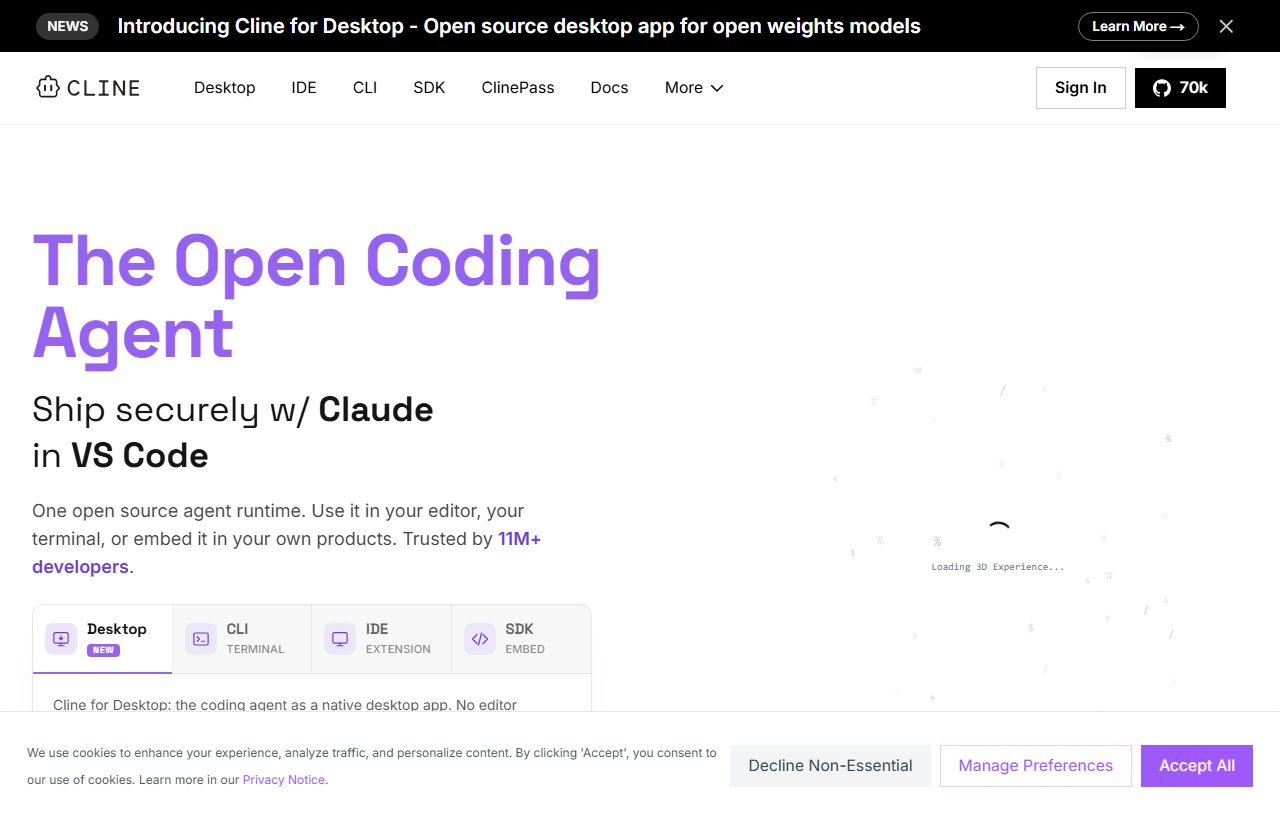
Cline is an open-source AI coding agent that runs in code editors, in the terminal, or inside other products through an SDK. It started in 2024 as a VS Code extension originally called Claude Dev, and is now offered as an IDE extension, a desktop app for Mac, Windows and Linux, a CLI and an SDK. The project is licensed under Apache 2.0.
The agent can edit multiple files with reviewable diffs, run terminal commands and react to their output, and save checkpoints that can be undone. A Plan mode lets the user agree on a strategy before an Act mode carries it out, with optional auto-approval. Project rules files encode coding standards, and MCP servers extend the agent with custom tools. The company says it also supports multi-agent teams and scheduled runs.
Cline is model-agnostic: users bring their own API key for providers such as Anthropic, OpenAI, Google, AWS Bedrock, Azure, DeepSeek or OpenRouter, or run local models through Ollama. The open-source edition has no subscription or seat fees, only inference costs, while an Enterprise plan adds SSO, team management and centralized billing.
Demo video Locked
Hidden until this listing is claimed The owner adds this when they verify Cline.
Claim to unlock →Cline homepage
✨ Key Features
Multi-file edits
Proposes changes across files as diffs with checkpoints and undo.
Terminal execution
Runs commands and adjusts based on their output.
Plan and Act modes
Agrees on a plan first, then executes with optional auto-approve.
Project rules
Applies coding standards stored in .clinerules files.
MCP support
Connects to MCP servers and a built-in MCP marketplace.
Any model provider
Works with hosted APIs, OpenAI-compatible endpoints or local models.
🎯 Target Audience
Software developers
Delegate multi-step coding tasks inside their editor.
Terminal users
Run the agent from the command line through the CLI.
Engineering teams
Standardize AI coding with shared rules and enterprise controls.
Privacy-conscious developers
Use local models or their own API keys with a client-side setup.
Platform builders
Embed the agent in their own products via the SDK.
⚖️ Pros & Cons
Pros
Cons
Founder / CEO Locked
Hidden until this listing is claimed The owner adds this when they verify Cline.
Claim to unlock →Pricing Prices from the maker · check the maker's own site for current plans
Open Source
$0 /mo
- Free for individual developers
- Pay only for AI inference, at cost or BYOK
- VS Code extension, CLI and MCP Marketplace
- Community support
Enterprise
Custom
- JetBrains extension
- SSO, RBAC and authentication logs
- Centralized billing and team dashboard
- SLA and dedicated support
❓ Frequently Asked Questions
Is Cline free?
Yes. Cline is free and open source for individual developers; you pay only for the AI inference you use, either at cost or with your own API key.
Is Cline open source?
Yes. Cline is released under the Apache 2.0 license and its code is on GitHub.
Which editors does Cline support?
Cline runs in VS Code and compatible editors such as Cursor and Windsurf, with a JetBrains extension in early access. It is also available as a CLI and desktop app.
Which AI models can Cline use?
Cline works with providers including Anthropic, OpenAI, Google Gemini, AWS Bedrock, Azure, DeepSeek and OpenRouter, any OpenAI-compatible API, and local models via Ollama.
Who makes Cline?
Cline is developed by Cline Bot Inc. The project began in 2024 as a VS Code extension called Claude Dev.
What is Cline?
Open-source AI coding agent with Plan/Act modes, MCP integration, and terminal-first workflows. Trusted by 11M+ developers worldwide.
What are the key features of Cline?
Cline offers 6 main features. Multi-file edits: Proposes changes across files as diffs with checkpoints and undo. Terminal execution: Runs commands and adjusts based on their output. Plan and Act modes: Agrees on a plan first, then executes with optional auto-approve. Project rules: Applies coding standards stored in .clinerules files. MCP support: Connects to MCP servers and a built-in MCP marketplace. Any model provider: Works with hosted APIs, OpenAI-compatible endpoints or local models.
How much does Cline cost?
Cline uses a Free pricing model. Available plans include Open Source at $0/mo, Enterprise at Custom.
What are the pros and cons of Cline?
Key advantages include: Open source under Apache 2.0; No subscription or seat fees for individuals; pay only for inference; Works with many model providers, including local models; Available as extension, desktop app, CLI and SDK. Potential drawbacks: Inference costs depend on the chosen model and can be hard to predict; SSO, RBAC and team dashboards require the Enterprise plan; JetBrains support is still marked early access.
What type of tool is Cline?
Cline is listed under IDE on Ai Product Index.
Does Cline offer a free plan?
Yes, Cline offers a free plan. Free for individual developers. Pay only for AI inference, at cost or BYOK. VS Code extension, CLI and MCP Marketplace. Community support
SIDE BY SIDE
Cline vs Cursor vs Uizard
See at a glance which tool leads on each point. ★ = best in row
| CRITERIA | C Cline THIS TOOL | C  Cursor VERIFIED | U  Uizard VERIFIED |
|---|---|---|---|
| Best for | The Open Coding Agent | AI Coding Agent for Building Ambitious Software | UI Design Made Easy, Powered By AI |
| Starting price | Free | $20 / month | $12 / month ★ Lowest |
| Free plan | Yes | No | Yes |
| Verified listing | No | Yes | Yes |
| Pricing model | Free | Paid | Freemium |
| Founded | 2024 | 2022 | 2018 ★ Longest running |
| Links | View listing | View listing | View listing |
REVIEWS
What people say about Cline
No reviews yet
If you have used Cline, yours would be the first. Create a free account to leave a review, or sign in if you already have one.
MORE LIKE THIS