
Codex CLI
UNCLAIMEDA coding agent from OpenAI that runs locally on your computer
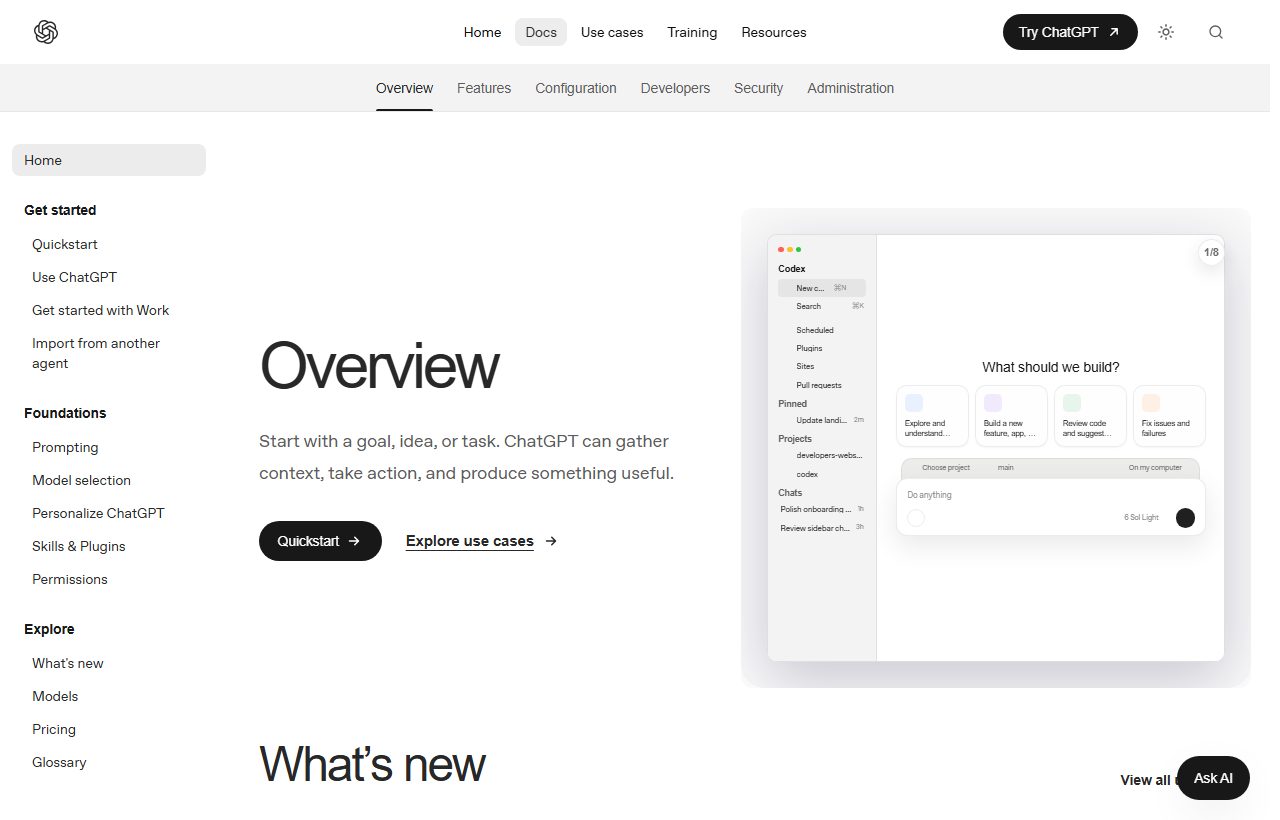
Overview
Codex CLI is OpenAI's open-source coding agent that runs in a terminal on the user's own computer. It can read a codebase, edit files and run commands to complete programming tasks. It is one of several Codex surfaces, alongside an IDE extension, a cloud agent and the ChatGPT desktop.
About Codex CLI
Codex CLI is OpenAI's open-source coding agent that runs in a terminal on the user's own computer. It can read a codebase, edit files and run commands to complete programming tasks. It is one of several Codex surfaces, alongside an IDE extension, a cloud agent and the ChatGPT desktop, web and mobile apps.
The CLI is released under the Apache-2.0 license. It can be installed with npm, Homebrew, a shell or PowerShell script, or prebuilt binaries for macOS and Linux. Its documentation covers slash commands, config files, AGENTS.md project instructions, subagents, rules, MCP servers and a non-interactive mode for scripts and automation. OpenAI also offers a Codex SDK and a GitHub Action.
Users can sign in with a ChatGPT account, which is the recommended option. CLI access comes with Plus, Pro, Business, Edu and Enterprise plans, and usage limits depend on the plan and model. Users can also sign in with an OpenAI API key, which is billed at standard API rates but does not work with cloud-based features.
Demo video Locked
Hidden until this listing is claimed The owner adds this when they verify Codex CLI.
Claim to unlock →Codex CLI homepage
✨ Key Features
Local terminal agent
Reads, edits and runs code on the user's own machine.
Open source
Source code is published on GitHub under the Apache-2.0 license.
AGENTS.md instructions
Reads project-level instruction files to guide its behavior.
MCP support
Connects to external tools through Model Context Protocol servers.
Non-interactive mode
Runs tasks from scripts and CI pipelines without a chat session.
Subagents and rules
Supports subagents and configurable rules for more complex work.
🎯 Target Audience
Software engineers
Delegate coding, refactoring and debugging tasks from the terminal.
ChatGPT subscribers
Use their Plus, Pro or Business plan allowance for local coding work.
DevOps teams
Automate code tasks in pipelines with non-interactive mode and the GitHub Action.
Open-source contributors
Inspect, modify and contribute to the agent's own source code.
Enterprises
Roll out Codex with enterprise controls and gateway setup.
⚖️ Pros & Cons
Pros
Cons
Founder / CEO Locked
Hidden until this listing is claimed The owner adds this when they verify Codex CLI.
Claim to unlock →Pricing Prices from the maker · check the maker's own site for current plans
Plus
$20 /mo
- Codex on web, CLI, IDE extension and iOS
- Usage limits reset every five hours
- Weekly limits may apply
Pro
$100 /mo
- Also offered at $200 and $500 per month
- No five-hour usage limit currently
- Ultrafast mode on the $500 plan
Business
$25 /user/mo
- $20/user/mo billed annually for 2+ users
- Codex across all surfaces
Enterprise & Edu
Custom
- Everything in Business
- Enterprise controls
- Flexible credit-based usage
❓ Frequently Asked Questions
Is Codex CLI free?
The CLI software is open source and free to install, but using it requires either a paid ChatGPT plan (Plus or higher) or an OpenAI API key billed at API rates.
How do I install Codex CLI?
It can be installed with npm, Homebrew, a shell or PowerShell install script, or a binary downloaded from GitHub Releases.
Can I use Codex CLI with an API key?
Yes. API-key sign-in works with the CLI, SDK and IDE extension and is billed at API pricing, but it does not support cloud-based features.
Is Codex CLI open source?
Yes. Codex CLI is published on GitHub under the Apache-2.0 license.
Who makes Codex CLI?
Codex CLI is made by OpenAI.
What is Codex CLI?
Codex CLI is a coding agent from OpenAI that runs locally on your computer, available with a ChatGPT plan or an API key.
What are the key features of Codex CLI?
Codex CLI offers 6 main features. Local terminal agent: Reads, edits and runs code on the user's own machine. Open source: Source code is published on GitHub under the Apache-2.0 license. AGENTS.md instructions: Reads project-level instruction files to guide its behavior. MCP support: Connects to external tools through Model Context Protocol servers. Non-interactive mode: Runs tasks from scripts and CI pipelines without a chat session. Subagents and rules: Supports subagents and configurable rules for more complex work.
How much does Codex CLI cost?
Codex CLI uses a Paid pricing model. Available plans include Plus at $20/mo, Pro at $100/mo, Business at $25/user/mo, Enterprise & Edu at Custom.
What are the pros and cons of Codex CLI?
Key advantages include: Open source under the Apache-2.0 license; Included with ChatGPT Plus and higher plans; Can use an API key instead of a subscription; Installs through npm, Homebrew or scripts. Potential drawbacks: CLI access requires a paid ChatGPT plan or API billing; Plus and Business plans have usage caps that reset every five hours; API-key sign-in does not support cloud-based features.
What type of tool is Codex CLI?
Codex CLI is listed under IDE on Ai Product Index.
SIDE BY SIDE
Codex CLI vs Cursor vs Uizard
See at a glance which tool leads on each point. ★ = best in row
| CRITERIA | C Codex CLI THIS TOOL | C  Cursor VERIFIED | U  Uizard VERIFIED |
|---|---|---|---|
| Best for | A coding agent from OpenAI that runs locally on your computer | AI Coding Agent for Building Ambitious Software | UI Design Made Easy, Powered By AI |
| Starting price | $20 / month | $20 / month | $12 / month ★ Lowest |
| Free plan | No | No | Yes ★ Only one |
| Verified listing | No | Yes | Yes |
| Pricing model | Paid | Paid | Freemium |
| Founded | 2025 | 2022 | 2018 ★ Longest running |
| Links | View listing | View listing | View listing |
REVIEWS
What people say about Codex CLI
No reviews yet
If you have used Codex CLI, yours would be the first. Create a free account to leave a review, or sign in if you already have one.
MORE LIKE THIS