
Dyad
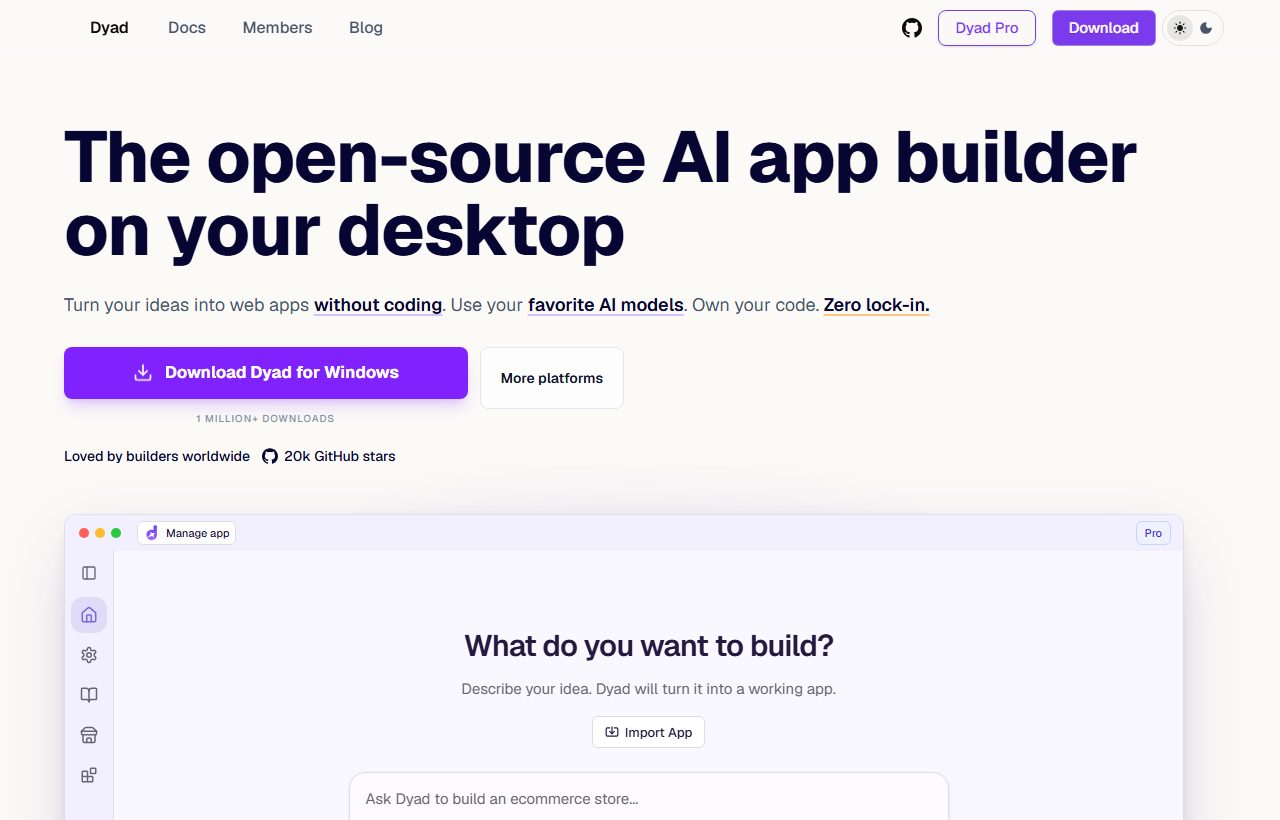
UNCLAIMEDThe open-source AI app builder on your desktop
Overview
Dyad is a desktop application for building web apps by describing them in plain language. It runs on the user's own computer instead of in a hosted browser workspace, and project files stay on local disk. The developer, Dyad Tech, presents it as a free.
About Dyad
Dyad is a desktop application for building web apps by describing them in plain language. It runs on the user's own computer instead of in a hosted browser workspace, and project files stay on local disk. The developer, Dyad Tech, presents it as a free, open-source alternative to cloud app builders such as Lovable, v0 and Bolt.
Users can connect their own API keys for providers including OpenAI, Anthropic and Google, or run local models through Ollama or LM Studio. Dyad generates standard code that can be opened in editors like VS Code, so the project is not locked to the tool. It connects to Supabase or Neon for databases and authentication, supports MCP servers for extra capabilities, and can push projects to GitHub and deploy them to Vercel.
The core app is free and needs no account. Paid Pro and Max subscriptions add AI credits, modes for large codebases and access to the Dyad Academy learning material. Most of the source code is released under the Apache 2.0 license, while the Pro features use a fair-source license.
Demo video Locked
Hidden until this listing is claimed The owner adds this when they verify Dyad.
Claim to unlock →Dyad homepage
✨ Key Features
Local-first building
Runs on the user's machine and keeps project files on local disk.
Bring your own model
Works with OpenAI, Anthropic, Google and local models through Ollama or LM Studio.
Exportable standard code
Produces regular, runnable code that can be edited in tools like VS Code.
Database and auth
Connects to Supabase or Neon to add databases and user authentication.
Security review
Scans generated apps for issues such as SQL injection and misconfigurations.
MCP server support
Extends the builder with MCP servers such as browser dev tools or web search.
🎯 Target Audience
Non-technical founders
Turn product ideas into working web app prototypes without writing code.
Developers
Generate full-stack app scaffolding and keep editing the code in their own IDE.
Privacy-minded users
Build apps locally, including with offline models, without sending projects to a hosted builder.
Hobbyists and learners
Experiment with AI-assisted app building for free using their own API keys.
Small teams
Prototype internal tools and deploy them to Vercel or their own cloud.
⚖️ Pros & Cons
Pros
Cons
Founder / CEO Locked
Hidden until this listing is claimed The owner adds this when they verify Dyad.
Claim to unlock →Pricing Prices from the maker · check the maker's own site for current plans
Free
$0 /mo
- Core desktop app
- No sign-up required
- Bring your own API key
- Community support
Pro
$20 /mo
- Pro modes for large codebases
- 200 AI credits per month
- Dyad Academy access
Max
$79 /mo
- Everything in Pro
- 900 AI credits per month
- Prioritized office hours
❓ Frequently Asked Questions
Is Dyad free?
Yes. The core desktop app is free and needs no account; users supply their own AI provider API keys. Optional Pro ($20/month) and Max ($79/month) plans add AI credits and extra modes.
Is Dyad open source?
Yes. Its code is on GitHub, with most of it under the Apache 2.0 license and the Pro features under the Functional Source License.
Which AI models does Dyad support?
It works with providers such as OpenAI, Anthropic and Google, and with local models run through Ollama or LM Studio.
What platforms does Dyad run on?
Dyad is available for macOS (Apple Silicon and Intel), Windows and Linux.
Who makes Dyad?
Dyad is built by Dyad Tech, Inc.
What is Dyad?
Build full-stack AI apps on your desktop with Dyad, the free, local, open-source AI app builder. Use any AI model, own your code. Zero lock-in.
What are the key features of Dyad?
Dyad offers 6 main features. Local-first building: Runs on the user's machine and keeps project files on local disk. Bring your own model: Works with OpenAI, Anthropic, Google and local models through Ollama or LM Studio. Exportable standard code: Produces regular, runnable code that can be edited in tools like VS Code. Database and auth: Connects to Supabase or Neon to add databases and user authentication. Security review: Scans generated apps for issues such as SQL injection and misconfigurations. MCP server support: Extends the builder with MCP servers such as browser dev tools or web search.
How much does Dyad cost?
Dyad uses a Freemium pricing model. Available plans include Free at $0/mo, Pro at $20/mo, Max at $79/mo.
What are the pros and cons of Dyad?
Key advantages include: Core app is free and requires no sign-up; Runs locally with support for offline models; Generates standard code with no vendor lock-in; Mostly open source under Apache 2.0. Potential drawbacks: Free tier depends on the user's own API keys and their costs; Desktop install required rather than a browser workspace; Pro-only features are under a fair-source license rather than Apache 2.0.
What type of tool is Dyad?
Dyad is listed under IDE on Ai Product Index.
Does Dyad offer a free plan?
Yes, Dyad offers a free plan. Core desktop app. No sign-up required. Bring your own API key. Community support
SIDE BY SIDE
Dyad vs Uizard vs Cursor
See at a glance which tool leads on each point. ★ = best in row
| CRITERIA | D Dyad THIS TOOL | U  Uizard VERIFIED | C  Cursor VERIFIED |
|---|---|---|---|
| Best for | The open-source AI app builder on your desktop | UI Design Made Easy, Powered By AI | AI Coding Agent for Building Ambitious Software |
| Starting price | $20 / month | $12 / month ★ Lowest | $20 / month |
| Free plan | Yes | Yes | No |
| Verified listing | No | Yes | Yes |
| Pricing model | Freemium | Freemium | Paid |
| Founded | 2025 | 2018 ★ Longest running | 2022 |
| Links | View listing | View listing | View listing |
REVIEWS
What people say about Dyad
No reviews yet
If you have used Dyad, yours would be the first. Create a free account to leave a review, or sign in if you already have one.
MORE LIKE THIS