
Visual Studio Code
UNCLAIMEDThe open source AI code editor
Overview
dev. It includes an integrated terminal, debugger, Git source control, build tasks, settings sync and profiles, with built-in support for languages such as JavaScript, TypeScript, HTML, CSS, JSON and Markdown. Microsoft now presents VS Code as an AI code editor built around multi-agent development.
About Visual Studio Code
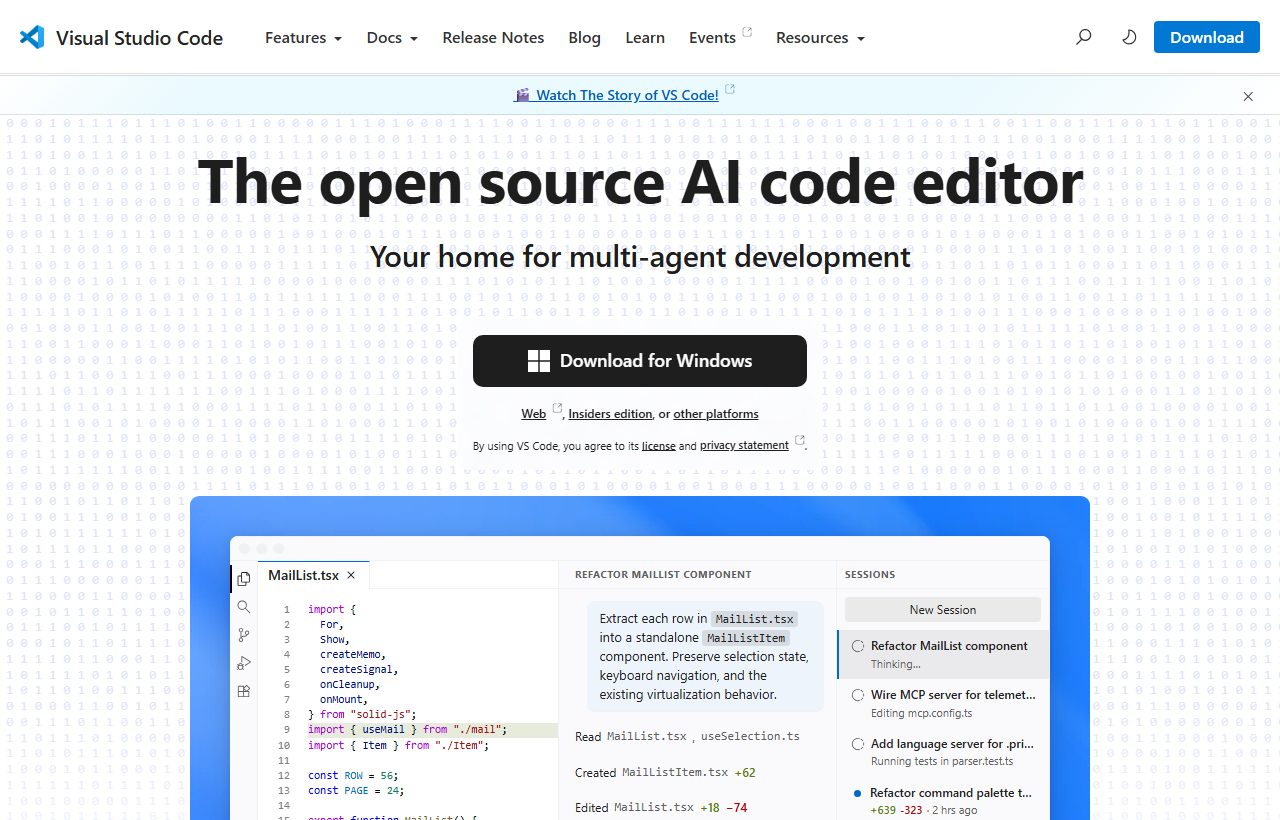
Visual Studio Code is a free, open-source code editor from Microsoft, first released in 2015 and available for Windows, macOS and Linux, as well as in the browser through vscode.dev. It includes an integrated terminal, debugger, Git source control, build tasks, settings sync and profiles, with built-in support for languages such as JavaScript, TypeScript, HTML, CSS, JSON and Markdown.
Microsoft now presents VS Code as an AI code editor built around multi-agent development. Through GitHub Copilot, agents can plan work, edit files, run commands and iterate in the background, and sessions from several agents can be tracked in one view. Users can choose Copilot models or third-party models from providers such as Anthropic and OpenAI, or bring their own API key. Custom instructions, agent skills, custom agents and MCP servers let teams shape how agents behave.
The editor's extension marketplace lists more than 80,000 extensions covering languages, linters, themes and remote development. The agent features require only a GitHub account to start, according to Microsoft.
Demo video Locked
Hidden until this listing is claimed The owner adds this when they verify Visual Studio Code.
Claim to unlock →Visual Studio Code homepage
✨ Key Features
Agent mode
Copilot agents plan, edit code, run commands and iterate on tasks.
Multi-agent sessions
Tracks and filters sessions from several agents in one view.
Bring your own model
Uses Copilot, Anthropic or OpenAI models, or your own API key.
Extension marketplace
Offers more than 80,000 extensions for languages and tools.
Integrated debugging
Debugs code directly in the editor with breakpoints and consoles.
Remote development
Works in containers, over SSH, in Codespaces or in the browser.
🎯 Target Audience
Software developers
Write, debug and refactor code across many languages.
AI-assisted coders
Delegate tasks to Copilot agents and review their changes.
Data scientists
Run Python and Jupyter notebooks inside the editor.
Students
Learn programming with a free, cross-platform editor.
Engineering teams
Standardize tooling with shared settings, profiles and custom agents.
⚖️ Pros & Cons
Pros
Cons
Founder / CEO Locked
Hidden until this listing is claimed The owner adds this when they verify Visual Studio Code.
Claim to unlock →Pricing Prices from the maker · check the maker's own site for current plans
Free
$0 /mo
- Full editor on Windows, macOS and Linux
- Extension marketplace access
- Copilot agent features with a GitHub account
- No credit card required
❓ Frequently Asked Questions
Is Visual Studio Code free?
Yes, VS Code is free to download and use, including for commercial work. Paid GitHub Copilot plans are optional and sold separately.
Who makes Visual Studio Code?
VS Code is developed by Microsoft, with its source code published on GitHub.
Does VS Code have AI features?
Yes, VS Code includes GitHub Copilot with inline suggestions, chat and agent mode, and supports models from providers such as Anthropic and OpenAI.
Which platforms does VS Code support?
VS Code runs on Windows, macOS and Linux, and a browser version is available at vscode.dev.
Can I use my own AI model in VS Code?
Yes, VS Code lets you bring your own API key for supported model providers.
What is Visual Studio Code?
Visual Studio Code is the open source AI code editor and your home for multi-agent development. Start building with AI agents for free, no trial or credit card required.
What are the key features of Visual Studio Code?
Visual Studio Code offers 6 main features. Agent mode: Copilot agents plan, edit code, run commands and iterate on tasks. Multi-agent sessions: Tracks and filters sessions from several agents in one view. Bring your own model: Uses Copilot, Anthropic or OpenAI models, or your own API key. Extension marketplace: Offers more than 80,000 extensions for languages and tools. Integrated debugging: Debugs code directly in the editor with breakpoints and consoles. Remote development: Works in containers, over SSH, in Codespaces or in the browser.
How much does Visual Studio Code cost?
Visual Studio Code uses a Free pricing model. Available plans include Free at $0/mo.
What are the pros and cons of Visual Studio Code?
Key advantages include: Free and open source with no license cost; Runs on Windows, macOS, Linux and in the browser; Very large extension ecosystem with more than 80,000 extensions; Supports several AI model providers and bring-your-own keys. Potential drawbacks: Heavier use of Copilot agent features requires a paid GitHub Copilot plan; Many language and tool capabilities depend on third-party extensions; AI features require signing in with a GitHub account.
What type of tool is Visual Studio Code?
Visual Studio Code is listed under IDE on Ai Product Index.
Does Visual Studio Code offer a free plan?
Yes, Visual Studio Code offers a free plan. Full editor on Windows, macOS and Linux. Extension marketplace access. Copilot agent features with a GitHub account. No credit card required
SIDE BY SIDE
Visual Studio Code vs Cursor vs Uizard
See at a glance which tool leads on each point. ★ = best in row
| CRITERIA | V Visual Studio Code THIS TOOL | C  Cursor VERIFIED | U  Uizard VERIFIED |
|---|---|---|---|
| Best for | The open source AI code editor | AI Coding Agent for Building Ambitious Software | UI Design Made Easy, Powered By AI |
| Starting price | Free | $20 / month | $12 / month ★ Lowest |
| Free plan | Yes | No | Yes |
| Verified listing | No | Yes | Yes |
| Pricing model | Free | Paid | Freemium |
| Founded | 2015 ★ Longest running | 2022 | 2018 |
| Links | View listing | View listing | View listing |
REVIEWS
What people say about Visual Studio Code
No reviews yet
If you have used Visual Studio Code, yours would be the first. Create a free account to leave a review, or sign in if you already have one.
MORE LIKE THIS